EasyManua.ls Logo

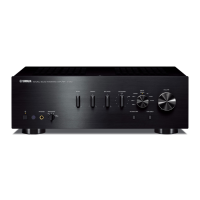
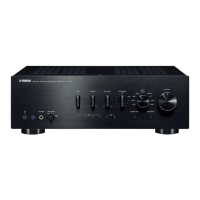
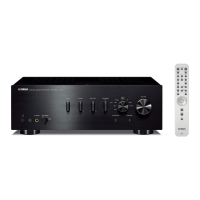
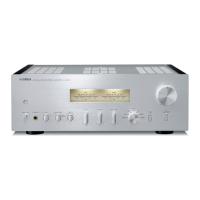
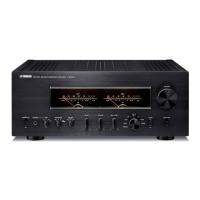
Yamaha A-U671 - User Manual

Yamaha A-U671
20 pages
Print Icon
To Next Page IconTo Next Page
Loading...
© 2015 Yamaha Corporation
Printed in China ZS22010
http://europe.yamaha.com/warranty/
AVEEA71102A
Important Notice: Guarantee Information for customers in EEA* and Switzerland
For detailed guarantee information about this Yamaha product, and Pan-EEA* and
Switzerland warranty service, please either visit the website address below (Printable file is available at our website) or contact the Yamaha representative office for your country.
* EEA: European Economic Area
English
Integrated Amplifier
OWNER’S MANUAL
AB

Other manuals for Yamaha A-U671

Questions and Answers

  • M
    michael50Sep 12, 2025
    Why is there a lack of bass and ambience in my Yamaha Amplifier sound?
    • K
      Katelyn WebbSep 12, 2025
      If you're experiencing a lack of bass and ambience with your Yamaha Amplifier, especially when using a subwoofer, first check that the subwoofer is properly connected. If the problem persists, the settings for the subwoofer may be incorrect. Also, ensure that the + and – wires are correctly connected at both the amplifier and the speakers. Finally, make sure the BASS control is set to the appropriate position.
  • F
    fgeorgeAug 22, 2025
    What to do if my Yamaha A-U671 fails to turn on?
    • N
      Nicholas WernerAug 23, 2025
      If your Yamaha Amplifier doesn't turn on, there might be several reasons. First, ensure the power cable is properly connected. Also, check that the speaker wires aren't touching each other, as this could activate the protection circuitry. If the issue persists, there may be a problem with the internal circuitries of the unit; in this case, disconnect the power cable and contact an authorized Yamaha dealer or service center. Finally, verify that you are using speakers with a proper impedance (6 ? or higher).
  • N
    Nancy JacksonAug 25, 2025
    How to fix a Yamaha A-U671 Amplifier that fails to turn on?
    • M
      Melissa SanchezAug 25, 2025
      If your Yamaha Amplifier fails to turn on, first, ensure the power cable is firmly connected. If that doesn't work, check that the speaker wires are not touching each other. If the issue persists, disconnect the power cable and contact an authorized Yamaha dealer or service center. Also, ensure you are using speakers with a proper impedance of 6 ? or higher.
  • J
    Julie LaneAug 26, 2025
    What to do if my Yamaha Amplifier turns off suddenly?
    • R
      Ronnie HillAug 26, 2025
      If your Yamaha Amplifier turns off suddenly, first, ensure the speaker wires are not touching each other or shorting out against the rear panel. If the issue continues, try replacing the speaker set. Additionally, the protection circuitry might have been activated due to excessive input or volume; decrease the volume. It could also be due to excessive internal temperature; allow the unit to cool down for about 30 minutes and lower the volume. If the unit was exposed to a strong electric shock, turn it off, disconnect the power cable, and plug it back in after 30 seconds. If none of these steps work, disconnect the power cable and contact an authorized Yamaha dealer or service center.
  • E
    Ellen HayesAug 27, 2025
    What to do if my Yamaha A-U671 cannot be turned off?
    • D
      Dennis MooreAug 27, 2025
      To turn off your Yamaha Amplifier if it's stuck, press the power button on the front panel for 10 seconds or more to restart the unit. If the problem persists, unplug the power cable, wait about 30 seconds, and then plug it back in.
  • C
    Carol BrownAug 31, 2025
    How to fix no sound on Yamaha A-U671 Amplifier?
    • J
      Jeffrey BowmanAug 31, 2025
      If you're not getting any sound from your Yamaha Amplifier, here are a few things to check: * Make sure headphones aren't connected, as this will mute the speakers and subwoofer. * Ensure the mute function is turned off. * Verify that all cables are connected properly; if the problem continues, the cables may be defective. * Confirm that the connected component is playing and the volume isn't set to minimum. * Select the correct input source using the INPUT button on the front panel. If you're using a PC, ensure the driver is installed. Finally, increase the volume using the VOLUME control.
  • A
    Antonio ShafferDec 1, 2025
    Why does my Yamaha A-U671 Amplifier turn off suddenly?
    • S
      Sara GriffinDec 1, 2025
      Your Yamaha Amplifier might be turning off suddenly due to several reasons. The speaker wires may be touching each other or shorting out against the rear panel, excessive input or volume level may have activated the protection circuitry, or the unit's internal temperature may be too high. In the first case, connect the speaker cables correctly and turn the power on again. For excessive input or volume, decrease the volume level and turn the power on again. If it's due to temperature, allow about 30 minutes for it to cool down, lower the volume, and ensure the unit is in a place where heat can dissipate. If the unit has been exposed to a strong external electric shock, turn it off, disconnect the power cable, plug it back in after 30 seconds, then use the unit normally. If none of these res...
  • S
    Scott LyonsSep 13, 2025
    Why is the sound level so low on my Yamaha Amplifier?
    • K
      Katherine RamosSep 13, 2025
      If the sound level on your Yamaha Amplifier is too low, first check that the volume is turned up using the VOLUME control. If you're using a PC connected via USB, also ensure that the volume on the PC itself is set to an appropriate level.
  • W
    walkerroySep 10, 2025
    How to increase the sound level on my Yamaha Amplifier?
    • L
      Linda BartonSep 10, 2025
      If the sound level from your Yamaha Amplifier is low, increase the volume using the VOLUME control until you can hear the sound.
  • T
    Tiffany HallSep 6, 2025
    Why is my Yamaha A-U671 making a humming sound?
    • Y
      ysuarezSep 6, 2025
      If you are hearing a humming sound from your Yamaha Amplifier, ensure that the audio plugs are firmly connected. If the problem persists, the cables may be defective.

Summary

Safety and Operation Precautions

General Safety Instructions

Essential safety guidelines for installation, handling, and operation to prevent damage or injury.

NAMES AND FUNCTIONS OF THE PARTS

CONNECTIONS

PLAYBACK

PLAYING BACK MUSIC STORED ON A PC (USB DAC FUNCTION)

PC Driver Installation and Setup

Steps to install the necessary driver and prepare the PC for USB audio playback.

PC Music Playback Steps

Detailed steps to play music files from a PC via the USB connection.

ADJUSTING TO THE DESIRED SOUND

TROUBLESHOOTING

Unit Power and Shutdown Troubleshooting

Solutions for problems like the unit failing to turn on or shutting off unexpectedly.

Audio Output and Sound Quality Issues

Troubleshooting steps for no sound, low volume, humming, or sound quality problems.

Connectivity and Recognition Problems

Resolving issues with PC recognition, tone controls, and incorrect speaker connections.

Playback Interruption and File Playback Errors

Solutions for noisy playback, interrupted sound, and inability to play music files via USB.

Yamaha A-U671 Specifications

General IconGeneral
BrandYamaha
ModelA-U671
CategoryAmplifier
LanguageEnglish

Related product manuals