EasyManua.ls Logo

Yamaha A-U671 - User Manual

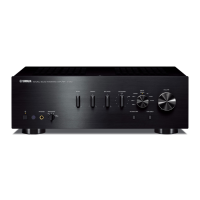
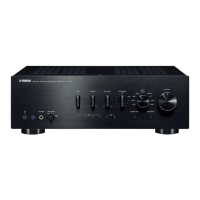
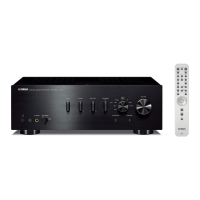
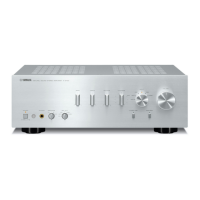
Yamaha A-U671
20 pages
Print Icon
To Next Page IconTo Next Page
Loading...
© 2015 Yamaha Corporation
Printed in China ZS22010
http://europe.yamaha.com/warranty/
AVEEA71102A
Important Notice: Guarantee Information for customers in EEA* and Switzerland
For detailed guarantee information about this Yamaha product, and Pan-EEA* and
Switzerland warranty service, please either visit the website address below (Printable file is available at our website) or contact the Yamaha representative office for your country.
* EEA: European Economic Area
English
Integrated Amplifier
OWNER’S MANUAL
AB

Other manuals for Yamaha A-U671

Questions and Answers

  • D
    Dustin SimsSep 5, 2025
    Why aren't the bass, treble, and balance controls working on my Yamaha Amplifier?
    • S
      shelly34Sep 5, 2025
      If the BASS, TREBLE, and BALANCE controls on your Yamaha Amplifier are not working, it may be because the PURE DIRECT function is turned on; turn it off. If connected to a PC, ensure that the operating system is supported and that the USB cable is properly connected.
  • J
    jasongloverSep 3, 2025
    Why does my Yamaha Amplifier have a lack of bass and no ambience?
    • A
      alexis42Sep 3, 2025
      If you are experiencing a lack of bass and no ambience with your Yamaha Amplifier, especially when a subwoofer is connected, ensure the subwoofer is properly connected. Also, check that the + and – wires are correctly connected at both the amplifier and the speakers. Finally, verify that the BASS control is set to the appropriate position.
  • A
    Amanda CunninghamSep 1, 2025
    Why can I only hear sound from one speaker on my Yamaha A-U671?
    • A
      Audrey ParrishSep 1, 2025
      If you can only hear sound from one side of your Yamaha Amplifier, check the cable connections to ensure they are properly connected. If the problem persists, the cables may be defective. Also, verify that the BALANCE control is set to the appropriate position.
  • C
    Carol BrownAug 31, 2025
    How to fix no sound on Yamaha A-U671 Amplifier?
    • J
      Jeffrey BowmanAug 31, 2025
      If you're not getting any sound from your Yamaha Amplifier, here are a few things to check: * Make sure headphones aren't connected, as this will mute the speakers and subwoofer. * Ensure the mute function is turned off. * Verify that all cables are connected properly; if the problem continues, the cables may be defective. * Confirm that the connected component is playing and the volume isn't set to minimum. * Select the correct input source using the INPUT button on the front panel. If you're using a PC, ensure the driver is installed. Finally, increase the volume using the VOLUME control.
  • E
    Ellen HayesAug 27, 2025
    What to do if my Yamaha A-U671 cannot be turned off?
    • D
      Dennis MooreAug 27, 2025
      To turn off your Yamaha Amplifier if it's stuck, press the power button on the front panel for 10 seconds or more to restart the unit. If the problem persists, unplug the power cable, wait about 30 seconds, and then plug it back in.
  • J
    Julie LaneAug 26, 2025
    What to do if my Yamaha Amplifier turns off suddenly?
    • R
      Ronnie HillAug 26, 2025
      If your Yamaha Amplifier turns off suddenly, first, ensure the speaker wires are not touching each other or shorting out against the rear panel. If the issue continues, try replacing the speaker set. Additionally, the protection circuitry might have been activated due to excessive input or volume; decrease the volume. It could also be due to excessive internal temperature; allow the unit to cool down for about 30 minutes and lower the volume. If the unit was exposed to a strong electric shock, turn it off, disconnect the power cable, and plug it back in after 30 seconds. If none of these steps work, disconnect the power cable and contact an authorized Yamaha dealer or service center.
  • N
    Nancy JacksonAug 25, 2025
    How to fix a Yamaha A-U671 Amplifier that fails to turn on?
    • M
      Melissa SanchezAug 25, 2025
      If your Yamaha Amplifier fails to turn on, first, ensure the power cable is firmly connected. If that doesn't work, check that the speaker wires are not touching each other. If the issue persists, disconnect the power cable and contact an authorized Yamaha dealer or service center. Also, ensure you are using speakers with a proper impedance of 6 ? or higher.
  • F
    fgeorgeAug 22, 2025
    What to do if my Yamaha A-U671 fails to turn on?
    • N
      Nicholas WernerAug 23, 2025
      If your Yamaha Amplifier doesn't turn on, there might be several reasons. First, ensure the power cable is properly connected. Also, check that the speaker wires aren't touching each other, as this could activate the protection circuitry. If the issue persists, there may be a problem with the internal circuitries of the unit; in this case, disconnect the power cable and contact an authorized Yamaha dealer or service center. Finally, verify that you are using speakers with a proper impedance (6 ? or higher).

Summary

Safety and Operation Precautions

General Safety Instructions

Essential safety guidelines for installation, handling, and operation to prevent damage or injury.

NAMES AND FUNCTIONS OF THE PARTS

CONNECTIONS

PLAYBACK

PLAYING BACK MUSIC STORED ON A PC (USB DAC FUNCTION)

PC Driver Installation and Setup

Steps to install the necessary driver and prepare the PC for USB audio playback.

PC Music Playback Steps

Detailed steps to play music files from a PC via the USB connection.

ADJUSTING TO THE DESIRED SOUND

TROUBLESHOOTING

Unit Power and Shutdown Troubleshooting

Solutions for problems like the unit failing to turn on or shutting off unexpectedly.

Audio Output and Sound Quality Issues

Troubleshooting steps for no sound, low volume, humming, or sound quality problems.

Connectivity and Recognition Problems

Resolving issues with PC recognition, tone controls, and incorrect speaker connections.

Playback Interruption and File Playback Errors

Solutions for noisy playback, interrupted sound, and inability to play music files via USB.

Yamaha A-U671 Specifications

General IconGeneral
BrandYamaha
ModelA-U671
CategoryAmplifier
LanguageEnglish

Related product manuals