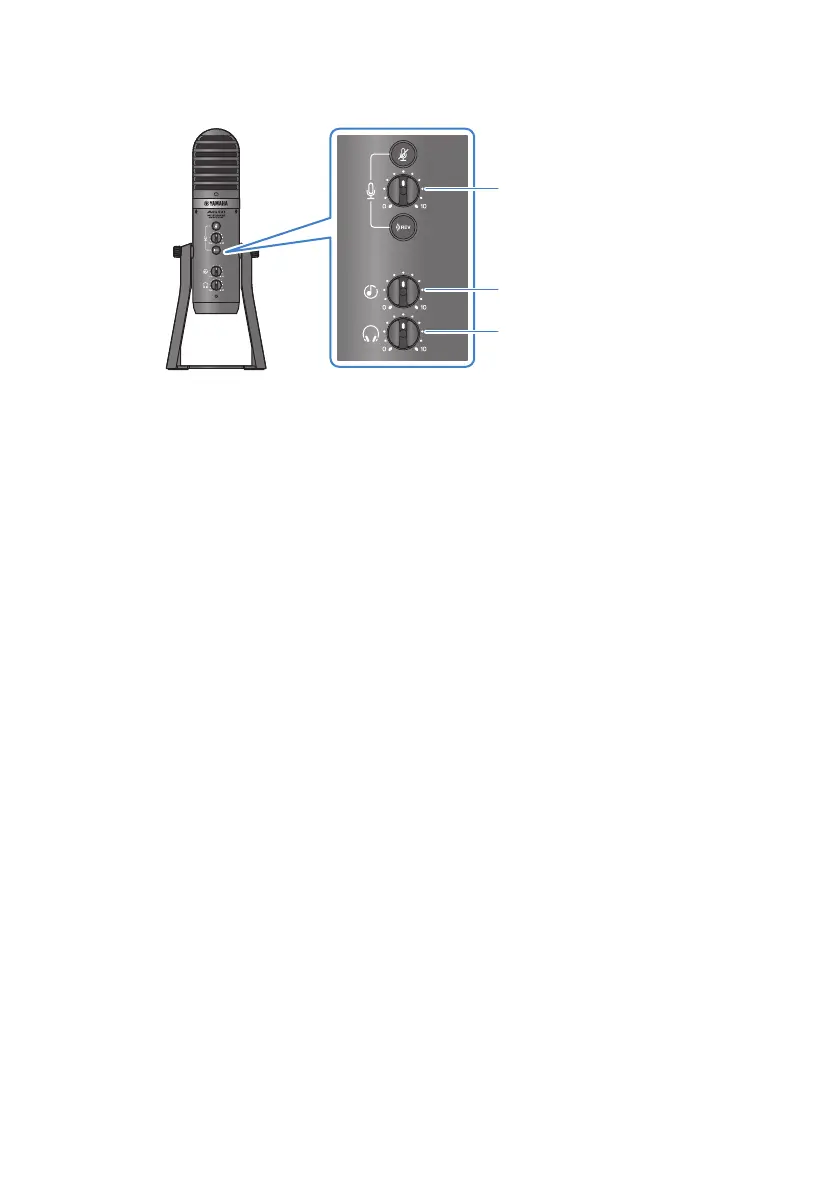
3 Use the mic [M] volume knob to adjust the volume of your own voice.
Volume adjustment for
your own voice
Volume adjustment for
person you’re talking with
Volume adjustment for
headphones/earphones
3
2
1
Operations during voice chat
(
Muting your own voice
If you want to interrupt the voice chat, turn the mic mute [m] button on (the LED lights up).
NOTE
See “Audio-related and other issues”(p.66) if you don’t hear any sound.
45
Using this product for game chats (Discord) > Using this product with your computer



 To Next Page