Quick Guide
13
AUDIOGRAM 3 Owner’s Manual
8
When the directory selection dialog window appears, select the folder to which the
project and audio files for the project are to be stored, and click [OK].
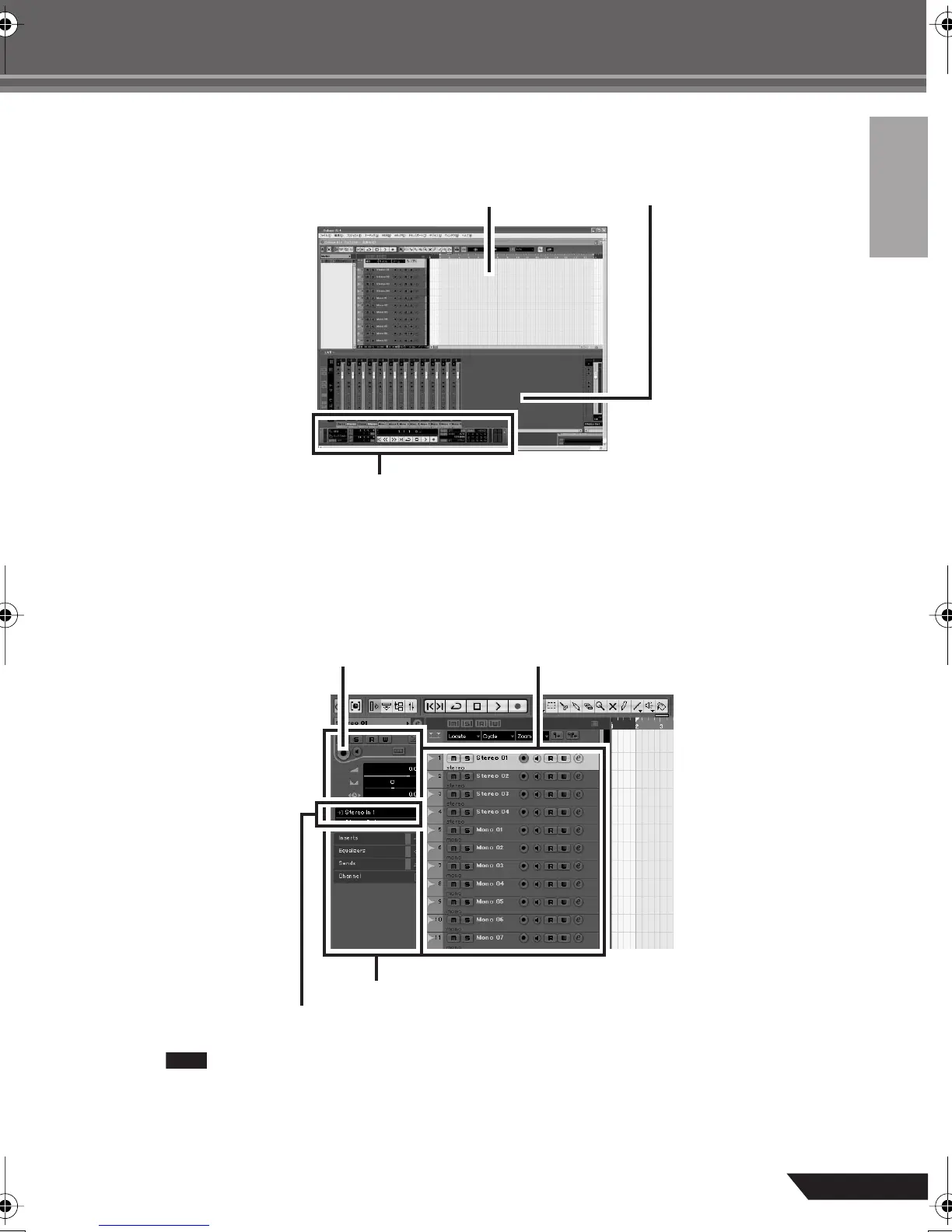
An empty project window with 4 stereo and 8 monaural tracks will appear.
Preparing to Record
1
Click in the track list (the area in which the track names are displayed) to select a track
to record on.
The various settings for the selected track are available in the Inspector on the left side of the display.
You will normally use a stereo track when recording synthesizers, and a monaural track
when recording vocals or guitars.
Project window
Transport panel
Mixer window
Inspector
Input routing
[Record Enable] button Track list
audiogram3en.book Page 13 Wednesday, April 2, 2008 2:40 PM



 To Next Page