EasyManua.ls Logo

Yamaha CDX-E100 - Service Manual

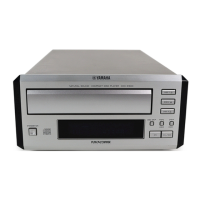
Yamaha CDX-E100
35 pages
Print Icon
To Next Page IconTo Next Page
Loading...
CDX-E100
CDX-E100
100685
SERVICE MANUAL
CDX-E100
IMPORTANT NOTICE
This manual has been provided for the use of authorized YAMAHA Retailers and their service personnel.
It has been assumed that basic service procedures inherant to the industry, and more specifically YAMAHA Products, are already
known and understood by the users, and have therefore not been restated.
WARNING: Failure to follow appropriate service and safety procedures when servicing this product may result in personal
injury, destruction of expensive components and failure of the product to perform as specified. For these reasons,
we advise all YAMAHA product owners that all service required should be performed by an authorized
YAMAHA Retailer or the appointed service representative.
IMPORTANT: The presentation or sale of this manual to any individual or firm does not constitute authorization, certification or
recognition of any applicable technical capabilities, or establish a principle-agent relationship of any form.
The data provided is believed to be accurate and applicable to the unit(s) indicated on the cover. The research, engineering, and
service departments of YAMAHA are continually striving to improve YAMAHA products. Modifications are, therefore, inevitable
and specifications are subject to change without notice or obligation to retrofit. Should any discrepancy appear to exist, please contact
the distributor's Service Division.
WARNING: Static discharges can destroy expensive components. Discharge any static electricity your body may have accumu-
lated by grounding yourself to the ground buss in the unit (heavy gauge black wires connect to this buss).
IMPORTANT: Turn the unit OFF during disassembly and parts replacement. Recheck all work before you apply power to the unit.
IC DATA ................................................................12~16
DISPLAY DATA ..........................................................17
IC BLOCK .............................................................18~19
PIN CONNECTION DIAGRAM...................................19
BLOCK DIAGRAM................................................20~21
PRINTED CIRCUIT BOARD ................................22~27
SCHEMATIC DIAGRAM ............................................. 28
PARTS LIST..........................................................29~37
CONTENTS
TO SERVICE PERSONNEL .....................................1~2
REAR PANELS ............................................................. 3
SPECIFICATIONS......................................................... 3
INTERNAL VIEW .......................................................... 4
DISASSEMBLY PROCEDURES ..............................4~5
STANDARD OPERATION CHART ..........................6~7
TEST MODE..............................................................8~9
ERROR MESSAGE...............................................10~11
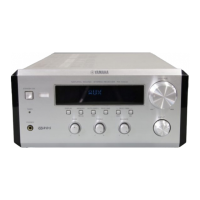
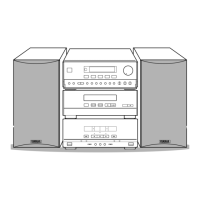
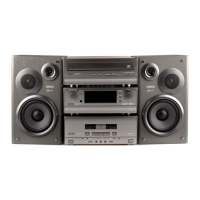
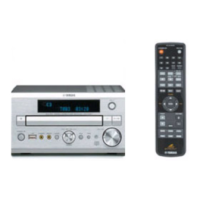
CRX-E100 is composed of RX-E100 and
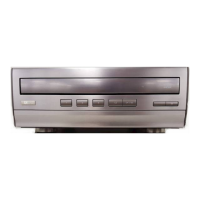
CDX-E100. This is a service manual for
the CDX-E100.
For service manuals of RX-E100, please
refer to the service manuals with the
following publication numbers :
RX-E100 100684
For the system operation, please refer
to Service Manual for the RX-E100.
MINI COMPONENT SYSTEM CRX-E100

Other manuals for Yamaha CDX-E100

Questions and Answers

  • A
    Ashley HernandezAug 20, 2025
    Why is there no sound from one speaker on my Yamaha Stereo Receiver?
    • L
      Laurie WatsonAug 20, 2025
      If you're experiencing sound from only one speaker on your Yamaha Stereo Receiver, check for loose speaker connections and ensure they are properly connected.
  • P
    Paul MillerAug 21, 2025
    What to do if no sound from external unit connected to Yamaha Stereo Receiver?
    • C
      Catherine SantiagoAug 22, 2025
      If you're not getting sound from an external unit connected to your Yamaha Stereo Receiver, or if playback won't start, ensure that the cords are connected properly. If the issue continues, the cords may be defective. Also, verify that you've selected the correct input source.
  • W
    William Bailey DDSAug 25, 2025
    What to do if Yamaha Stereo Receiver remote control does not work?
    • J
      Jamie DuncanAug 25, 2025
      If your Yamaha Stereo Receiver's remote control isn't working, first, replace the batteries with new ones. If that doesn't solve the problem, make sure you are within 6 meters and a 60-degree radius of the unit. Also, check if direct sunlight or strong lighting is interfering with the remote control sensor; if so, try changing the position of the unit.
  • B
    Brittany TaylorAug 26, 2025
    How to fix Yamaha Stereo Receiver that won't turn on?
    • D
      Derrick SmithAug 26, 2025
      If your Yamaha Stereo Receiver isn't turning on when you press the power switch, ensure the AC power cord is securely connected to the outlet and the receiver.
  • J
    Johnathan ClarkAug 28, 2025
    How to eliminate buzzing during AM broadcasts on Yamaha Stereo Receiver?
    • M
      Michael WilkersonAug 28, 2025
      Buzzing or static during AM broadcasts on your Yamaha Stereo Receiver can be caused by interference from sources like lightning, fluorescent lights, electric motors, or thermostats. Grounding the AM loop antenna may lessen the problem. Also, move the receiver away from TVs or microprocessors.
  • V
    Vanessa WilsonAug 30, 2025
    How to reduce static in FM broadcasts on Yamaha Stereo Receiver?
    • D
      dreedAug 30, 2025
      Excessive static in FM broadcasts on your Yamaha Stereo Receiver can be due to interference. Try positioning the FM antenna as high and as far away from nearby roads as possible, and connect it using a coaxial cable.
  • M
    mooreshelbySep 1, 2025
    Why does my Yamaha Stereo Receiver sound “hums”?
    • D
      David PerezSep 1, 2025
      If your Yamaha Stereo Receiver is producing a humming sound, ensure the audio cables are securely connected. If the problem persists, the cables may be defective.
  • B
    bianca94Sep 3, 2025
    Why is there noise during stereo broadcasts on my Yamaha Stereo Receiver?
    • D
      Dawn BlackwellSep 3, 2025
      If noise increases during stereo broadcasts on your Yamaha Stereo Receiver, check the antenna connection. If possible, install a multi-element type FM antenna.
  • A
    Anthony SanchezSep 5, 2025
    Why are stereo broadcasts noisy on my Yamaha Stereo Receiver?
    • E
      Eric WilliamsSep 5, 2025
      If stereo broadcasts are noisy and the STEREO indicator blinks on and off on your Yamaha Stereo Receiver, it indicates insufficient antenna input. Install an antenna appropriate for the electric field strength of your area.
  • T
    tromeroSep 6, 2025
    How to improve AM broadcast sensitivity on Yamaha Stereo Receiver?
    • L
      Laura MillerSep 7, 2025
      If the AM broadcast sensitivity is poor on your Yamaha Stereo Receiver, properly connect the AM loop antenna. You can also try changing the orientation of the AM loop antenna or installing an external AM loop antenna.

Summary

To Service Personnel

Critical Components Information

Identifies components requiring specific replacement parts for optimal performance.

Leakage Current Measurement

Details procedures for verifying insulation and measuring leakage current after service.

Protection of Eyes from Laser Beam

Provides safety guidelines for servicing laser components to prevent eye exposure.

Chemical Content Notice

Warns about hazardous chemical content in components and handling precautions.

Specifications

Disassembly Procedures

Removal of Top Cover

Step-by-step guide for safely removing the unit's top cover.

Removal of Front Panel

Instructions for detaching and removing the front panel assembly.

Removal of CD Mechanism Unit

Procedure for disconnecting and removing the CD mechanism.

Test Mode

Test Mode Function List of Panel Keys

Lists panel keys and their functions when the unit is in test mode.

Error Message

Error Messages List

A table listing error codes, their descriptions, and associated states.

Error Code Troubleshooting

Guides for diagnosing and resolving specific error codes encountered by the unit.

Troubleshooting from System Malfunctions

Tray Failures

Diagnoses and provides solutions for tray loading and unloading malfunctions.

Schematic Diagram

Parts List

Electrical Parts

Comprehensive list of electrical components, their part numbers, and descriptions.

Yamaha CDX-E100 Specifications

General IconGeneral
TypeCD Player
Disc Capacity1
Disc formatsCD, CD-R, CD-RW
Channels2 (Stereo)
Frequency Response2 Hz - 20 kHz
Signal-to-Noise Ratio105 dB
Dynamic Range96 dB
Total Harmonic Distortion0.003%
Digital OutputsOptical
Power Consumption10 W
Output Voltage2.0 V
Line output1
Weight3.5 kg

Related product manuals