EasyManua.ls Logo

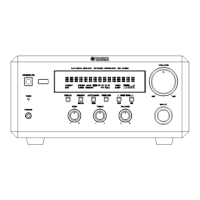
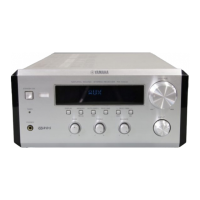
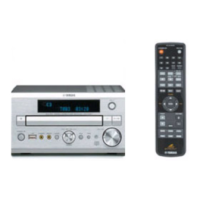
Yamaha CRX-E320 - User Manual

Yamaha CRX-E320
86 pages
Print Icon
To Next Page IconTo Next Page
Loading...
YAMAHA ELECTRONICS CORPORATION, USA
6660 ORANGETHORPE AVE., BUENA PARK, CALIF. 90620, U.S.A.
YAMAHA CANADA MUSIC LTD.
135 MILNER AVE., SCARBOROUGH, ONTARIO M1S 3R1, CANADA
YAMAHA ELECTRONIK EUROPA G.m.b.H.
SIEMENSSTR. 22-34, 25462 RELLINGEN BEI HAMBURG, GERMANY
YAMAHA ELECTRONIQUE FRANCE S.A.
RUE AMBROISE CROIZAT BP70 CROISSY-BEAUBOURG 77312 MARNE-LA-VALLEE CEDEX02, FRANCE
YAMAHA ELECTRONICS (UK) LTD.
YAMAHA HOUSE, 200 RICKMANSWORTH ROAD WATFORD, HERTS WD18 7GQ, ENGLAND
YAMAHA SCANDINAVIA A.B.
J A WETTERGRENS GATA 1, BOX 30053, 400 43 VÄSTRA FRÖLUNDA, SWEDEN
YAMAHA MUSIC AUSTRALIA PTY, LTD.
17-33 MARKET ST., SOUTH MELBOURNE, 3205 VIC., AUSTRALIA
©
2007 All rights reserved.
OWNER'S MANUAL
MODE D'EMPLOI
AMPLI-TUNER CD
CD RECEIVER
UCA
Printed in China CQX1A1201Z
CRX-E320_UCA_cv.fm Page 1 Thursday, June 21, 2007 3:51 PM

Table of Contents

Other manuals for Yamaha CRX-E320

Questions and Answers

  • S
    Samantha RileySep 10, 2025
    Why doesn't the auto tuning function work on my Yamaha Car Receiver?
    • W
      William HartSep 10, 2025
      If the auto tuning function isn't working on your Yamaha Car Receiver, it could be due to improper connection of the AM loop antenna. Make sure the AM loop antenna is properly connected. Alternatively, the radio station you're trying to tune to might be too far away, or the radio wave reception in your area might be weak. In this case, try manual tuning to improve the signal quality.
  • S
    Scott FosterAug 22, 2025
    Why does my Yamaha Car Receiver turn on but immediately shut off?
    • M
      Mrs. Laura KennedyAug 22, 2025
      If your Yamaha Car Receiver turns on but immediately shuts off, there might be a problem with the power or speaker cables. Ensure the power cable is firmly plugged into the outlet. Also, check all speaker cables to make sure they are properly connected and not short-circuited. If the unit received a strong electrical shock, set it to standby mode, disconnect the power cable for 30 seconds, then reconnect and turn it on.
  • T
    tgravesAug 25, 2025
    Why is there so much noise during broadcast on my Yamaha Car Receiver?
    • T
      Tracy MoralesAug 25, 2025
      If you're experiencing excessive noise during broadcast on your Yamaha Car Receiver, it could be due to several factors. The noise may be caused by atmospheric electricity, lightning, fluorescent lights, motors, or thermostat electric devices. To mitigate this, try connecting an outdoor antenna and ensuring a good grounding connection, though complete elimination of such noise isn't guaranteed. Also, if the unit is near a TV, move it further away, as TVs can generate noise, especially in the evening.
  • J
    Julie BlakeAug 26, 2025
    What to do if the sound suddenly turns off on my Yamaha Car Receiver?
    • W
      Wendy StoneAug 26, 2025
      If the sound on your Yamaha Car Receiver suddenly turns off, the sleep timer may be activated. Turn the unit on and play the source again.
  • P
    Paul WebsterAug 27, 2025
    What to do if my Yamaha Car Receiver does not operate properly?
    • R
      Robin RamirezAug 27, 2025
      If your Yamaha Car Receiver isn't operating properly, it might have experienced a strong electrical shock, lightning, excessive static electricity, or a drop in power supply. Set the unit to standby mode, disconnect the power cable, wait about 30 seconds, then reconnect the power cable and turn the unit on.
  • J
    Jamie WhiteAug 29, 2025
    How to reduce noise during stereo broadcast on my Yamaha Car Receiver?
    • R
      rbennettAug 29, 2025
      If you're experiencing too much noise during stereo broadcast on your Yamaha Car Receiver, first ensure the FM antenna is properly connected. If the issue persists, the radio station might be too far from your location, or radio wave reception could be weak. Try manual tuning to enhance the signal or consider using a multi-channel outdoor antenna.
  • L
    leonardrobinSep 18, 2025
    Why can't I record sound from my Yamaha Car Receiver with an external recorder?
    • R
      Richard TuckerSep 18, 2025
      If you can't record sound played on your Yamaha Car Receiver with an external recorder, you may be trying to make a digital recording from an analog source. Use a proper audio source.
  • J
    Justin EvansSep 12, 2025
    Why doesn't playback start immediately on my Yamaha Car Receiver?
    • R
      Robin JosephSep 12, 2025
      If playback doesn't start immediately after pressing 'h' on your Yamaha Car Receiver, it could be due to several reasons. First, ensure the disc is properly placed in the disc tray. The disc may be dirty, so try wiping it clean. Also, make sure the disc is compatible with the unit. Finally, if the unit was moved from a cold to a warm place, condensation might have formed on the disc reading lens; wait an hour or two and try again.
  • J
    Joseph RoySep 8, 2025
    Why has the clock setting been cleared on my Yamaha Car Receiver?
    • N
      Nathan PetersSep 8, 2025
      If the clock setting on your Yamaha Car Receiver has been cleared, it's likely the unit lost power for more than 4 minutes. Ensure the power cable is firmly plugged into the outlet, and then set the clock again.
  • K
    Kayla SimmonsSep 5, 2025
    How to fix a Yamaha Car Receiver remote control that is not working?
    • S
      Sandra HallSep 5, 2025
      If the Yamaha Car Receiver remote control isn't working, first make sure you're within the remote's operational range. Then, check if the unit's remote control sensor is exposed to direct sunlight or inverted fluorescent lamps, and if so, adjust the lighting or unit's orientation. Finally, replace the batteries with new ones.

Summary

IMPORTANT SAFETY INSTRUCTIONS

FCC INFORMATION

CAUTION: READ THIS BEFORE OPERATING YOUR UNIT

Controls and functions

Front panel

Overview of the front panel controls and their functions for the unit.

Display

Explanation of the symbols and indicators on the unit's display screen.

Remote control

Details on the common functions and operation of the remote control.

CD;USB mode controls

Operations available when the CD or USB mode is selected on the unit.

TUNER mode controls

Operations available when the TUNER mode is selected for radio reception.

Remote control operation

Instructions for installing batteries and operating the remote control effectively.

PREPARATION

Connecting speakers

Procedure for connecting left and right speakers to the unit properly.

Connecting a subwoofer

Optional connection guide for a subwoofer to the unit's SUBWOOFER OUT jack.

Connecting antennas

Instructions for connecting AM loop and FM indoor antennas for radio reception.

Connecting external components

Guide to connecting CD/MD recorders and other external devices for recording or playback.

Connecting a USB device

Steps to connect a USB device for playing MP3 or WMA files.

Connecting portable audio and headphones

Guide to connecting portable audio players and headphones to the unit.

Connecting power and powering on;off

Procedure for connecting the power cable and how to turn the unit on and off.

Adjusting the clock

Step-by-step guide to setting the unit's internal clock time.

BASIC OPERATION

Basic receiver operations

How to select input sources, adjust volume, and mute the sound on the unit.

Disc and USB playback: Start;Stop;Pause

Starting, stopping, and pausing playback for audio CDs and USB devices.

Disc and USB playback: Search;Skip;Select

Searching, skipping tracks, and selecting files/folders for playback.

Disc and USB playback: Information display

Switching the playback information displayed on the front panel during playback.

MP3;WMA playback information

Details on playback information for MP3 or WMA files on discs/USB.

Disc and USB playback: Repeat;Random

Using repeat and random playback modes for discs and USB devices.

Disc and USB playback: Programmed playback

Customizing playback order with programmed playback (PROGRAM).

Disc playback: Index search

Performing index search for audio CDs with index numbers.

FM;AM tuning: Frequency and Auto;Manual

Switching frequency steps and tuning radio stations automatically or manually.

FM;AM tuning: Preset stations

Automatically or manually presetting radio stations for quick access.

FM;AM tuning: Selecting and editing presets

Selecting and editing preset radio stations and their names.

FM;AM tuning: Radio Data System (RDS)

Receiving Radio Data System stations and selecting by program type.

FM;AM tuning: RDS information display

Switching the display information for Radio Data System broadcasts.

ADVANCED OPERATION

Setting the timer

Programming the unit to play a source automatically at a specified time.

Setting the sleep timer

Setting the unit to automatically turn to standby mode after a specified interval.

Front panel display settings

Adjusting display brightness and switching information displayed on the front panel.

Playing back external sources

Playing sound from portable audio devices and other external components.

Recording audio with external components

Guidance on recording audio from the unit to an external recorder.

Adjusting sound settings

Customizing sound settings like bass, treble, and speaker balance.

ADDITIONAL INFORMATION

Troubleshooting: General issues

General troubleshooting steps for common problems with the unit.

Troubleshooting: Remote and Disc

Troubleshooting specific issues related to the remote control and disc playback.

Troubleshooting: Radio reception

Troubleshooting radio reception issues for FM and AM bands.

Notes on discs

Important information and handling instructions for various types of discs.

Glossary

Definitions of technical terms and audio formats used in the manual.

Specifications

Technical details and performance specifications of the unit.

Yamaha CRX-E320 Specifications

General IconGeneral
BrandYamaha
ModelCRX-E320
CategoryStereo System
LanguageEnglish

Related product manuals