ADJUSTING SOUNDS
34 En
You can adjust the sound settings such as tone and speaker balance on this unit.
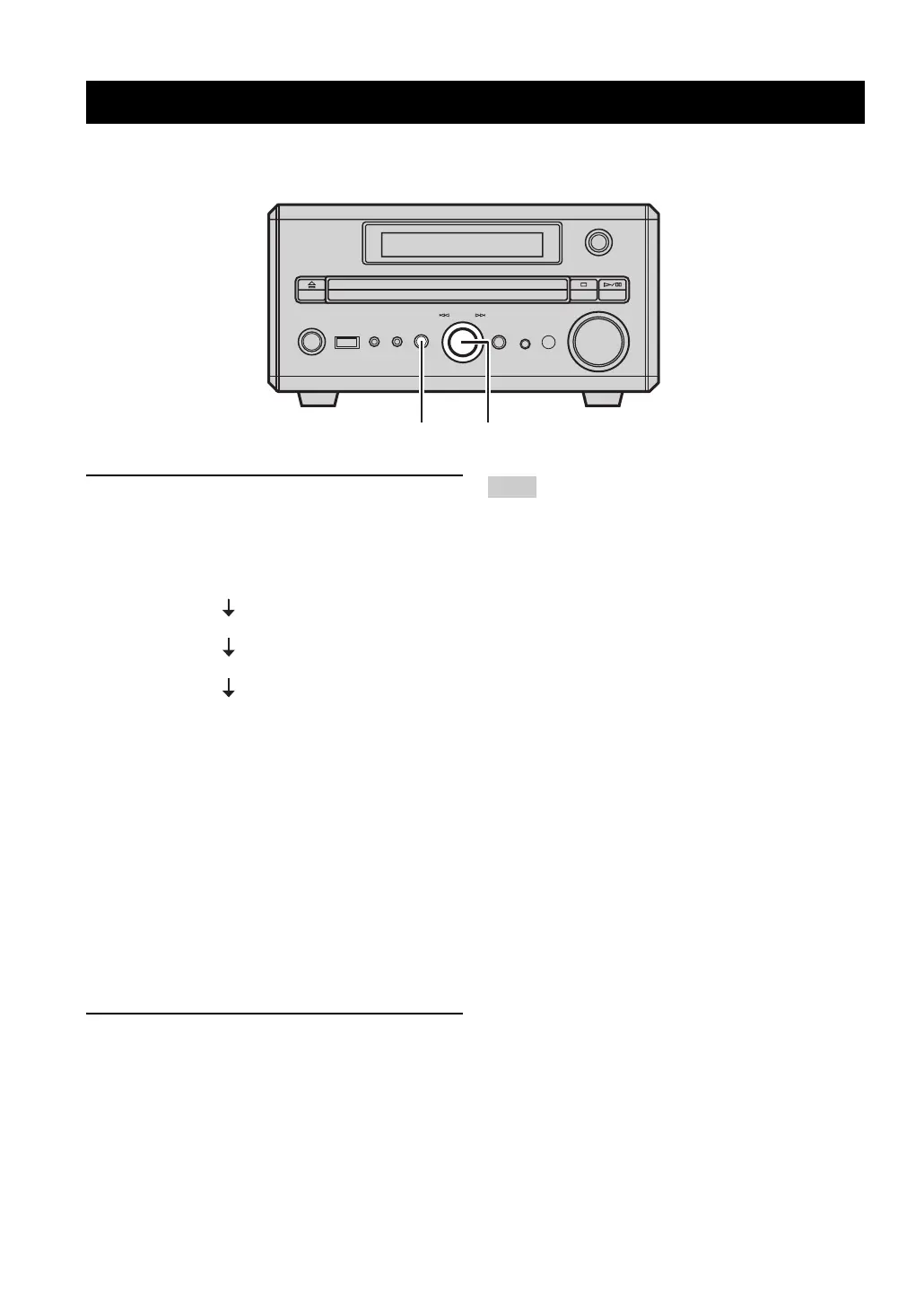
1 Press SOUND on the front panel repeatedly
to select the setting you want to adjust.
Each time you press SOUND, the mode in the front
panel display changes as follows:
BASS: Adjusts the level of the low
frequency range.
(–10 to +10 dB)
TREBLE: Adjusts the level of the high
frequency range.
(–10 to +10 dB)
BALANCE: Adjusts the left and right speaker
balance.
(L+6, CENTER, R+6)
y
After pressing SOUND, you can also change the mode display by
pushing MULTI JOG repeatedly.
2 Rotate MULTI JOG to adjust and confirm the
settings.
These settings have no effect on the sound output from this unit
through the AUX OUT L/R jack on this unit.
Adjusting sounds
STANDBY/ON
PHONESPORTABLE
USB SOUND MODE
VOLUME
INPUT
PUSH-ENTER
MULTI JOG
TIMER
MULTI JOG
SOUND
BASS
TREBLE
BALANCE
Normal display
(off)
Note


 To Next Page