FM/AM tuning
25 En
English
BASIC
OPERATION
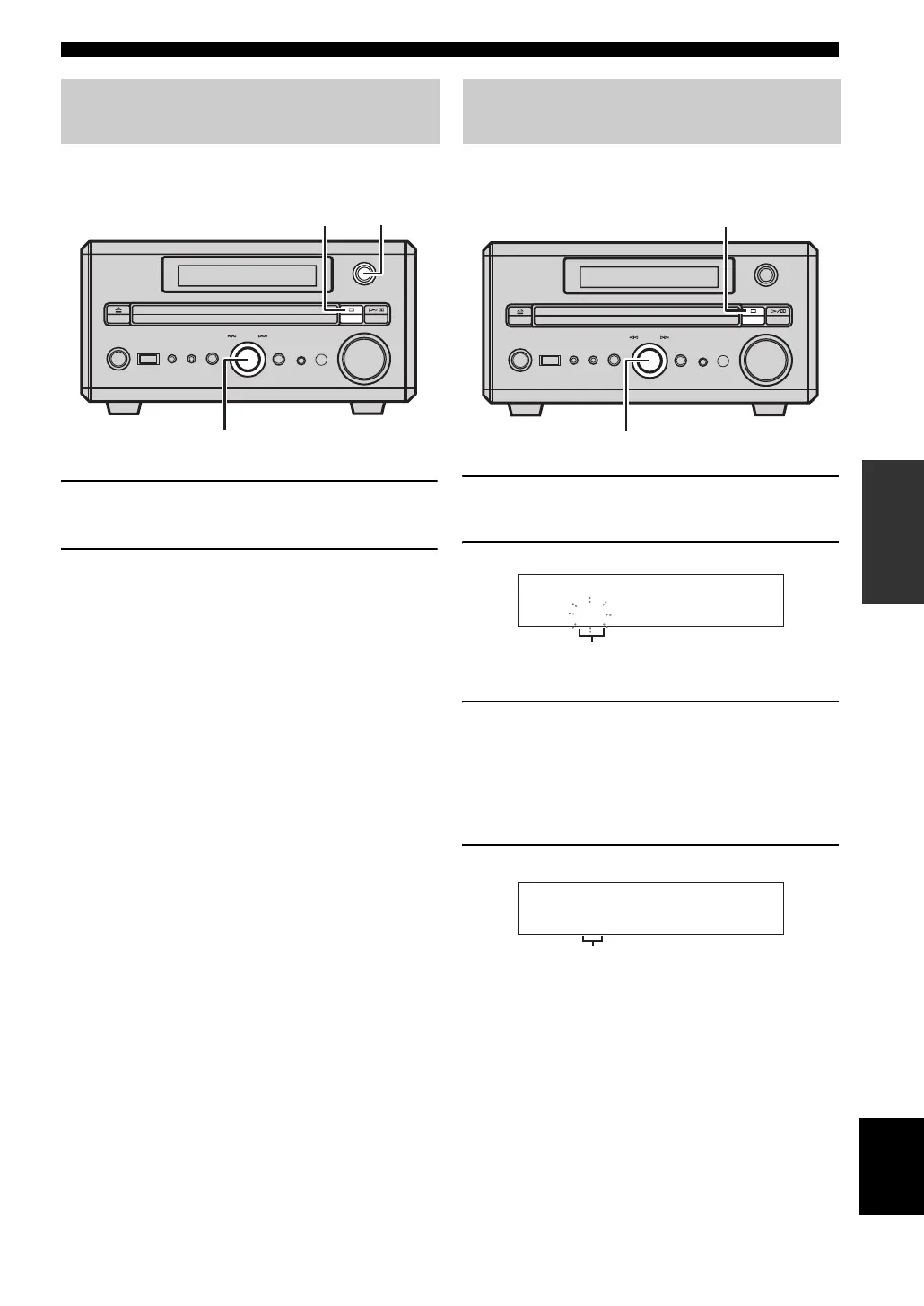
You can use the automatic preset tuning function to store up
to 30 FM stations and 20 AM stations with strong signals.
1 Press INPUT on the front panel repeatedly to
select FM or AM.
2 Press and hold MULTI JOG for 3 seconds or
longer.
Auto preset locates and stores radio stations in
frequency order.
This unit automatically assigns preset numbers to the
stored stations.
y
• You can delete a preset station by pressing s on the front
panel.
• You can delete all the preset stations by pressing and holding
s on the front panel for 3 seconds or longer.
You can also store up to 30 FM stations and 20 AM stations
manually.
1 Tune the radio station you want to preset.
For details, refer to “FM/AM tuning” (see page 24).
2 Press MULTI JOG to confirm the station.
Available preset number flashes.
3 Rotate MULTI JOG to assign a preset number
(1 to 30 for FM, 1 to 20 for AM) for the
currently selected station.
y
You can also preset channels by pressing the number keys
on the remote control.
4 Push MULTI JOG within 4 seconds.
If you do not push MULTI JOG within 4 seconds
after selecting the preset number, the selection is
canceled.
y
• You can delete a preset station by pressing s on the front
panel.
• You can delete all the preset stations by pressing and holding
s on the front panel for 3 seconds or longer.
Presetting radio stations
automatically (Auto preset)
STANDBY/ON
PHONESPORTABLE
USB SOUND MODE
VOLUME
INPUT
PUSH-ENTER
MULTI JOG
TIMER
MULTI JOG
INPUTs
Presetting radio stations
manually (Manual preset)
STANDBY/ON
PHONESPORTABLE
USB SOUND MODE
VOLUME
INPUT
PUSH-ENTER
MULTI JOG
TIMER
MULTI JOG
s
108.0001
FM
MHz
Flashes
CH01
FM
108.00MHz
Preset number


 To Next Page