Basic playback operations for discs and USB devices
22 En
You can customize the playback order up to 40 tracks
stored in a disc/USB device. The example below uses a
disc.
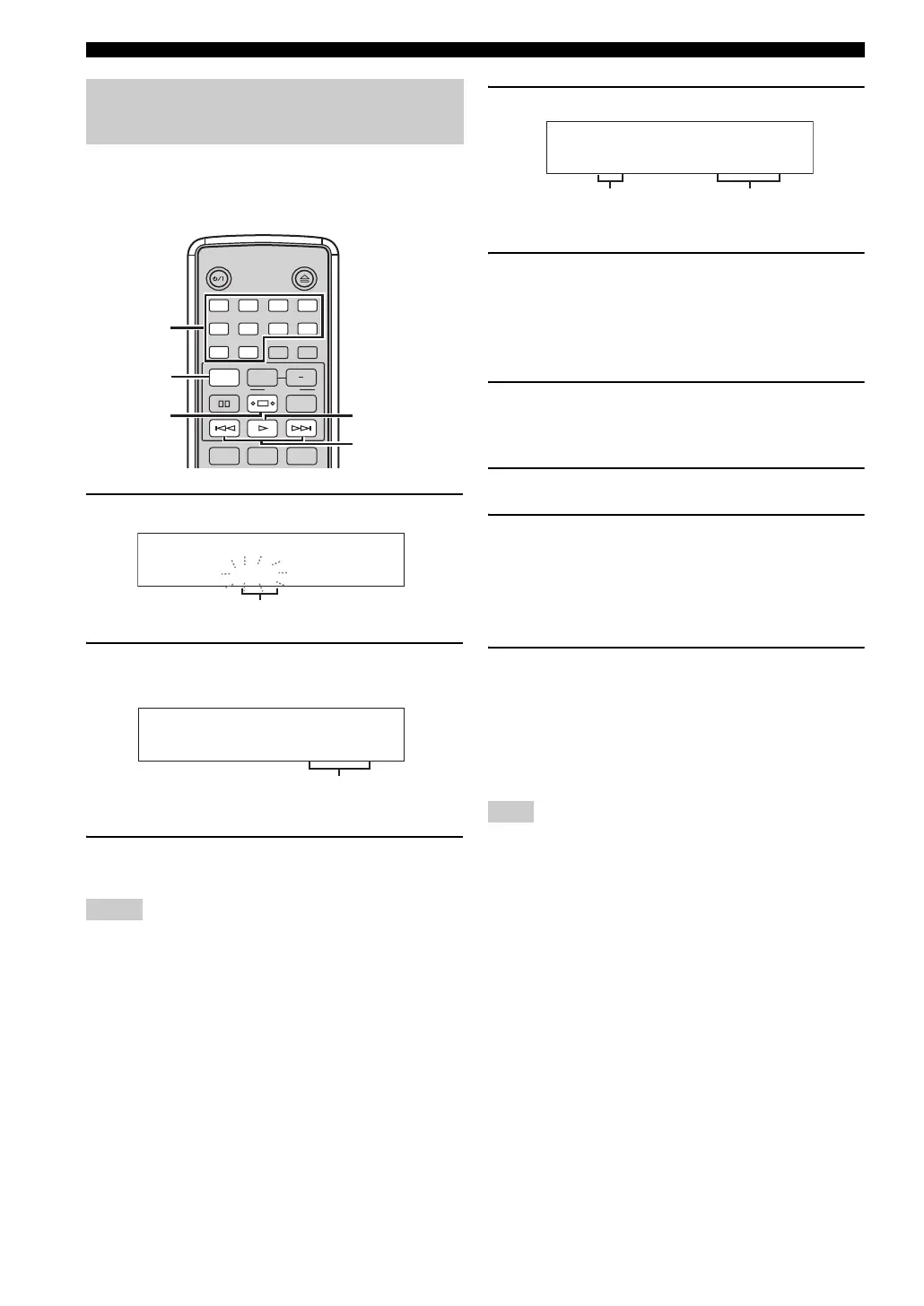
1 While a disc is loaded, press PROG.
2 Use the number keys to enter the track
number you want to program.
3 Repeat step 2 until you finish programing all
desired tracks.
• For MP3 or WMA files recorded on a disc/USB device, the
total time of the programmed files is not displayed.
• For MP3 or WMA files recorded on a disc/USB device, the
number assigned to each file corresponds to the file sequence
in the disc/USB device, not in the individual folders.
4 To finish track programming, press PROG.
5 To start program play, press h.
■ To check or correct the programmed
tracks
1 In the stop mode, press PROG.
The program display appears in the front panel
display.
2 Press b / a to check the program order.
3 To correct a programmed track, display the
track number (refer to step 2 on the left side)
to be corrected, and use the number key(s) to
enter the track number to be newly
programmed.
4 To finish checking or correcting the
programmed tracks, press PROG.
■ To cancel program
Press s in the stop mode.
If you open the disc tray or set this unit to the standby mode, the
programmed order is automatically cleared.
Programmed playback
(PROGRAM)
Notes
STANDBY/ON
1 2 3 4
5 6
90
7 8
DIMMERINDEX
PTY SEEK
MODE START
RANDOM
OPEN/CLOSE
PROG
REPEAT
FREQ/TEXT
A B
TIME/INFO
SLEEP
DISPLAY
PROG
b / a
h
s
Number
keys
CD/Program
T000
P01
Flashes
Time of the programmed track
CD/Program
T008 01:23P01
Note
CD/Program
P09
60:59TTL
Total number of
programmed tracks
Total time of
programmed tracks


 To Next Page