Quick Guide
Owner’s Manual
44
8. Press the SENDS ON FADER button in the
display screen.
9. In the Centralogic section, press the
[OUTPUT] key, then [MIX17–24/MATRIX] key.
10. From Fx1–Fx8 routed to the Centralogic
section, select and press the [SEL] key for the
effect channel that you want to use.
11. Use the faders of the Channel Strip section to
control effect sends.
12. Press the X symbol for the MIX
1–16/MIX17–24/MATRIX button to exit
SENDS ON FADER mode.
13. In the Centralogic section, press the
[OUTPUT] key, then [ST IN] key.
14. Adjust the effect return level using the fader
in the Centralogic section.
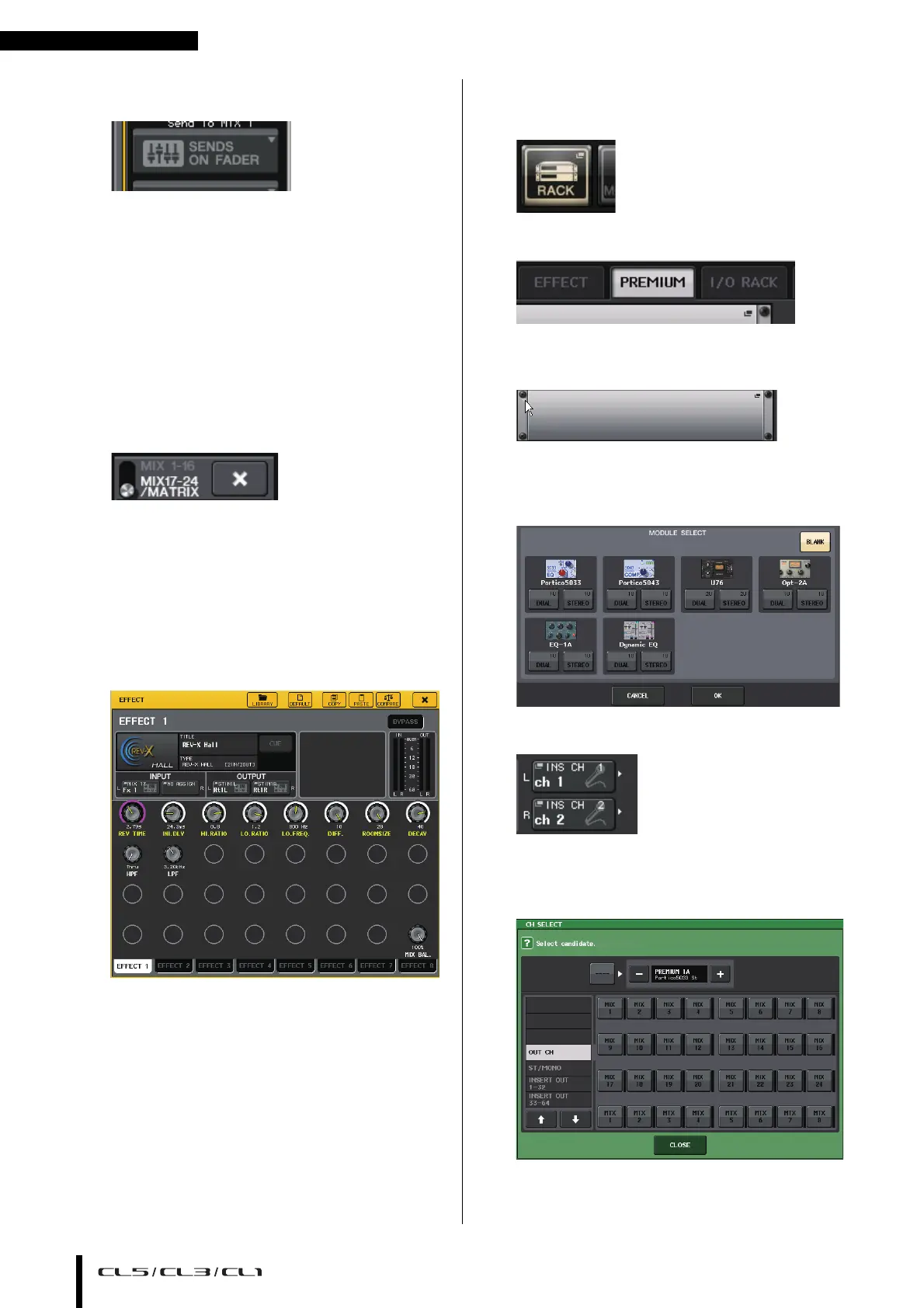
15. If necessary, press the RACK button, then the
effect track icon of the EFFECT tab, and then
set the effect parameters.
Inserting PREMIUM RACK processor
1. Press the RACK button in the display screen.
2. Press the PREMIUM tab.
3. Press the rack icon in the middle to open the
PREMIUM RACK popup window.
4. Select a processor you want to use from the
MODULE SELECT field, then press the OK
button.
5. Press the INPUT PATCH button.
6. Select an input source in the left column of
the CH SELECT popup window, and then
select a channel in the right column.
7. Press the CLOSE button.



 To Next Page