EasyManua.ls Logo

Yamaha DBR10 - User Manual

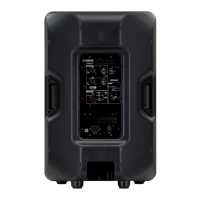
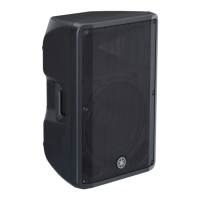
Yamaha DBR10
10 pages
Print Icon
To Next Page IconTo Next Page
Loading...
In order to take full advantage of the DBR series’ (referred to in this manual as DBR) superior functionality
and enjoy years of trouble-free use, please read this manual before you begin using the product. After you
have read the manual, keep it in a safe place for reference when needed.
Please read the PRECAUTIONS on the reverse side of this manual before use.
This manual uses example illustrations taken from the DBR12 if not otherwise specified.
The illustrations as shown in this manual are for instructional purposes only, and may appear somewhat
different from those on your device.
The company names and product names used in this manual are the trademarks or registered
trademarks of their respective companies.
ZJ41540
EN
POWERED SPEAKER SYSTEM
DBR series
Owner’s Manual
1
3
2
1
3
4
5
5
4
6
7
8
9
E
0
A
A
B
C
D
E
F
G

u
Features
FIR-X tuning™
Our proprietary sound-processing technology utilizing a linear-phase FIR filter delivers excellent sound quality
with high resolution and a smooth frequency response that is unaffected by phase interference near the
crossover point.
D-CONTOUR (Dynamic CONTOUR)
D-CONTOUR optimizes the level of each frequency range according to the application to be used or the
listener’s preferences. There are two modes: an FOH/MAIN mode for use as a main speaker, and a MONITOR
mode for use as a floor monitor.
Simple mixing function
The DBR features simple mixing functionality, enabling you to select either a direct output of channel 1 (CH1)
(parallel connection) or a mixed output of CH1 and CH2.
Various input/output connectors
The comprehensive set of connectors—including XLR for a mixer, phone for a musical instrument, and RCA-
pin for an MP3 player—provides maximum flexibility in use with a wide variety of applications.
Light weight, high power
A newly developed power supply and amplifier has enabled compact size and light weight, as well as
powerful output.
Advanced protection functionality
DSP-controlled advanced protection functionality promotes optimum reliability even in challenging
environments.
Included Accessories
AC power cord
Technical Specifications (English only): includes specifications, block diagram, and dimensions.
Owner’s manual (this leaflet)
EN
1
3
2
1
3
4
5
5
4
6
7
8
9
E
0
A
A
B
C
D
E
F
G

Other manuals for Yamaha DBR10

Questions and Answers

  • V
    Victoria MillerAug 8, 2025
    Why is the sound distorted on my Yamaha Speaker System?
    • Z
      zandrewsAug 8, 2025
      Sound distortion in your Yamaha Speaker System can occur if the input volume is too high. If the [MIC/LINE] switch is set to [MIC], try setting it to the [LINE] position, even if you lower the volume fully and the sound is still distorted. Additionally, if the [LIMIT] indicator is on, turn the [LEVEL] knob to lower the output level until the [LIMIT] indicator only lights occasionally.
  • M
    Makayla WheelerAug 15, 2025
    What to do if my Yamaha DBR10 power suddenly went off?
    • T
      tmaysAug 15, 2025
      If the power to your Yamaha Speaker System suddenly goes off, it's likely that the protection system was activated. To resolve this, turn off the power, allow the amplifier to cool down, and then turn it on again.
  • J
    jamespenningtonAug 23, 2025
    How to stop Yamaha DBR10 Speaker System from howling (feedback)?
    • B
      Brandon BallAug 23, 2025
      If your Yamaha Speaker System is producing a howling sound (feedback), it could be because a microphone is directed toward the speaker, or the sound is amplified too much. Try aiming the speaker away from the area where the microphone picks up sound. Also, lower the volume of input device and locate the microphone more closely to the sound source.
  • M
    Michael LozanoAug 31, 2025
    What to do if sound is interrupted suddenly on my Yamaha Speaker System?
    • A
      Amber OnealAug 31, 2025
      If the sound from your Yamaha Speaker System is suddenly interrupted, the protection circuit may have activated, muting the output. Allow the amplifier to cool down. If the unit doesn’t automatically reset, turn the power off, and then on again.

Summary

Product Features

Advanced Sound Technologies

FIR-X Tuning and D-CONTOUR for superior audio quality and response.

Key Operational Features

Simple mixing, versatile inputs, lightweight design, and protection systems.

Included Accessories

Essential Accessories List

AC power cord, technical specifications, and owner's manual.

Controls and Connectors Explained

Input;Output Jack Descriptions

Details on combo jacks, XLR, RCA-pin, and output selection for versatile connectivity.

Front Panel Controls Guide

Explanation of LEVEL knobs, MIC/LINE, D-CONTOUR, HPF switches, and power buttons.

Status Indicator Lights

Meaning of LIMIT, SIGNAL, PROTECTION, POWER, and D-CONTOUR indicators for operational status.

Setup Examples and Scenarios

Diverse System Configurations

Illustrates single DBR, multi-speaker, and floor monitor system setups.

Troubleshooting Common Problems

Solutions for Operational Issues

Addresses power, sound, distortion, and feedback problems with possible fixes.

Speaker Installation Guide

Wall Mounting Bracket Installation

Instructions for installing BWS251-300/BWS251-400 wall mounting brackets and tilt angles.

Ceiling Bracket Installation

Guidance on mounting the speaker using the BCS251 ceiling bracket.

Baton Bracket Installation

Pullback Point and Safety Wire

Usage of pullback point for specific models and safety wire attachment for secure mounting.

Securing Mounting Hardware

Proper methods for securing screws and eye bolts with thread-locking fluid.

Eye Bolt Suspension Methods

Proper Eye Bolt Angle Guidelines

Instructions on proper suspension angles for safe eye bolt installation.

General Speaker Specifications

Technical Specifications Comparison

Detailed specifications for DBR15, DBR12, DBR10 models.

Environment and Disposal

Old Equipment Recycling

Information on proper disposal and recycling of used electrical and electronic products.

Essential Safety Precautions

Electrical Safety and Usage

Warnings regarding power supply, cord handling, and preventing internal access.

Safe Handling and Environment

Guidance on preventing damage from heat, moisture, vibration, and ensuring proper ventilation.

Regulatory Compliance

FCC Regulations for USA

Details on FCC compliance, modifications, and interference mitigation for US users.

UK Mains Plug Wiring

Instructions for correctly connecting the UK mains plug and cord.

Yamaha Global Support

Find Your Local Distributor

Contact information for Yamaha representatives and distributors worldwide for product inquiries.

Yamaha DBR10 Specifications

General IconGeneral
Bass reflexYes
Product colorBlack
Housing materialPlastic
Recommended usageUniversal
Suitable for outdoor use-
Speaker type2-way
Number of drivers2
Speaker placementCeiling-mountable, Floor, Wall-mountable
Audio output channels1.0 channels
Frequency range55 - 20000 Hz
RMS rated power325 W
Crossover frequency2100 Hz
Peak Music Power Output (PMPO)700 W
EqualizerNo
AC input voltage100 - 240 V
Power source typeAC
AC input frequency50 - 60 Hz
Power consumption (standby)18 W
Power consumption (typical)60 W
Audio RCA inputs1
Connectivity technologyWired
Weight and Dimensions IconWeight and Dimensions
Depth289 mm
Width308 mm
Height493 mm
Weight10500 g

Related product manuals