53
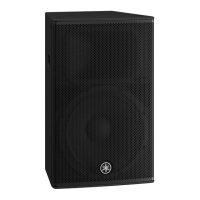
DBR10/DBR12/DBR15
This is an activation method to set up model ID.
After replacing the DSP circuit board, be sure to execute
setting of the model ID.
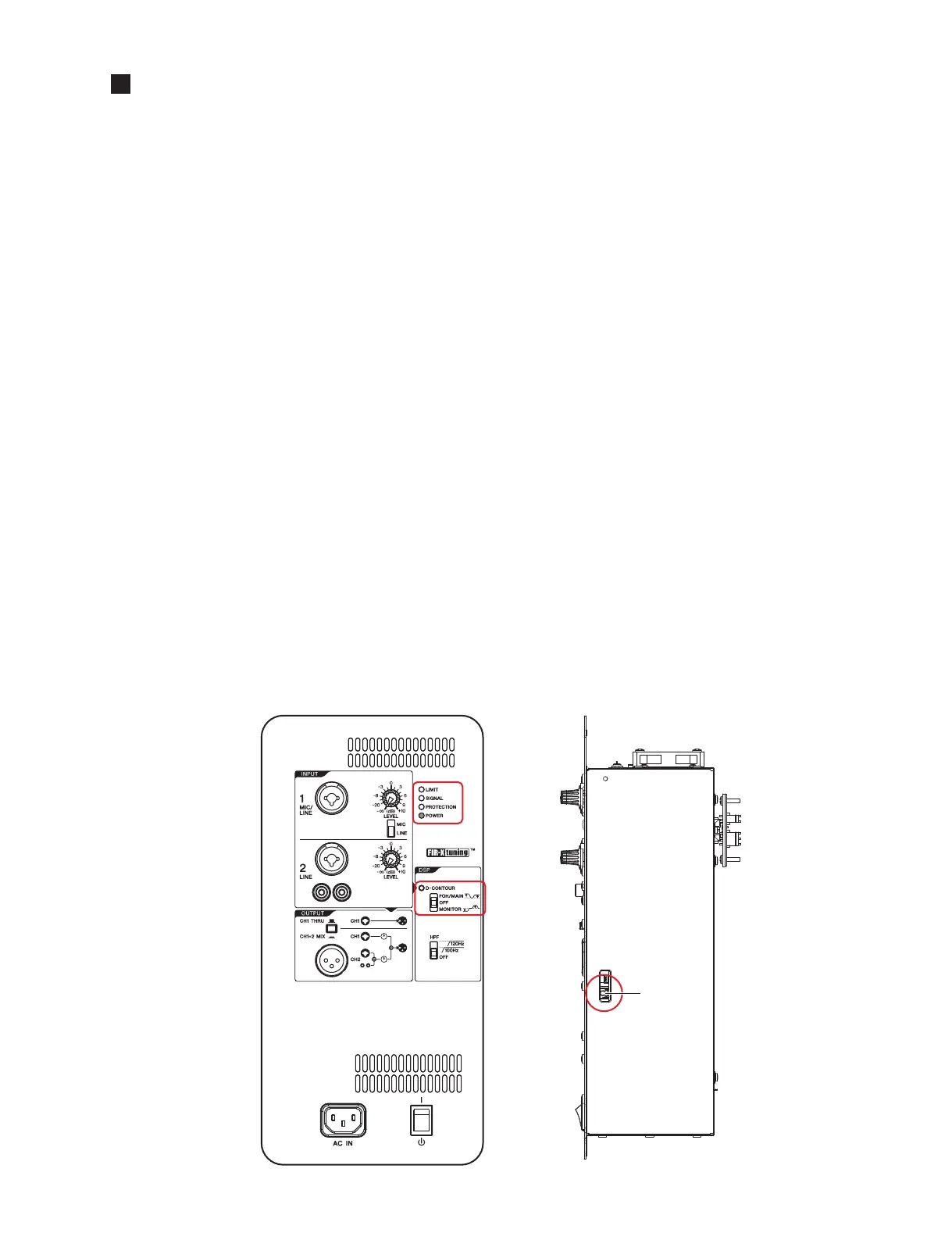
1. After power on and during PROTECTION LED lighting, the
UPDATE switch (SW504) of the AMP UNIT is pushed
for more than 1 second, and released.
2. If it change to model ID setting mode, POWER LED will
blink.
3. The model ID is chosen using a D-CONTOUR switch.
DBR15 --> FOH/MAIN
DBR12 --> OFF
DBR10 --> MONITOR
4. A UPDATE switch (SW504) is pushed and selected model
ID is set as a target.
Completion of a setup will blink LED corresponding to a
model.
DBR15 --> LIMIT LED
DBR12 --> SIGNAL LED
DBR10 --> PROTECTION LED
5. A D-CONTOUR switch is set as OFF and the reclosing of
the power supply is carried out.
It checks starting normally.
モデルIDを設定するための起動方法。
DSPシートを交換した際は、必ずモデルIDの設定を実施
してください。
1. 電源投入後、PROTECTIONLED 点 灯 中 に、AMP
UNIT の UPDATE スイッチ (SW504) を 1 秒間以上
押して放します。
2. モデル ID 設定モードへ移行すると、POWERLED
が点滅します。
3. D-CONTOUR スイッチを使って、モデル ID を選択
します。
DBR15-->FOH/MAIN
DBR12-->OFF
DBR10-->MONITOR
4. UPDATE スイッチ (SW504) を押して、選択したモ
デル IDを本体に設定します。
設定が完了すると、モデルに対応した LED が点滅
します。
DBR15-->LIMITLED
DBR12-->SIGNALLED
DBR10-->PROTECTIONLED
5. D-CONTOUR スイッチを OFF に設定して、電源を
再投入します。
正常に起動することを確認します。
MODEL ID SETTING
(モデル ID 設定)
6:
AMP ASSEMBLY





 To Next Page