MX-100B
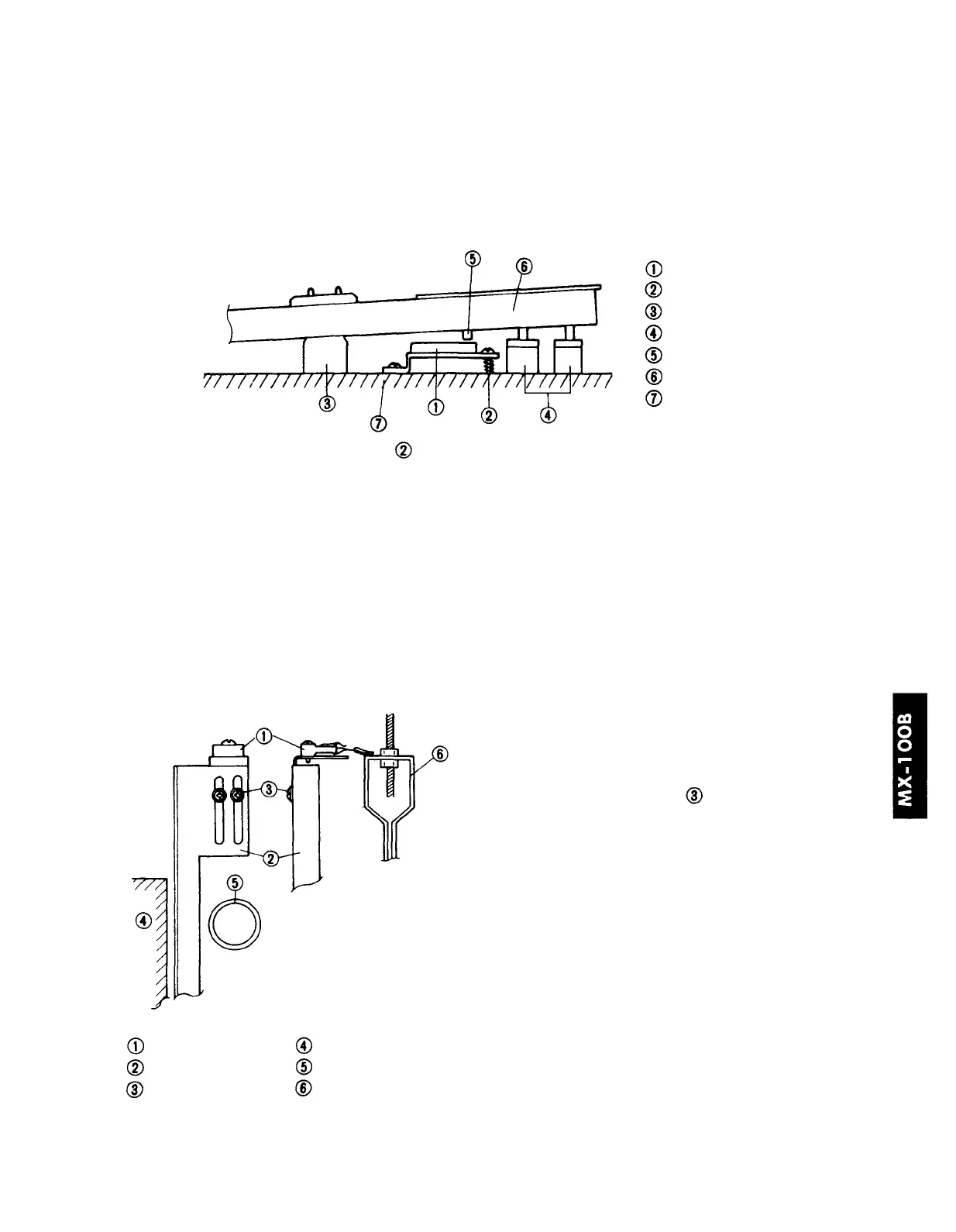
6. Adjusting the key sensor unit
Key sensor unit
Height adjustment screw
Balance rail
Front rail
Key shutter
Keyboard
Key bed
Adjust the height adjustment screws
(four locations) so that the key sensor turns ON when a
white key is pressed 4.5 +/-0.5 mm.
• If ON is too soon (shallow) .... tighten the screw.
• If ON is too late (deep) .......... loosen the screw.
Procedure (from the condition of Piano Test)
(1) Press a key nearby the height adjustment screw.
(2) Slowly release the key.
(3) Adjust the position at which the buzzer stops (key off).
7. Adjusting the pedal sensor unit
Use the adjustment screw
to raise and lower
the sensor so that it turns ON at the following
positions.
• Damper pedal.... when the damper felt is 1 mm
above the string (near the
49th key).
•Soft pedal .......... when 2—3 mm above the
hammer rail
• if ON is too soon ........ raise the sensor.
• if ON is too late .......... lower the sensor.
Procedure
(1) Individually depress the damper and soft
pedals, and make adjustments.
(2) The buzzer will sound at the ON position.
Adjust the sensor accordingly.
Pedal sensor
Sensor bracket
Adjustment screw
Bottom sill
Pedal lever
Pedal lever hook
* If the buzzer does not sound even when the test program is in Piano Test (old ROM version),
refer to the service manual and make adjustments using a MIDI instrument or a MIDI sensor
checker.
16







 To Next Page