II-38
6. Sensor Testing for Silent Pianos and GranTouch
Since Silent Pianos and GranTouch models do not have controllers, you need to use the keyboard to engage sen-
sor-test mode. For these models, please enter this mode and check the sensor operation as described below.
6-1 MP80/100/1.., GT10
Enter sensor test mode: 1A + 3B + 4C + [POWER]
● Key sensor
2-beams 4-points
Slowly depress key and confirm by listening to the buzzer. (Use headphones.)
Check: • Confirm that all points K1 to K4 are reached.
• Confirm that the key depth for K1 is 2.3 mm.
Adjust: Adjust the sensor height.
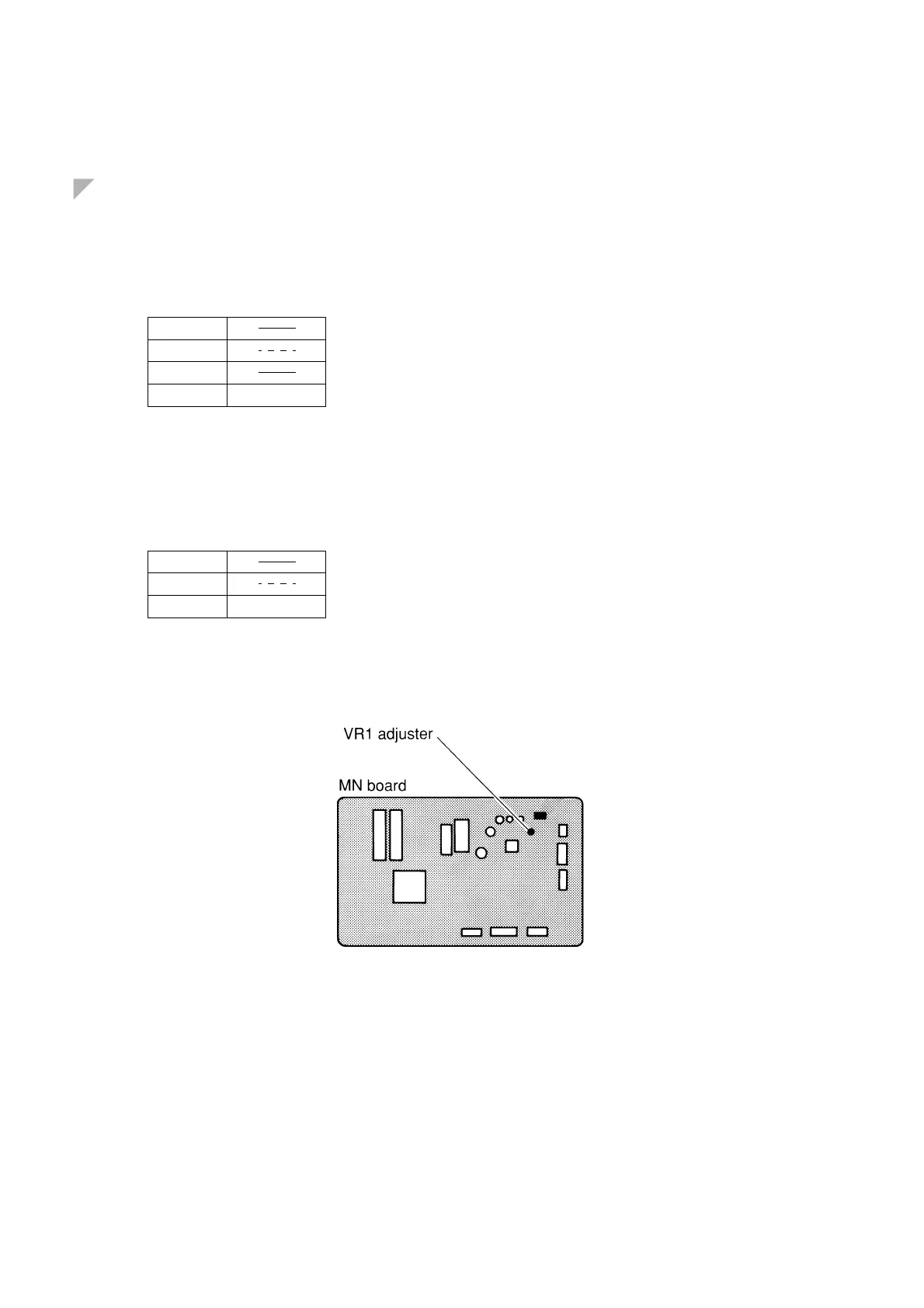
● Sustain pedal
Slowly depress the pedal and confirm by listening to the buzzer. (Use headphones.)
Check: • Confirm that all points P1 to P3 are reached.
• Confirm that P2 occurs when the damper is 1.5 mm away from the strings.
Adjust: VR1 adjuster on the MN board.
● Soft pedal
Slowly depress the pedal and confirm by listening to the buzzer. (Use headphones.)
Check: Confirm that the buzzer comes on when the hammer rail has moved 2–3 mm.
Adjust: Sensor adjustment screw.
K1
K2
K3
K4
P1
P2
P3
...............
...............







 To Next Page