28
PLAYING VOICES — THE VOICE MODE
DEMO START
Decreases Transpose
value
Increases Transpose
value
You can also adjust the tuning and change the transposition (key) of the
entire DJX sound with the Transpose and Tuning functions.
Transpose
Transpose determines the key of both the main voice and the pattern of the
selected style. It also determines the pitch of the songs. This allows you to
easily match the pitch of the DJX to other instruments or singers, or play in
a different key without changing your fingering. The Transpose settings
can be adjusted over a range of ± 12 semitones (± 1 octave).
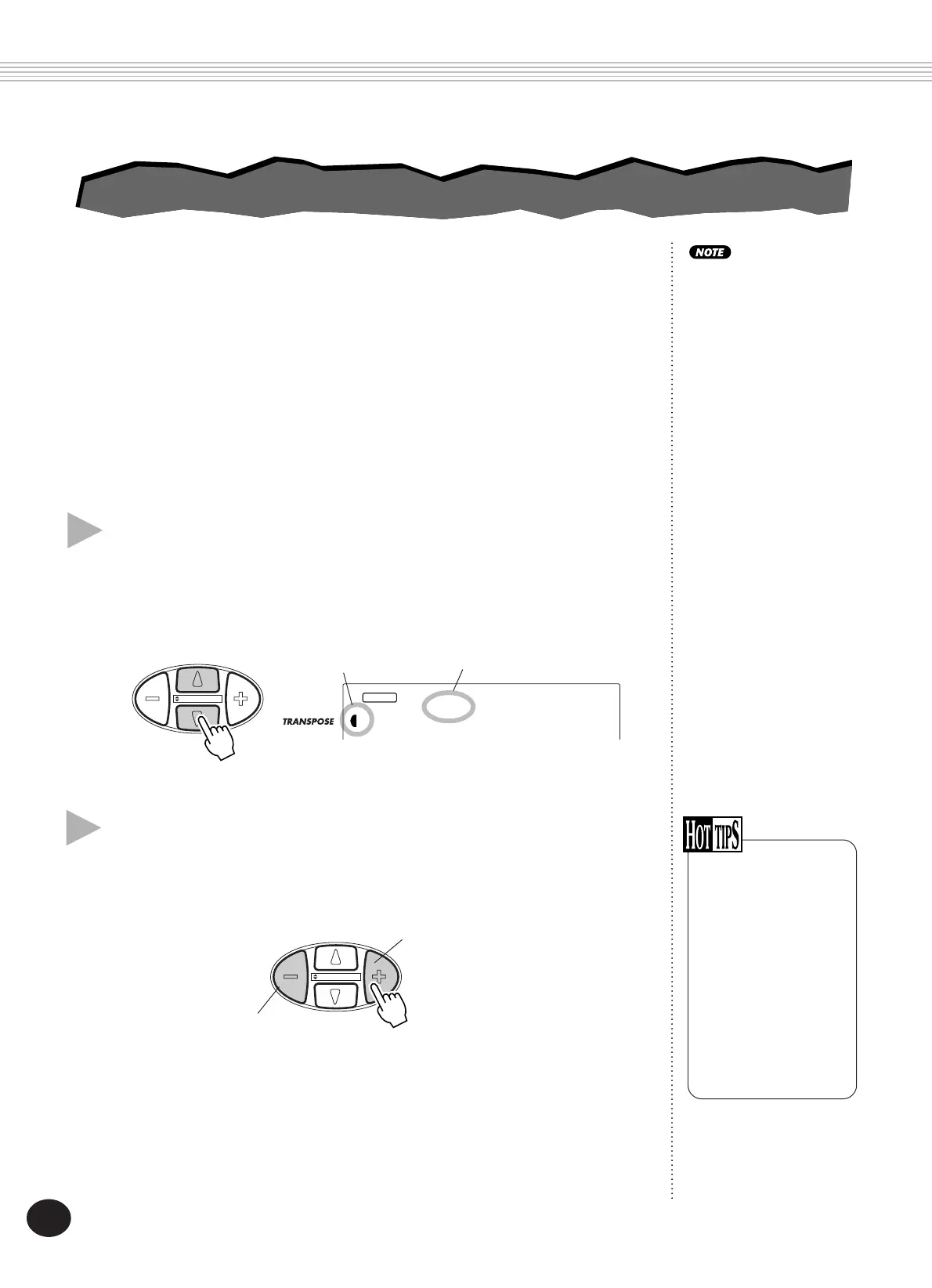
1 Select the Transpose function in the Overall menu.
Press one of the OVERALL
▲
/
▼
buttons, repeatedly if necessary, until
“Transpos” appears in the display.
2 Change the value.
Use the OVERALL +/- buttons to increase or decrease the Transpose value.
Holding down either button continuously increases or decreases the value.
Restoring the
Default Transpose
Value
If you’ve changed the
Transpose setting, you
can instantly restore the
default setting of “00”
by pressing both
OVERALL +/- buttons
simultaneously (when
Transpose is selected in
the Overall menu).
Current Transpose value
Indicates Transpose is
selected
00
VOICE
STYLE
Transpos
DEMO START
TRANSPOSE AND TUNING
TRANSPOSE AND TUNING
The Transpose and Tuning
settings have no effect on
the Drum Kit voices (#141 -
#155).









 To Next Page