98
MIDI FUNCTIONS
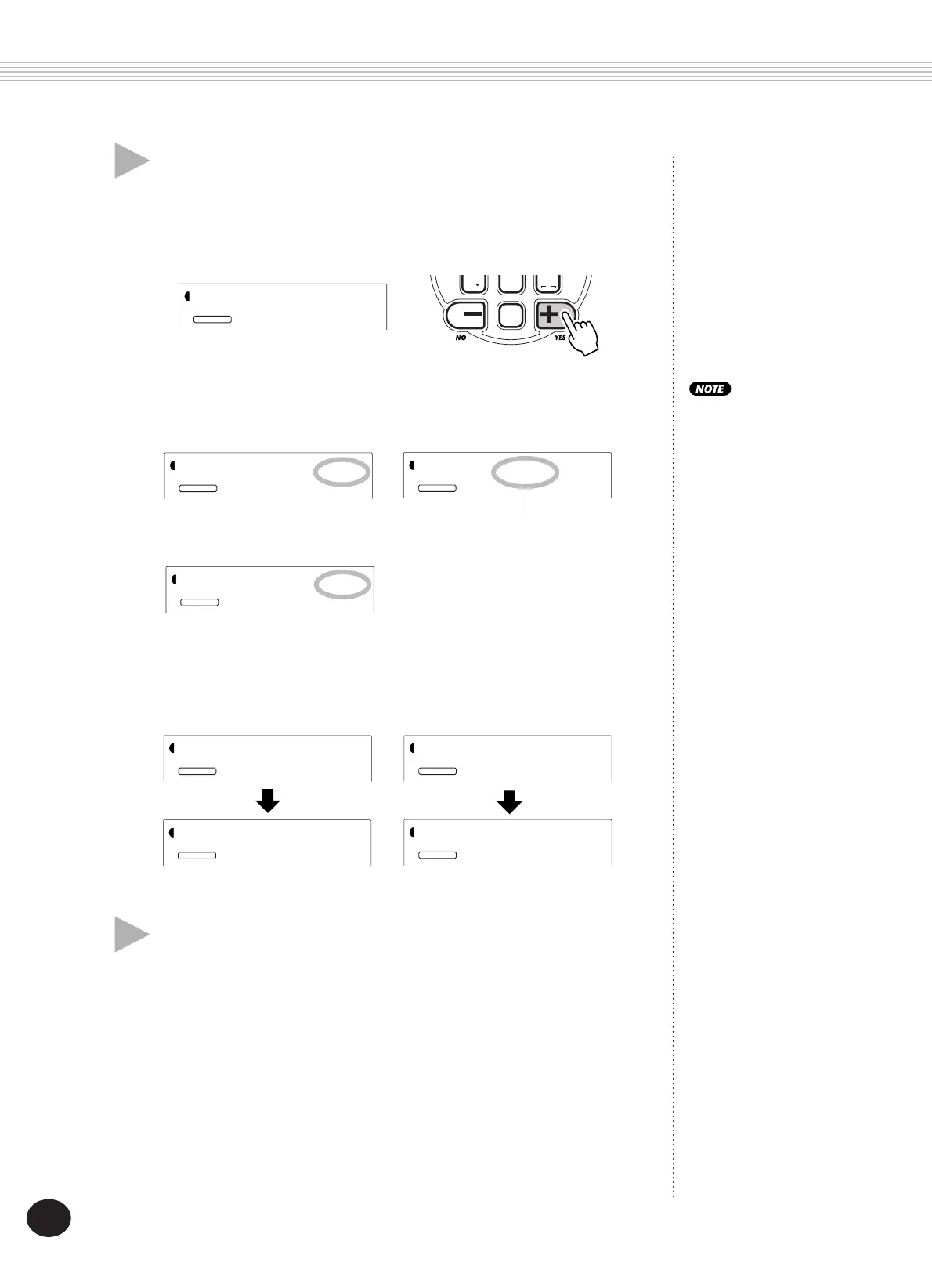
As the data is being sent, the display indicates the various stages of
data transmission until the operation is complete:
When the operation is completed, the following displays appear:
5 Exit from the Bulk Dump Send/Sampling Send
operation.
To exit from Bulk Dump Send/Sampling Send, press one of the other
mode buttons: SONG, STYLE, or VOICE.
4 At the “Sure?” prompt, start sending the data.
Press the + button to actually start transmitting the data, or press the
- button to cancel the operation and return to step 3. Keep in mind
that this operation could take several minutes to complete.
BWD
0
velocity
rest
3
FWD
Indicates User Song data is
being sent.
Indicates Sampling data is
being sent.
Indicates Performance Setup
User data is being sent.
Bulk Dump Send/Sampling
Send can be cancelled in
mid-operation by pressing
the - button.
STYLE
YES
FUNCTION
Sure?
STYLE
YES
FUNCTION
Send:Sng
STYLE
YES
FUNCTION
Send:PSU
STYLE
YES
FUNCTION
Wait
STYLE
YES
FUNCTION
End
STYLE
YES
FUNCTION
BulkSnd?
STYLE
YES
FUNCTION
SmplSnd?
STYLE
YES
FUNCTION
End









 To Next Page