10
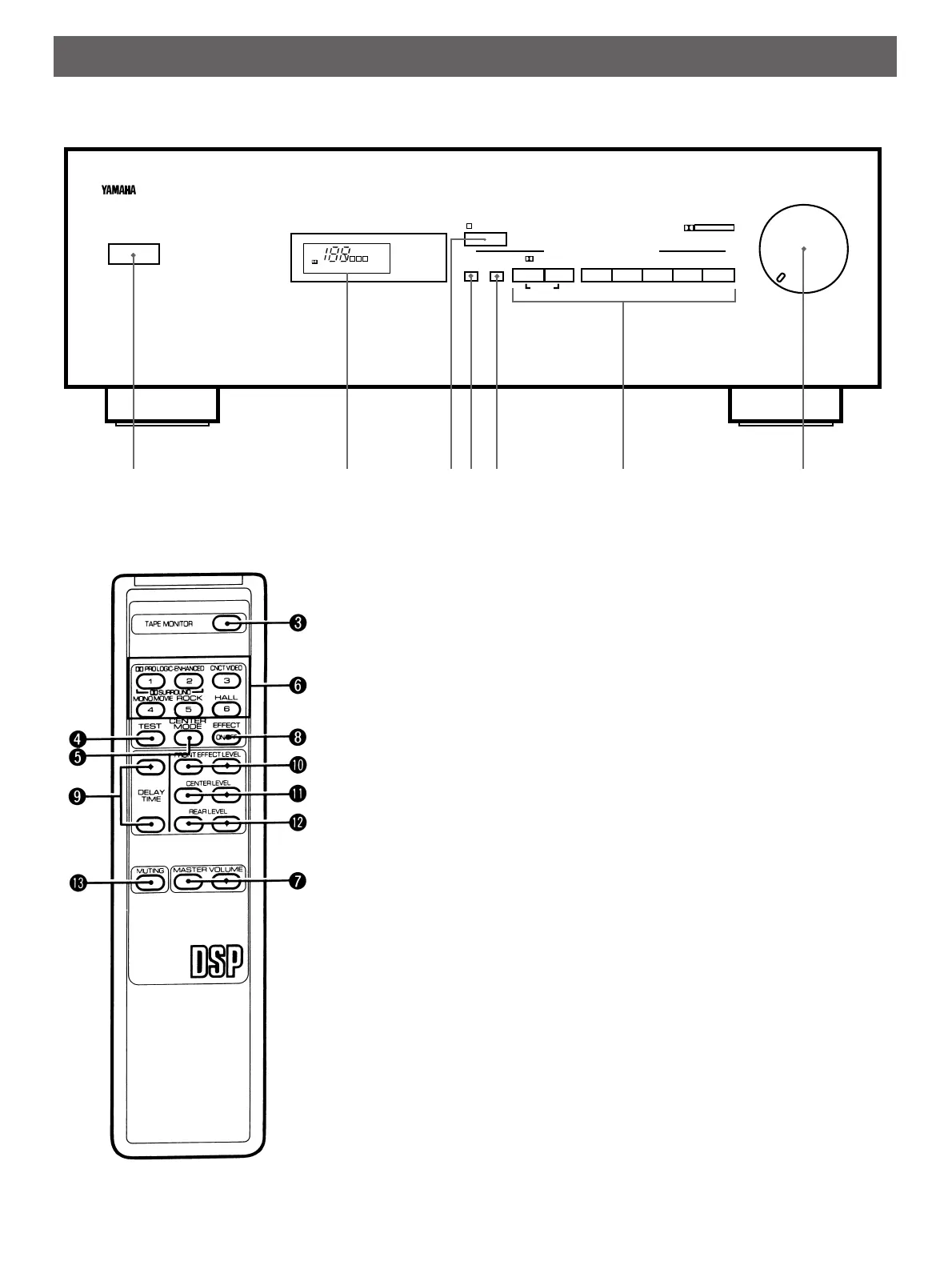
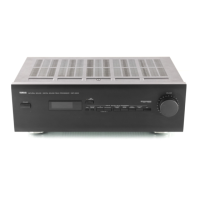
IDENTIFICATION OF CONTROLS
1POWER
Turns the power on/off.
2Display panel
Displays your selection on the DSP or
other informations.
3TAPE MONITOR
Used when you have connected the
tape deck to this unit’s TAPE terminals
to select that tape as the source. (See
page 14.)
4TEST
Used for speaker balance adjustment.
(See pages 11–12.)
5CENTER MODE
Selects center speaker mode. (See
page 11.)
6DIGITAL SOUND FIELD
PROCESSING programs
Selects a program from the digital
sound field processor. (See pages
13–15.)
7MASTER VOLUME
Turns the master volume level up/down.
8EFFECT ON/OFF
Switches on/off the digital sound field
processor. (See pages 13–15.)
9DELAY TIME
Adjusts delay time. (See page 15.)
0FRONT EFFECT LEVEL
Adjusts effect sound output level at
front speakers. (See page 16.)
ACENTER LEVEL
Adjusts center speaker sound output
level. (See page 16.)
BREAR LEVEL
Adjusts rear speaker sound output
level. (See page 16.)
CMUTING
When pressed, mutes the volume level.
To resume original volume level, press
this again.
While muting, the indicator on the
VOLUME control flashes on and off
continuously.
POWER
NATURAL SOUND DIGITAL SOUND FIELD PROCESSOR DSP–E200
TAPE
MONITOR
TEST
CENTER
MODE
PRO LOGIC
ENHANCED
CONCERT
VIDEO
MONO
MOVIE
ROCK
CONCERT
DOLBY SUR.
CONCERT
HALL
OFF
DIGITAL SOUND FIELD PROCESSING
VOLUME
–dB
ENHANCED VIDEO MOVIE CONCERT HALL
PRO LOGIC CONCERT MONO ROCK CONCERT
NORMAL
WIDE
PHANTOM
TEST
FC
R
DOLBY SURROUND
PRO • LOGIC
DELAY
ms
1
2
34 5
6
7





 To Next Page