15
The DTXPRESS Quick Guide (Basic Functions List)
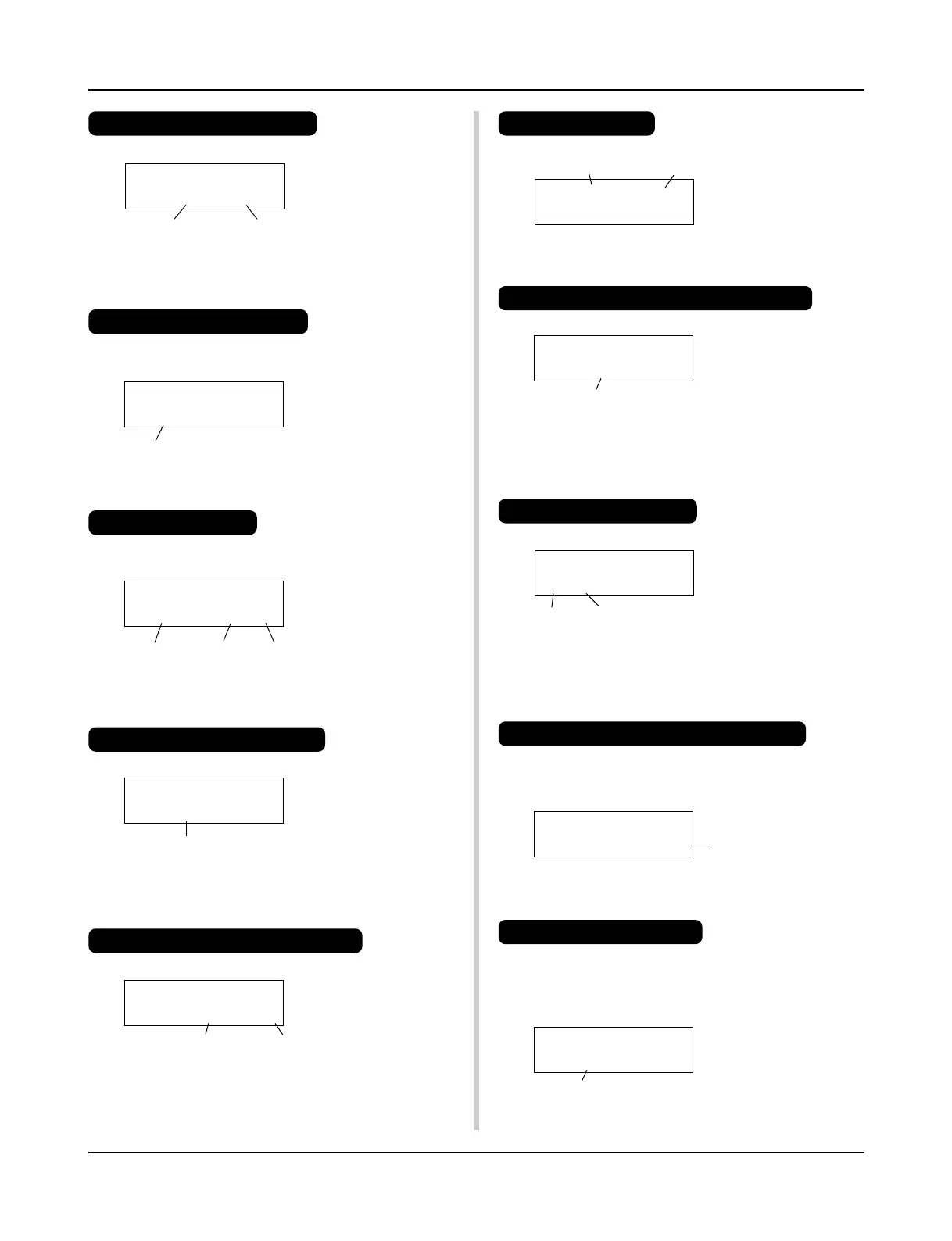
TRIG =1 Medium
ƒ=110=--= 4/4=ƒ
TRIG =1 Medium
ƒ=110=--= 4/4=ƒ
TRIG IN= 1 ( 0%)
Gain=64 MVel= 32
KIT =1 Acoustic
SONG=1 Latiniq
KIT IN=pad 1 V=-
Vol= 116 Pan= C
KIT IN=pad 1 V=-
=K/017 BDaftty1
KIT IN=pad 1
Reverb send= 15
Store Drumkit
To= 49 Init kit
Listen to the Selected Song
1. Press the [PLAY] button to open this display,
Song Number Song Name
2. Use the [SEL<]/[SEL>] buttons to flash the song number.
3. Use the [VALUE–]/[VALUE+] buttons to select the song.
4. Press the [START/S] button to start playback!
Change the Song’s Tempo
1. Hold the [SHIFT] button and press the [PAGEt] button to
open this display,
2. Use the [SEL<]/[SEL>] buttons to flash the tempo value.
3. Use the [VALUE–]/[VALUE+] buttons to set the tempo.
Set the Metronome
1. Hold the [SHIFT] button and press the [PAGEt] button to
open this display,
Tempo
Tempo Beat Note
2. Use the [SEL<]/[SEL>] buttons to flash the parameter you
want to set.
3. Use the [VALUE–]/[VALUE+] buttons to set the value.
Change the Pad’s Sensitivity
1. Double-click the [TRIG] button to open this display,
Input Gain (Sensitivity)
2. Hit the pad that you want to edit (that pad will be selected).
3. Use the [SEL<]/[SEL>] and [VALUE–]/[VALUE+] buttons
to edit.
Change the Output Sound Quality
1. Double-click the [UTIL] button to open this display,
Bass Treble
UT TG MASTER
EQ Lo=+ 6 Hi=+ 0
2. Use the [SEL<]/[SEL>] buttons to select either “Lo” (bass)
or “Hi” (treble),
3. Use the [SEL<]/[SEL>] and [VALUE–]/[VALUE+] buttons
to edit.
Drum Kit Number Drum Kit Name
2.
Use the [SEL<]/[SEL>] buttons to flash the drum kit number,
3. Use the [VALUE–]/[VALUE+] buttons to select a drum kit.
Change the Voice Volume For Each Pad
1. Double-click the [VOICE] button to open this display,
2. Hit the pad whose volume you want to change (that pad will
be selected),
3. Use the [SEL<]/[SEL>] and [VALUE–]/[VALUE+] buttons
to edit.
Change the Pad’s Voice
1. Press the [VOICE] button to open this display,
2. Hit the pad whose voice you want to change (that pad will be
selected),
3. Use the [SEL<]/[SEL>] and [VALUE–]/[VALUE+] buttons
to select the voice category and voice number.
Change the Reverb for the Drum Voice
1. After selecting the drum kit you want to add reverb to, press
the [VOICE] button, use the [PAGEs]/[PAGEt] buttons to
open this display.
2. Use the [SEL<]/[SEL>] and [VALUE–]/[VALUE+] buttons
to edit the reverb send level.
Save the Edited Settings
1. Press either the [VOICE] or [TRIG] button, use each mode’s
display to edit the settings.
2. Press the [SAVE/ENT] button,
3. Use the [VALUE–]/[VALUE+] buttons to set the save address.
Select a Drum Kit
1. Press the [PLAY] button to open this display,
Volume Level
Voice Category
Voice Number
Reverb Send Level
Save Address
4. Press the [SAVE/ENT] button, after the confirmation display
appears, press the [SAVE/ENT] button again.
KIT =1 Acoustic
SONG=1 Latiniq













 To Next Page