38
2. COMMON Parameters
Contains common settings for all pad inputs (1-10).
This group is divided into the following 3 pages.
2-1. Increment/Decrement ...................................... 38
2-2. Input Exchange ............................................... 38
2-3. Trigger Setup Name ........................................ 38
2-1. Increment/Decrement
This sets the pad function that allows the currently selected drum
kit number to be increased or decreased by 1 by hitting the speci-
fied pad.
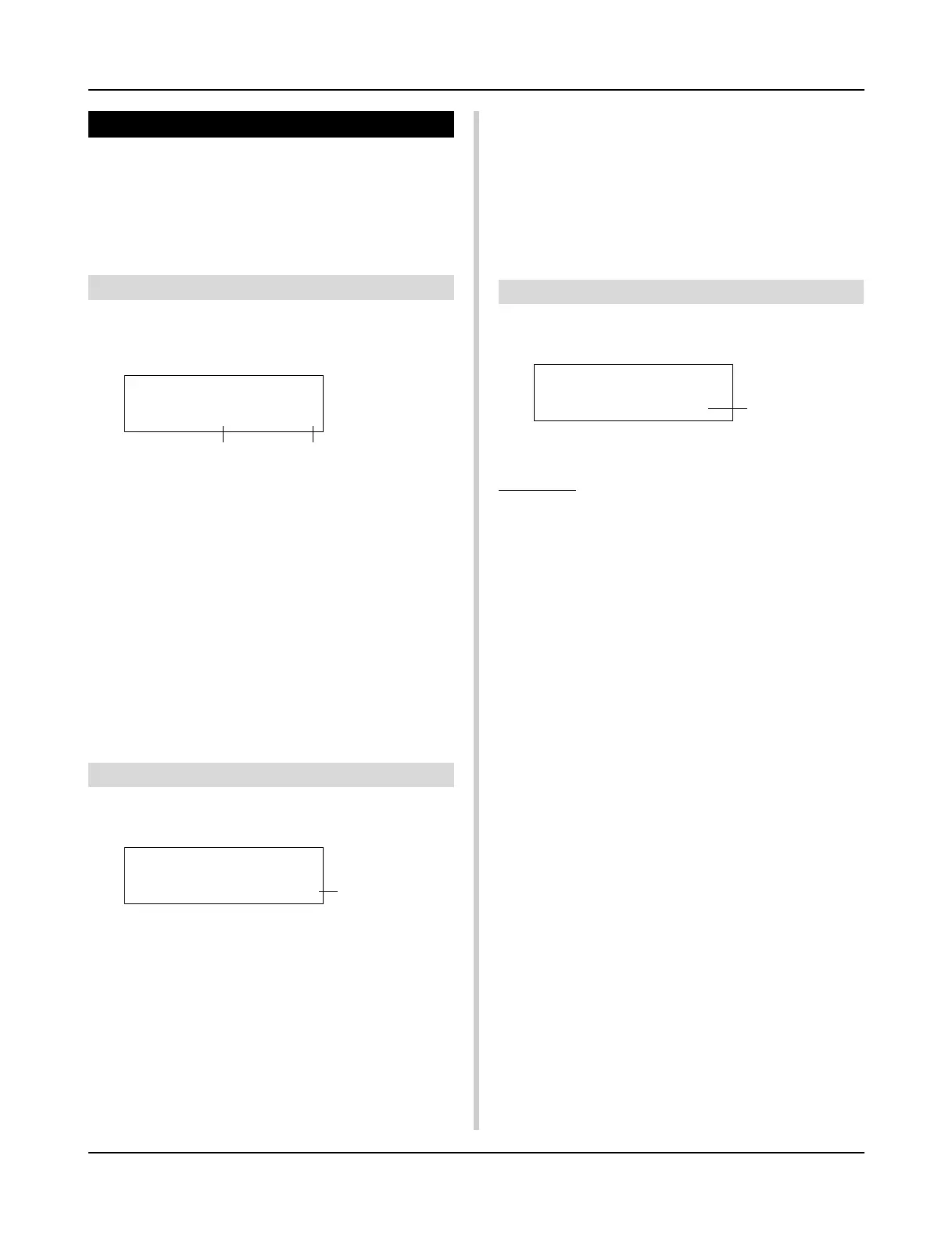
q Incin (Pad for Increment)
[Range] —, 1-10
Assigns the trigger input jack number that is set for the increment
(+1) function. “--” will appear when this function is not assigned
to the pad.
w Decin (Pad for Decrement)
[Range] —, 1-10
Assigns the trigger input jack number that is set for the decrement
(-1) function. “--” will appear when this function is not assigned
to the pad.
*Even when the drum kit is changed, the pads connected to the
assigned trigger input jacks will retain their increment/decre-
ment functions. To assign this function to each drum kit, refer to
the Drum Kit Voice Edit mode’s [2-6. Function] (P. 44)
2-2. Input Exchange
Switches the trigger signal from the pads between trigger input
jacks 1 and 9/10.
q In Excg (Input Exchange)
normal: Normal operation.
In10,1/9: The signals from Input Jacks 1 and 9/10 are switched.
When the input jack 1 pad is hit.
m This event will be recognized as a signal from the input jack
10 pad (as if a trigger were received from input jack 10) and
operate accordingly.
When the input jack 1 rim is hit.
m Normal operation. This event will be recognized as a signal
from the input jack 1 rim.
When the input jack 9 pad is hit.
m This event will be recognized as a signal from the input jack
1 pad (as if a trigger were received from input jack 1) and
operate accordingly.
When the input jack 10 pad is hit.
m This event will be recognized as a signal from the input jack
9 pad (as if a trigger were received from input jack 9) and
operate accordingly.
TRIG Common
In Excg= normal
TRIG Common
IncIn= 4DecIn= 5
q w
q
TRIG Common
TrgName=Medium
q
Trigger Setup Edit Mode
2-3. Trigger Setup Name
Changes the name of the currently selected (currently being ed-
ited) Trigger Setup.
q TrgName (Trigger Setup Name)
Procedure
1.
In the display shown above, use the [SEL<]/[SEL>] but-
tons to move the cursor to the character you want to
change.
2.
Use the [VALUE–]/[VALUE+] buttons to select the alpha-
bet, number or symbol.
3.
Repeat steps
1
and
2
above to create the Trigger Setup
name using a maximum of 8 characters.
● The available characters to choose from are (in order):
space
!"#$%&'()*+,-./0123456789:;<=>?@
ABCDEFGHIJKLMNOPQRSTUVWXYZ[\]^_`
abcdefghijklmnopqrstuvwxyz{|}ßå













 To Next Page