1.
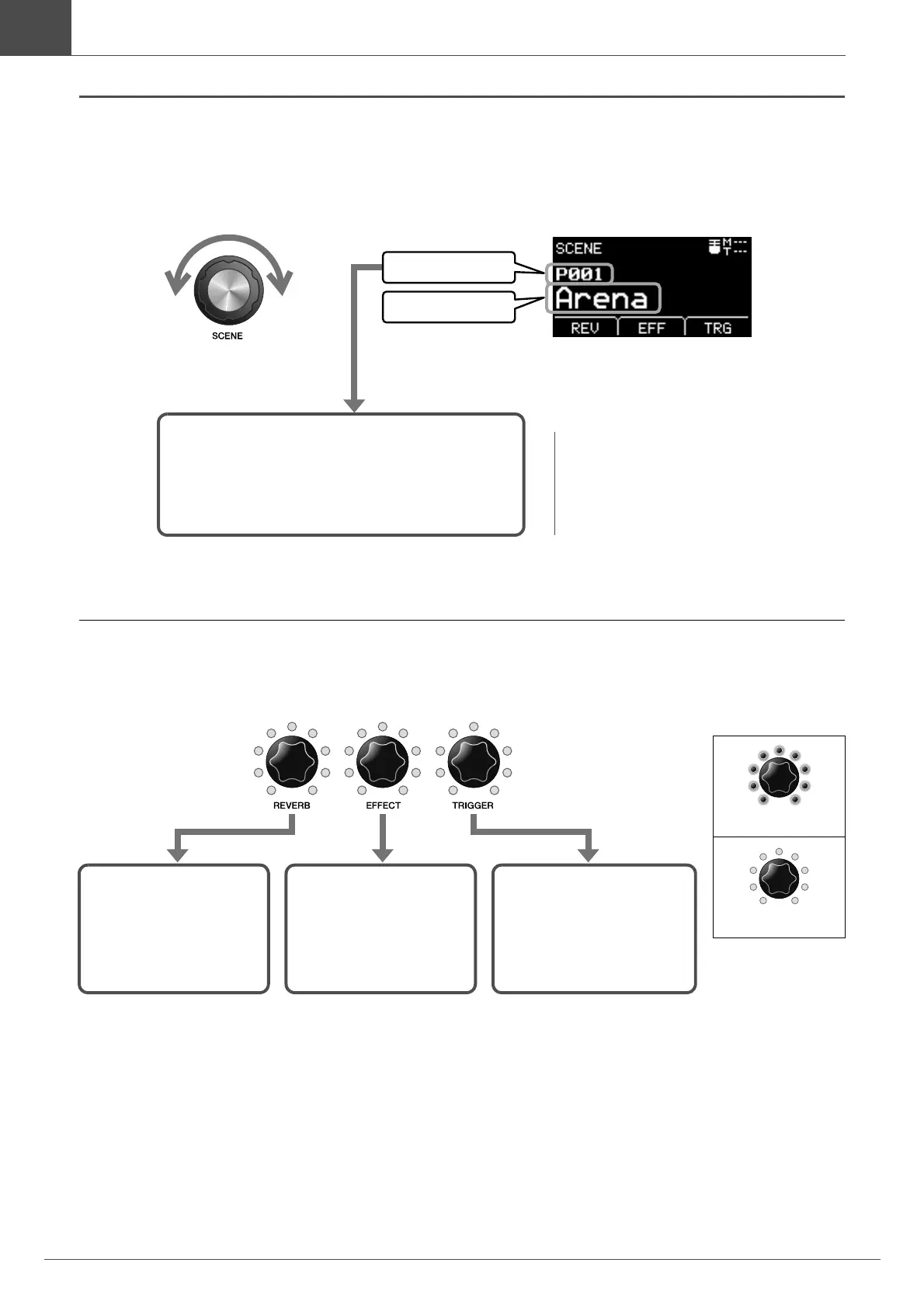
Scene number
Scene name
Scene number and Scene name are
displayed on the screen.
P***: Preset Scene (Presets that are already
stored in the EAD10)
U***: User Scene (Scene you have created)
NOTE
When you select another Scene before storing
the Scene being edited, you can use the recall
function to recall the edited contents. For more
information, refer to the Reference Manual
(Advanced) (PDF) (MENU/Job/Scene/Recall).



 To Next Page