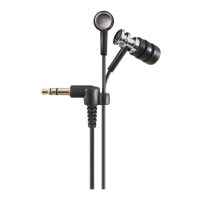
No sound can be heard
(
This product are not connected to a Bluetooth device.
Pair this product.
(
“Connecting to a Bluetooth device”(p.18)
(
The volume is too low.
Raise the volume.
(
“Adjusting the volume”(p.23)
(
The music stopped playing back.
Start playback.
(
“Listening to music”(p.24)
(
The eartips don’t fit my ears.
Select eartips that match your ear shape, and make sure that they fit securely.
(
“Replacing the eartips”(p.22)
(
The cable may not be correctly connected (when using the 3.5 mm stereo mini-plug cable).
The 3.5 mm stereo mini-plug cable jack of this product may not be correctly connected to your external
device.
(
“Connecting using the cable”(p.20)
(
The volume of the external device is low when using a 3.5 mm stereo mini-plug cable.
Raise the volume on your external device.
36
Troubleshooting > No sound can be heard



 To Next Page