EasyManua.ls Logo

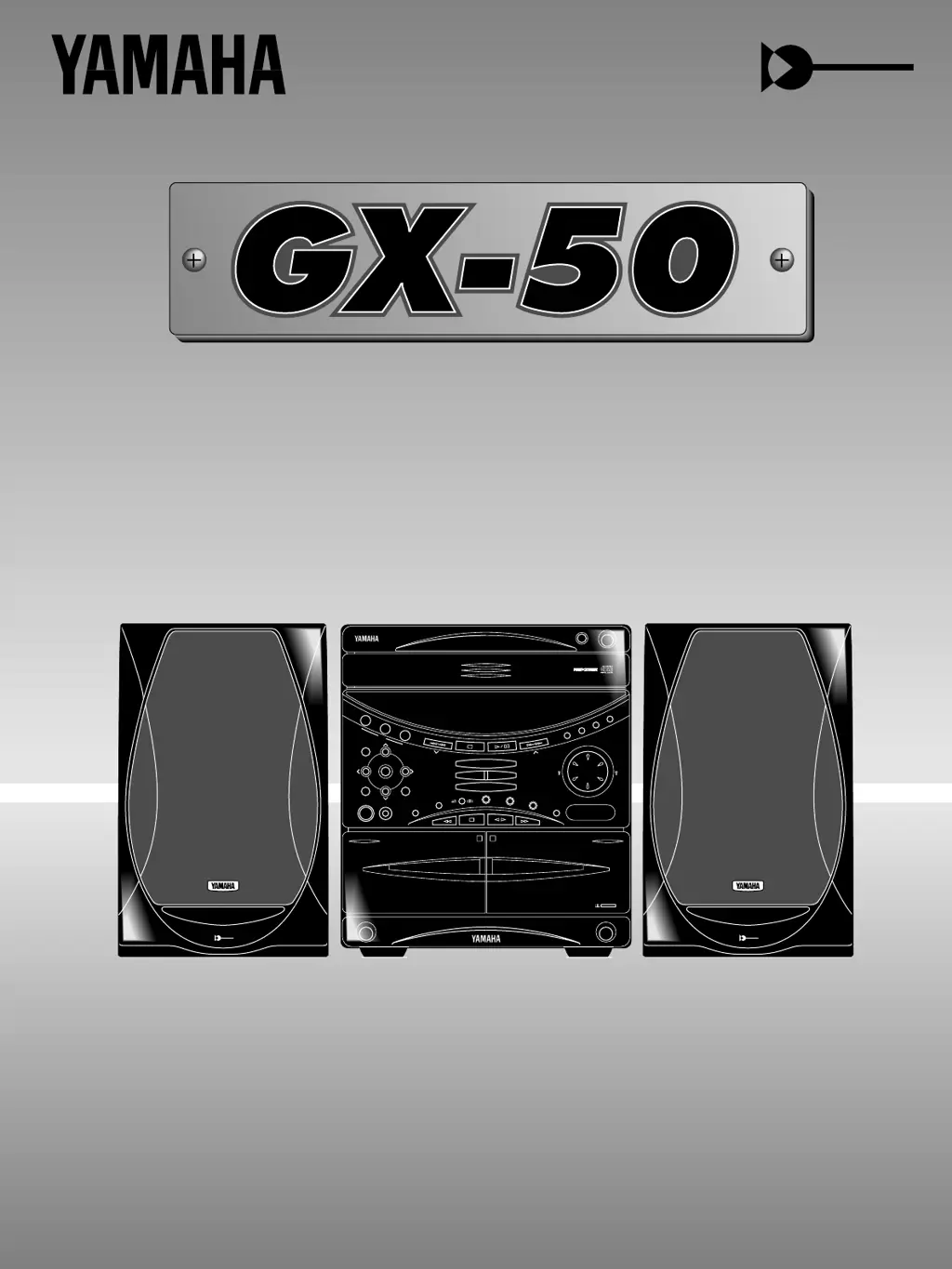
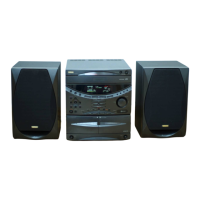
Yamaha GX-50 - User Manual

Yamaha GX-50
58 pages
Print Icon
To Next Page IconTo Next Page
Loading...
1
PLAYBACK
2
REC/PLAYBACK
EJECT
DOLBY B NR
DISC CHANGE
Active Servo
Technology
DISC
LOCATION
USER
VOLUME
DOWN UP
MEMORY
BAND
REC/PAUSE
MODE
HOUR MIN
NORMAL
DUBBING
HIGH
MEMORY
TIME ADJ
DOLBY NR
AUTO/MAN’L
TIMER
TIMER REC
MUSIC
POWER
PHONES
PRESET/TUNING
A/B/C/D/E
RANDOM
REPEAT
EDIT
DISPLAY
CD
TUNER AUX
TAPE 1/2
START
MODE
FREQ PS/PTY/RT/CT
PTY SEEK
EJECT
Active Servo
Technology
Active Servo
Technology
MINI COMPONENT SYSTEM
GX
50
1
2
3
OPEN/CLOSE
Active Servo
Technology
Natural Sound Mini Component System
Chaîne Mini de la série “Natural Sound”
OWNER‘S MANUAL
MODE D‘EMPLOI

Questions and Answers

  • K
    Kayla BernardAug 19, 2025
    What to do if my Yamaha GX-50 remote control doesn’t work?
    • C
      Christopher FuentesAug 20, 2025
      If the Yamaha Home Theater System remote control isn't working, first replace the batteries. If that doesn't solve the problem, make sure you are within a 6-meter range and within a 60° radius of the unit. Also, try changing the position of the main unit to avoid direct sunlight or lighting from striking the remote control sensor.
  • B
    billygravesAug 21, 2025
    Why is there no sound coming from my Yamaha GX-50 Home Theater System speakers?
    • D
      Duane ColeAug 21, 2025
      If there is no sound from the speakers, the internal protection circuit might be activated. Unplug the AC supply lead from the wall AC outlet, and then plug it in again.
  • W
    waltonnicolasAug 23, 2025
    What to do if my Yamaha Home Theater System has no power?
    • M
      Melissa WhiteAug 25, 2025
      If your Yamaha Home Theater System has no power, ensure the AC supply lead is properly plugged in.
  • A
    Ann BergAug 26, 2025
    What to do if my Yamaha Home Theater System is not operating properly?
    • D
      dpowellAug 26, 2025
      If your Yamaha Home Theater System is not operating properly, the internal microcomputer may have frozen due to an external electric shock or low voltage. Unplug the AC supply lead from the wall AC outlet, and then plug it in again after about one minute.
  • G
    greengeorgeAug 28, 2025
    How to fix buzzing or static during AM broadcasts on Yamaha GX-50 Home Theater System?
    • M
      marcus10Aug 28, 2025
      Buzzing or static during AM broadcasts might be caused by interference from sources like lightning, fluorescent lights, electric motors, or thermostats. While difficult to eliminate, grounding the MW/LW (AM) loop antenna can help. Also, move the unit away from TVs or microprocessors.
  • T
    Tasha DeleonAug 30, 2025
    Why is there excessive static in FM broadcasts on my Yamaha GX-50?
    • R
      ryansnyderAug 30, 2025
      Excessive static in FM broadcasts can be caused by interference, such as from the starting motor of a nearby car. Try positioning the FM antenna as high and as far away from nearby roads as possible, and connect using a coaxial cable.
  • A
    austin91Sep 1, 2025
    Why is there noise increasing during stereo broadcasts on my Yamaha GX-50?
    • A
      Alicia BlackSep 1, 2025
      Increased noise during stereo broadcasts may be due to a weak antenna input because of obstructions or excessive distance from the broadcasting station. Check the antenna connections. If possible, install a multi-element type FM antenna.
  • R
    Rebekah OwensSep 3, 2025
    What to do if my Yamaha Home Theater System play will not begin even if disc is loaded?
    • C
      cjonesSep 3, 2025
      If play will not begin even if the disc is loaded, ensure the disc is loaded label side up. If the issue persists, the disc might be dirty; clean it.
  • M
    mbrownSep 5, 2025
    Why are stereo broadcasts noisy and the STEREO indicator blinking on my Yamaha Home Theater System?
    • J
      Jose MendezSep 5, 2025
      Noisy stereo broadcasts and a blinking STEREO indicator suggest insufficient antenna input. Install an antenna appropriate for the electric field strength of your area.
  • C
    Colton ReidSep 7, 2025
    What causes poor AM broadcast sensitivity on my Yamaha GX-50 Home Theater System?
    • V
      Veronica RobinsonSep 8, 2025
      Poor AM broadcast sensitivity can be due to a weak radio signal or an improperly connected antenna. Properly connect the MW/LW (AM) loop antenna and try changing its orientation. If needed, install an external MW/LW (AM) antenna.

Summary

Safety Instructions

Supplied Accessories

Precautions: Read This Before Operating Your Unit

Names of Controls and Indicators

Connections

Compact Disc Player Operation

CD Playback

Step-by-step guide to playing audio CDs on the unit.

Program Play

How to program a sequence of tracks for playback.

Tuning Operation

Automatic Tuning

How to automatically search and tune to radio stations.

Manual Tuning

How to manually tune to radio stations by frequency.

Preset Tuning

How to store and recall favorite radio stations.

Automatic Preset Tuning

Automatically tunes and stores stations with strong signals.

Tape Deck Operation

Tape 1 or Tape 2 Playback

How to play tapes from either deck 1 or deck 2.

Recording Compact Discs

CD Synchronized Recording

How to record CDs to tape with automatic synchronization.

Recording Programmed Tracks

How to record programmed track sequences from CDs.

Recording CD(s) on Both Sides of a Tape Automatically

How to record entire CDs onto both sides of a tape.

Automatic Tape-Editing

Feature to program tracks to fit tape length with minimal unused space.

To Record Programmed Tracks from One or More Discs

Step-by-step guide for programming tracks from CDs.

Other Recordings

Recording from the Built-in Tuner

How to record radio broadcasts onto tape.

Dubbing

How to copy tapes from deck 1 to deck 2.

Graphic Equalizer;Sound Field Processor Control

Karaoke Operation (Australia, Singapore and General models only)

How to Use the Built-in Timer

Maintenance

Troubleshooting

Yamaha GX-50 Specifications

General IconGeneral
BrandYamaha
ModelGX-50
CategoryHome Theater System
LanguageEnglish

Related product manuals