EasyManua.ls Logo

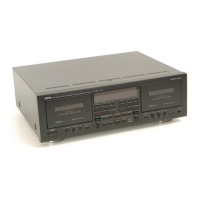
Yamaha KX-E300 - User Manual

Yamaha KX-E300
12 pages
Print Icon
To Next Page IconTo Next Page
Loading...
UB
KX-E300
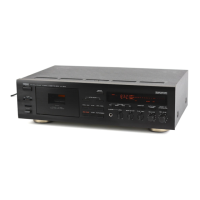
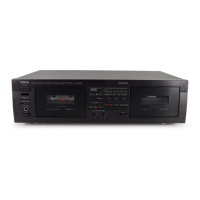
Cassette Deck
OWNER’S MANUAL
0101KXE300(UB).cv1-4.E 02.5.21, 2:29 PM2

Other manuals for Yamaha KX-E300

Questions and Answers

  • K
    Kathleen SandersJul 30, 2025
    What to do if my Yamaha Cassette Player cannot record?
    • M
      Michael SmithJul 30, 2025
      If your Yamaha Cassette Player isn't recording, make sure the erasure prevention tab on the cassette isn't broken. If it is, either replace the tape or cover the hole with adhesive tape. Also, a dirty head can prevent recording, so try cleaning it.
  • E
    Emily HermanAug 4, 2025
    Why is the sound distorted on my Yamaha KX-E300 Cassette Player?
    • J
      John WhiteAug 4, 2025
      If the sound from your Yamaha Cassette Player is distorted or fading, the head might be dirty, so try cleaning it. Also, the tape itself could be worn out, so consider replacing it.
  • T
    Tommy BoltonAug 9, 2025
    How to reduce excessive noise from Yamaha Cassette Player?
    • M
      Meghan DoyleAug 9, 2025
      If you are experiencing excessive noise with your Yamaha Cassette Player, the head may have become magnetized. Try demagnetizing the heads with a head eraser. Also, the tape itself could be worn, so consider replacing it.
  • J
    Jeremy GarciaAug 14, 2025
    Why is the sound quality poor on my Yamaha Cassette Player?
    • H
      heidiyoungAug 14, 2025
      If the sound quality from your Yamaha Cassette Player is poor, ensure you've selected the correct DOLBY NR type for both recording and playback. In addition, try cleaning the head, as a dirty head can degrade sound quality.
  • H
    hjohnstonAug 19, 2025
    What to do if Yamaha Cassette Player stops during playback?
    • M
      Miss Amy TorresAug 20, 2025
      If your Yamaha Cassette Player's tape stops during playback or recording, it could be due to slack tape coming out of the cassette shell. Try taking up the slack by turning the reels with a pencil. Also, a worn tape can cause this issue, so consider replacing it.
  • H
    Hannah AdamsAug 25, 2025
    Why can't my Yamaha Cassette Player find the track beginning?
    • A
      Amy LeeAug 25, 2025
      The function of searching for the beginning of a desired track does not operate unless the silent gaps between tracks are at least four seconds long.

Summary

Safety Instructions

Explanation of Graphical Symbols

Explains symbols used for warnings and instructions on the appliance.

FCC Information for US Customers

Important Notice: Do Not Modify This Unit

Warning against unauthorized modifications to the unit to maintain FCC compliance.

Important: Connecting Accessories

Guidelines for using high-quality shielded cables and following installation instructions.

FCC Compliance Notes

Details on FCC regulations and measures to mitigate interference.

Operating Precautions

Important Information and UK Model Instructions

Record serial number, retain manual, and special wiring for UK models.

Features and Accessories

Product Features

Lists key features like auto-reverse tape deck and Dolby noise reduction.

Supplied Accessories

Lists the items included with the unit.

Notes About Cassette Tapes

Recommendations for cassette tape usage and handling.

Controls and Display

Front Panel Controls

Identification and function of buttons on the front panel.

Display Indicators

Explanation of the unit's display elements and indicators.

Connections

Connecting the CRX-E300

Step-by-step guide for connecting to the CRX-E300 system component.

Connecting RX-E400 and CDX-E400

Guide for connecting to RX-E400 receiver and CDX-E400 player/changer.

Playback Operations

Tape Handling and Volume Control

Operations for tape ejecting, stopping, volume, and fast-forward/rewind.

Automatic Track Searching

Functionality for finding specific tracks on a tape using blank intervals.

Recording Operations

Recording Procedures

Steps for pausing, resuming, stopping, and setting recording levels.

Tape Counter and Recording Protection

Using the tape counter and protecting recordings from accidental erasure.

Troubleshooting and Specifications

Troubleshooting Guide

Lists common symptoms, causes, and remedies for operational issues.

Technical Specifications

Details on power supply, consumption, dimensions, and weight.

Yamaha KX-E300 Specifications

General IconGeneral
Track System4-track, 2-channel stereo
Tape Speed4.76 cm/s
TypeCassette Deck
MotorDC servo motor
Frequency Response (Normal Tape)30Hz to 16kHz
Frequency Response (Chrome Tape)30Hz to 17kHz
Frequency Response (Metal Tape)30Hz to 18kHz
Wow and Flutter0.08% WRMS
InputLine, Mic
OutputLine, Headphones
Output Level/Impedance (Line)0.5V

Related product manuals