90
Chapter 16
Speed Tips for
Power Users
Work smarter, not harder!
In this section, we’ll show you some nifty ways to put your editing in high gear
— so you can get MORE out of your DX200 in LESS time.
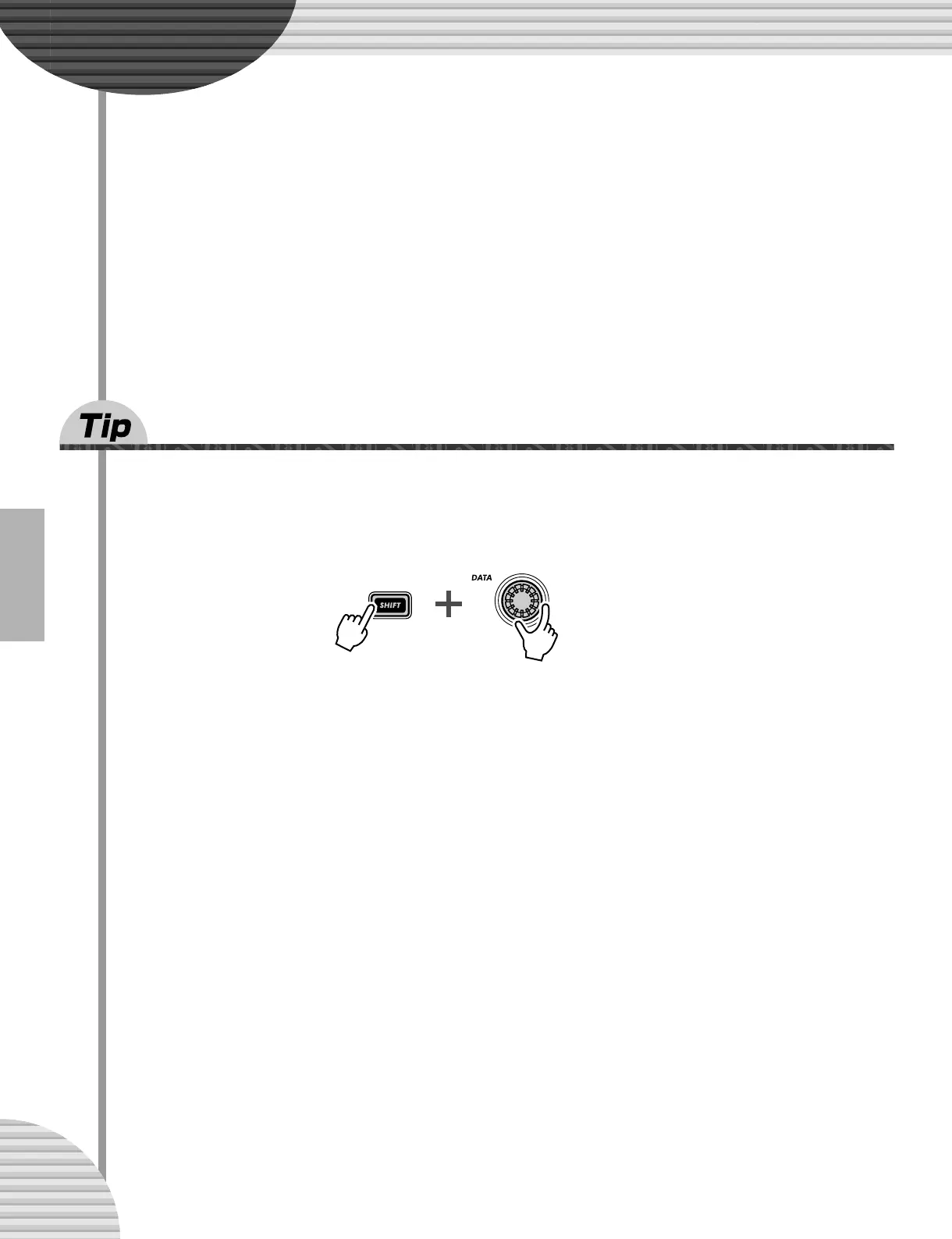
69 Using [SHIFT] with the [DATA] knob — for leaps
and bounds!
The [DATA] knob is really useful for narrowing in on a value and fine-tuning the parameter settings. How-
ever, if you’re in a hurry and want to quickly jump through the available values, it can be cumbersome.
Not when you use the [SHIFT] button, however. To speed up the [DATA] knob, hold down [SHIFT] while you
turn it.
Use this operation especially:
• For selecting Patterns
This speed operation lets you jump 10 Patterns for every click of the [DATA] knob.
• For setting the BPM
Holding [SHIFT] lets you go 10 times faster through the BPM values (1 bpm/click).
• For Instrument Select (in Step Recording, Rhythm Track)
Jump among the instrument selections, then take your finger off [SHIFT] and narrow your selection
down.
Actually, this [SHIFT]-[DATA] knob shortcut is useful for just about ANY value-changing operation. Use it for
the synth-related knobs, and use it to jump around on playback controls, such as Gate Time and Transpose.



 To Next Page