Chapter 18 Master Class 1 — Onstage
98
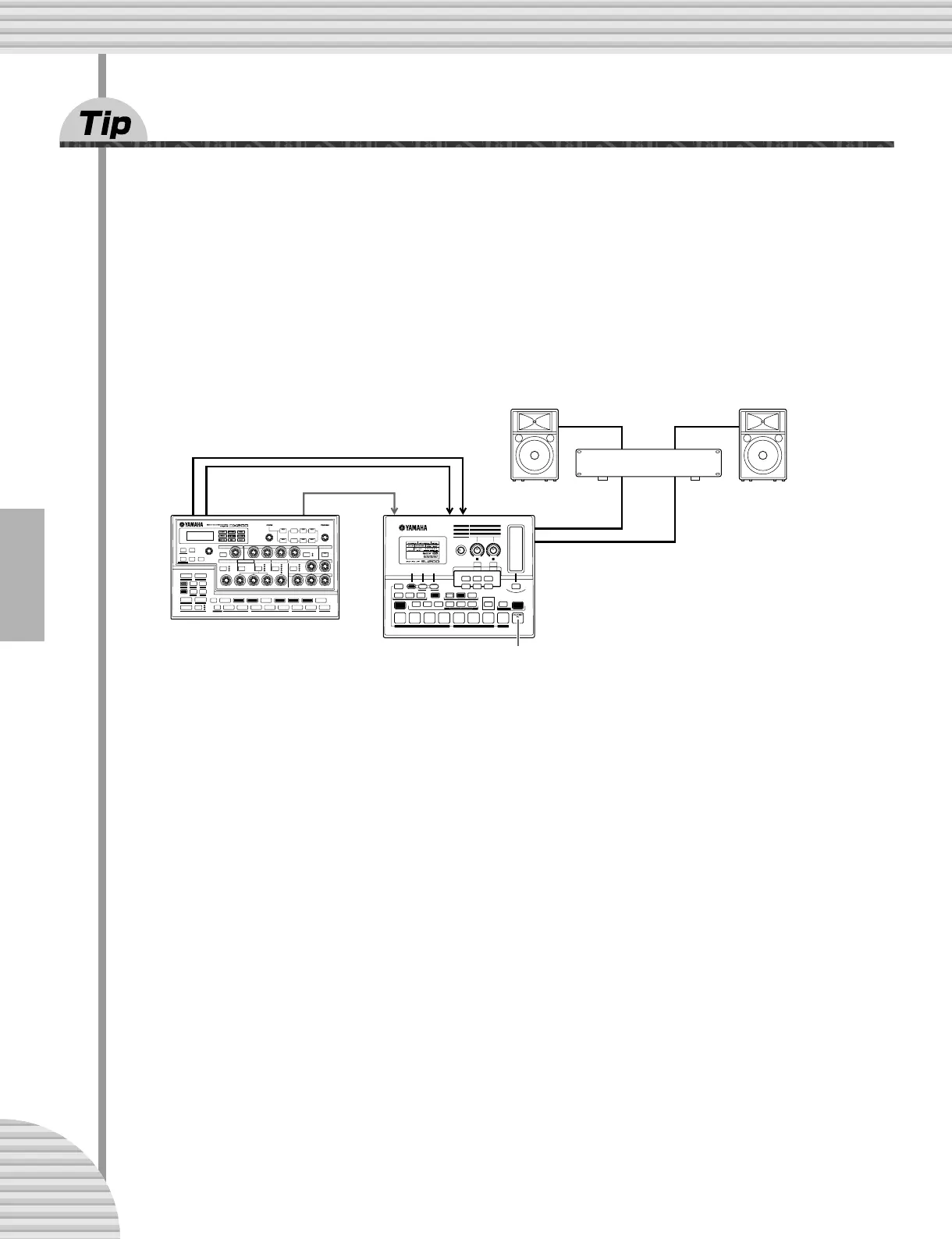
82 Loopfactory setup — with the SU200
As part of Yamaha’s new Loopfactory series, the DX200 is not just a great analog-style synthesizer — it also
excels in loop-based music production systems. In this Tip and the ones that follow, we’ll take a look at
some of ways you can use the powerful and versatile Loopfactory line to shake up the dance floor.
In this simple setup, the DX200 is paired with the SU200 Sampling Unit — a small phrase sampler with a
special Loop Track feature that time-stretches your samples and keeps them all in sync.
Here, the DX200 is the controlling “master” and the SU200 is the “slave.” (For more about masters and
slaves, see Tips 80 and 83.) Make sure you set the SU200 to External Sync for this one (MIDI Clock in the
Job mode). Naturally, the DX200 must be set to Internal Sync (page 96).
With this playback sync system, you can have the samples on the SU200 sync up perfectly to the Patterns of
the DX200 — thanks to Loop Track Play. Use the the DX200 as a master “switch” for the whole system —
starting the Patterns and the SU200 tracks simultaneously with the Start/Stop button. And as an added
bonus, the SU200 serves double duty as an audio mixer — outputting the sound of both the DX200 and
SU200.
MIDI OUT MIDI INOUTPUT
LINE
INPUT
AUDIO IN
MIDI clock
DX200
Amplifier
Speaker
SU200
Speaker



 To Next Page