19
Up to 12 characters can be used in a patch name.
* Only 11 characters are displayed when the USB connection is used.
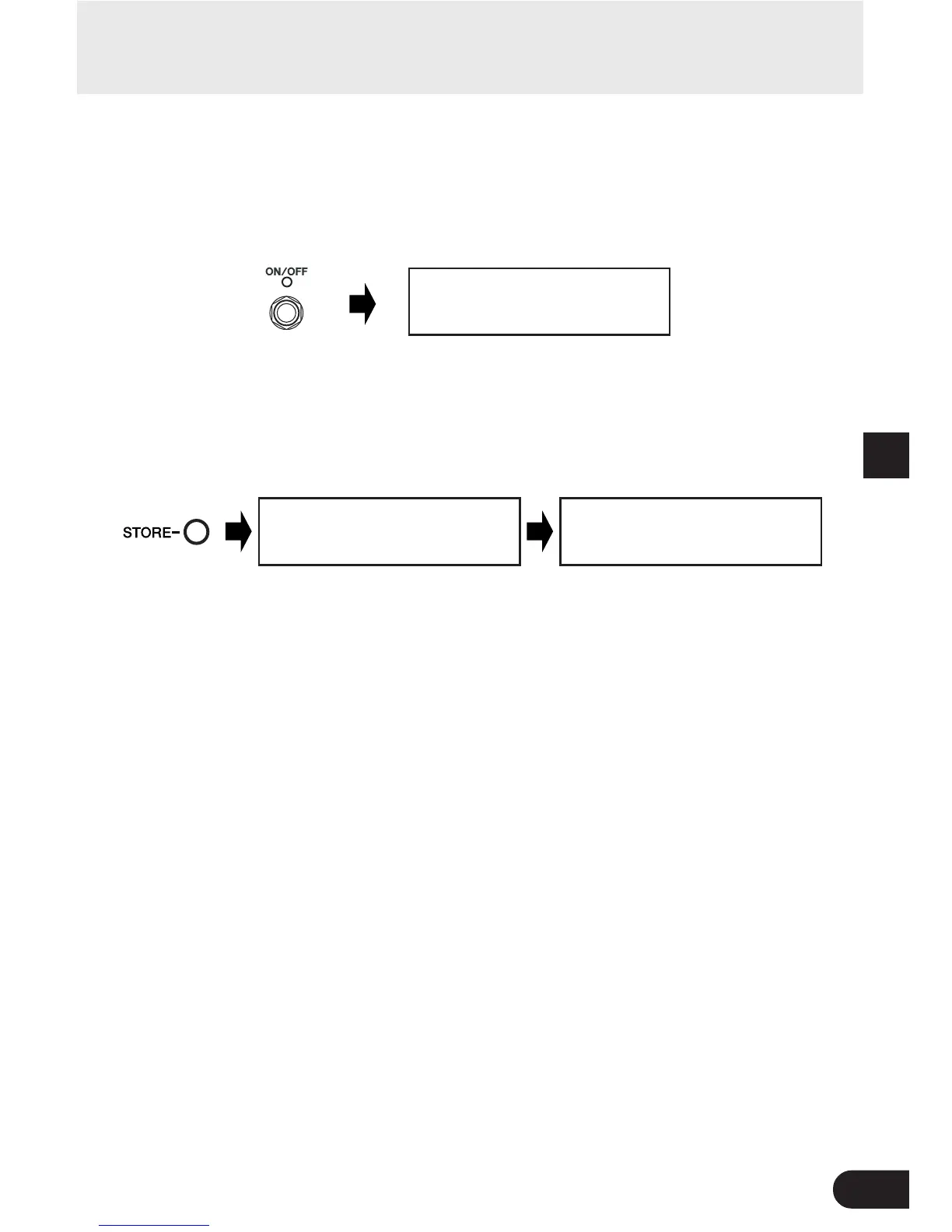
r After you’ve changed the name, press the ON/OFF switch.
The MAGICSTOMP is now in store standby mode.
Giving the patch a name
U01:TUBE0DRIVE1
PRESS[STORE]1sec
U01:TUBE0DRIVE1
NOW0STORING...
Changing the patch name is complete.
Press and hold
Press
t Press and hold the [STORE] button (about 1 second) until “NOW STORING...”
appears in the display.
The new patch name is stored with the patch.
U01¤TUBE0DRIVE1
ó‡DRIVfiMSTRáTONE
* To cancel the patch name edit operation, press and quickly release the [STORE] button (within 1 second) and
the MAGICSTOMP returns to its original condition (the patch name returns to its original name).



 To Next Page