20
In Tune!
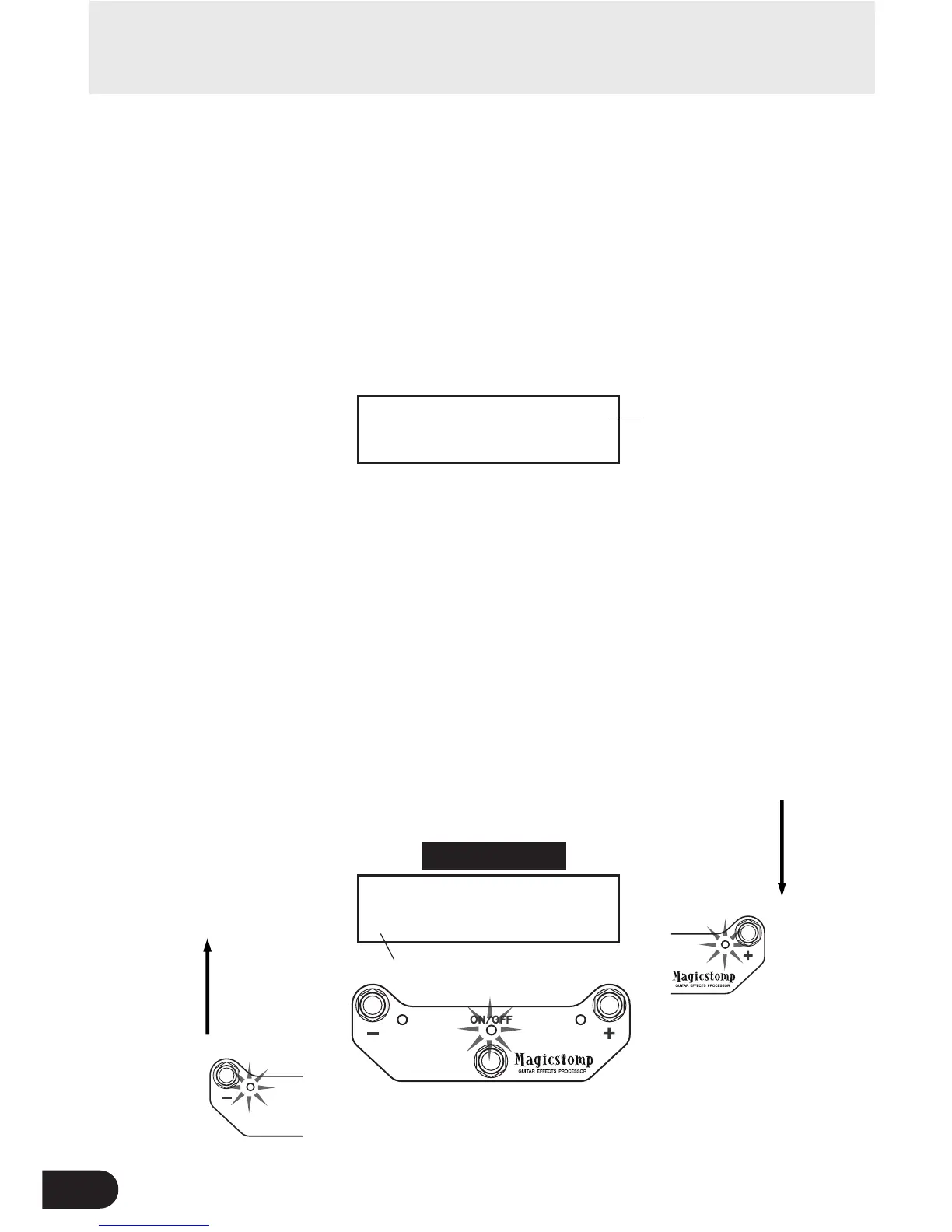
TUNE0PITCH:440Hz
E0:00000>|<
Raise Pitch
Lower Pitch
TUNE0PITCH:440Hz
00:000000|000000
Standard Pitch
Note Name
Tuner Mode
This mode is used for tuning your guitar. In the Tuner Mode, the MAGICSTOMP functions
as a chromatic tuner.
* The MAGICSTOMP’s OUTPUT jack is muted (no sound output) when the MAGICSTOMP is in the Tuner Mode.
■ Using the tuner
1 Press and hold the ON//OFF switch until the tuner display (shown below) ap-
pears on the display.
With your guitar connected to the INPUT jack, use the display to tune your guitar.
* The Tuner Mode is not available during the store operation.
2 If you want to use a standard pitch other than 440Hz, use the – or + switches.
The standard pitch can be set anywhere between 438Hz and 445Hz in the MAGICSTOMP.
3 Play the string you want to tune (play a single tone).
1. First, tune the guitar until the name of the note you want to tune to appears on the display.
2. When the string’s pitch is low, > mark will be displayed and the – switch’s lamp will be lit.
When the string’s pitch is high, < mark will be displayed and the + switch’s lamp will be lit.
The string’s pitch is in tune when “>|<” appears in the display and the ON/OFF switch’s
lamp is lit.
4 Press the ON/OFF switch to return to the original display.
00000>|
|00<
|0<
|000<
|<
000>00|
00>000|
0000>0|



 To Next Page