INSTRUMENT AND CONTROL FUNCTIONS
3-9
3
2. If the engine starts, turn it off and
try starting the engine with the
standard keys.
3. If one or both of the standard keys
do not start the engine, take the
vehicle, the code re-registering
key and both standard keys to a
Yamaha dealer and have the stan-
dard keys re-registered.
NOTICE
ECA11590
If the display indicates an error
code, the vehicle should be checked
as soon as possible in order to avoid
engine damage.
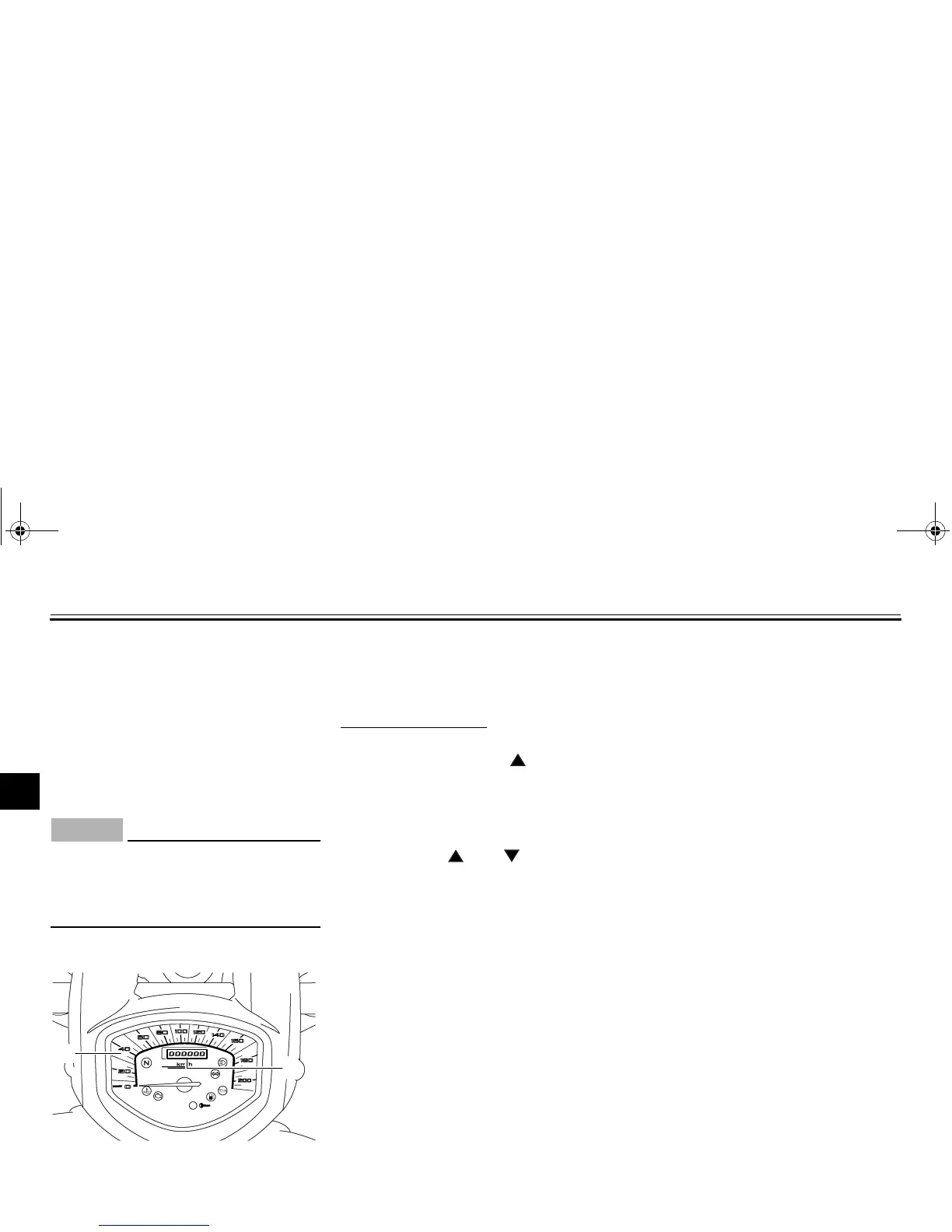
Brightness control mode
This function allows you to adjust the
brightness of the speedometer panel to
suit the outside lighting conditions.
To set the brightness
1. Turn the key to “OFF”.
2. Push and hold the “” side of the
“SELECT” switch.
3. Turn the key to “ON”, and then re-
lease the “SELECT” switch after
five seconds or more.
4. Push the “” or “” side of the
“SELECT” switch to select the de-
sired brightness level.
5. Push the “RESET” switch to con-
firm the selected brightness level.
The display will return to the odom-
eter, tripmeter or clock mode.
EAU12331
Anti-theft alarm (optional)
This model can be equipped with an
optional anti-theft alarm by a Yamaha
dealer. Contact a Yamaha dealer for
more information.
1. Speedometer panel
2. Brightness level
1
2
U11CE4E0.book Page 9 Friday, December 3, 2010 9:12 AM




 To Next Page