Instrument and control functions
4-6
4
3. Push the “INFO” switch and the
minute digits start flashing.
4. Use the “TRIP” switch to set the
minutes.
5. Push the “INFO” switch to confirm
the settings.
EAU87391
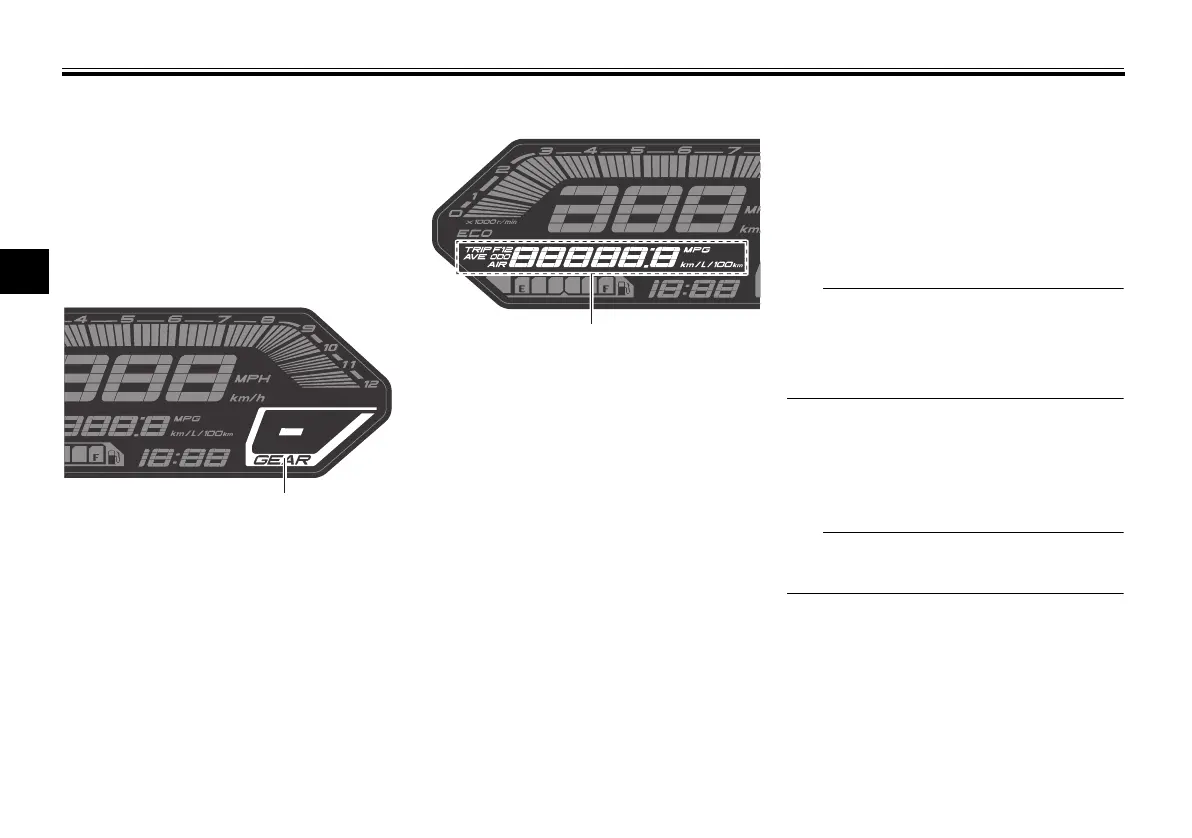
Transmission gear display
This display shows the selected gear.
The neutral position is indicated by “–”
and by the neutral indicator light.
EAU92450
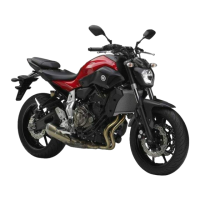
Multi-function display
The multi-function display is equipped
with the following:
an odometer (ODO)
two tripmeters (TRIP 1 and TRIP 2)
a fuel reserve tripmeter (TRIP F)
an instantaneous fuel consump-
tion display (km/L, L/100 km, or
MPG)
an average fuel consumption dis-
play (AVE_ _._ km/L, AVE_ _._
L/100 km, or AVE_ _ _._ MPG)
a coolant temperature display (_ _
°F)
an air temperature display (Air_ _
°F)
Push the “TRIP” switch to change the
display in the following order:
ODO → TRIP 1 → TRIP 2 → TRIP F →
km/L or L/100 km or MPG → AVE_ _._
km/L or AVE_ _._ L/100 km or AVE_ _._
MPG → _ _ °F → Air_ _ °F → ODO
The fuel reserve tripmeter appears
only when you are low on fuel.
Push the “INFO” switch to change
the display in the reverse order.
EAU86890
Odometer
The odometer shows the total distance
traveled by the vehicle.
The odometer will lock at 999999 and
cannot be reset.
EAU92221
Tripmeters
The tripmeters show the distance trav-
eled since they were last reset.
1. Transmission gear display
1. Multi-function display
UBAT10E0.book Page 6 Friday, November 6, 2020 6:08 PM



 To Next Page