Instrument and control functions
4-9
4
EAU92261
Brightness control mode
The brightness level of the multi-func-
tion meter unit panel can be adjusted.
To adjust the brightness
1. Turn the vehicle power off.
2. Push and hold the “INFO” switch.
3. Turn the vehicle power on and
continue pushing the “INFO”
switch until the display switches
to the brightness control mode.
4. Push the “TRIP” switch to set the
brightness level.
5. Push the “INFO” switch to confirm
the selected brightness level and
exit the brightness control mode.
There are 4 brightness level settings.
EAU1234R
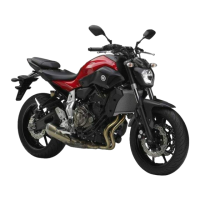
Handlebar switches
Left
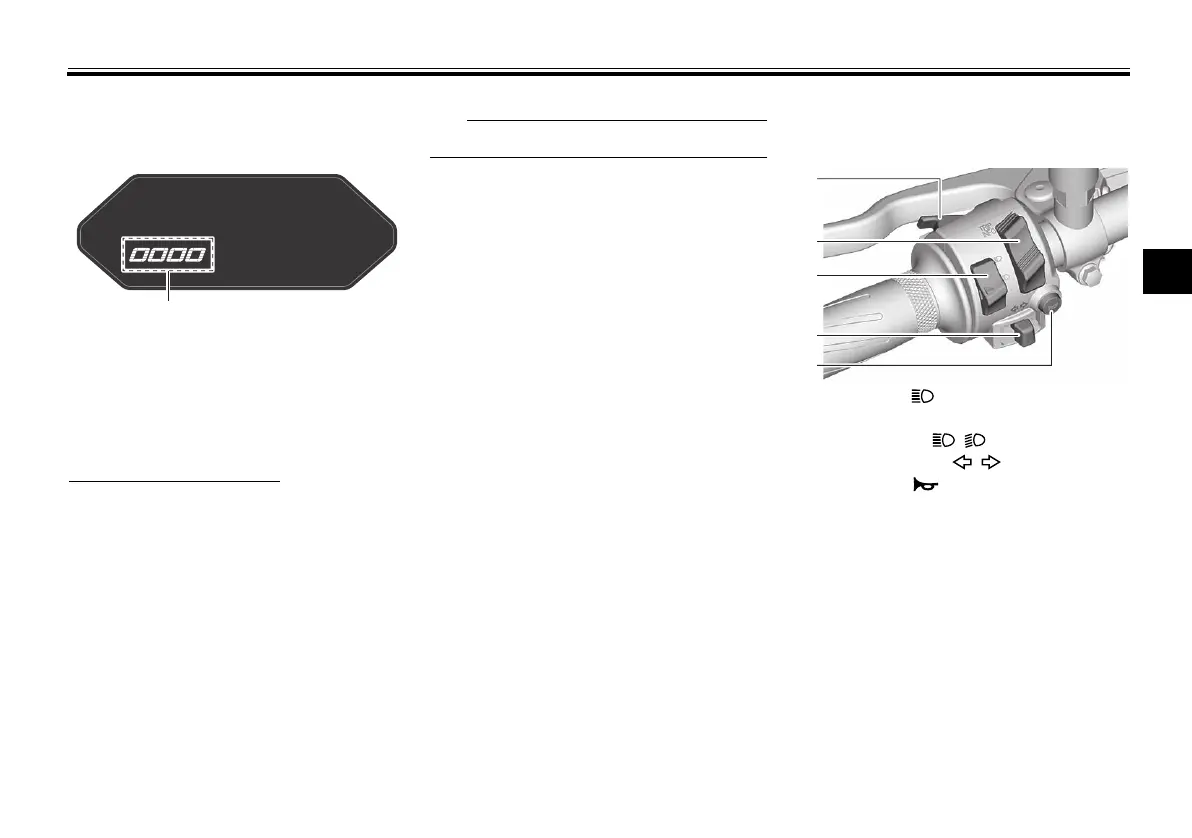
1. Brightness level display
1. Pass switch “ ”
2. “TRIP/INFO” switch
3. Dimmer switch “ / ”
4. Turn signal switch “ / ”
5. Horn switch “ ”
UBAT10E0.book Page 9 Friday, November 6, 2020 6:08 PM



 To Next Page