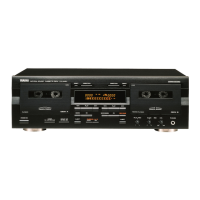
Controls and Connections
8
User’s Guide
C
Master fader
This linear control is used to set the level of the master stereo bus. For optimal performance and
signal balance, the fader should be positioned between 7 and 8.
Recorder Controls
D
Cassette tape com-
partment
E
Multi-function display
This
FLD (Fluorescent
Light Display) shows
the
operating modes and signal
levels of the MT4X. See
"Multi-function Display" on
page 10.
F
TAPE SPEED CONTROL
These controls consist of a
rotary PITCH control and a
tape speed (4.8/9.5) select
key.
The PITCH control can
adjust the tape speed by
approximately
±
10%.
The tape speed (4.8/9.5)
select key is used to switch
the tape speed between
9.5 cm/sec and 4.8 cm/sec.
9.5 cm/sec will be selected
automatically when the
power is turned on.
Note:
The tape speed
cannot be changed while the
tape transport is in motion.
Press the STOP key (
W
),
then press the tape speed
select key.
NOISE REDUCTION SYSTEM
1234
TRACK
STEREO
TAPE
9.5 4.8
SYNC START IN OUT
AUTO PUNCH
MEMO
REPEAT
1
2
+9
6
3
0
3
6
10
-20
+9
6
3
0
3
6
10
-20
REC
1 2 3 4LR
REC SELECT
1 2 3 4
TAPE SPEED CONTROL
4.8 / 9.5
PITCH
O
AUTO
PUNCH I/O
CLEAR
SYNC
CHECK MEMO LOCATE1
MEMO LOCATE2
COUNTER
RESET
RETURN
TO ZERO
REPEAT
E
D
F
G
O PJ K L N QM
I
H
G
REC SELECT keys
These keys are used to arm the tracks for recording. When you press a REC SELECT key, the record
select indicator (
c
) for the corresponding track flashes on the multi-function display (
E
).
H
REPEAT key
This key is used to start and cancel the repeat function. When the repeat function is active, the MT4X
will repeatedly playback a selection between two memory points set with the MEMO keys (
O
). See
"Repeat Function" on page 42.



 To Next Page