PSR-E363, PSR-EW300, YPT-360 Owner’s Manual
10
Setting Up
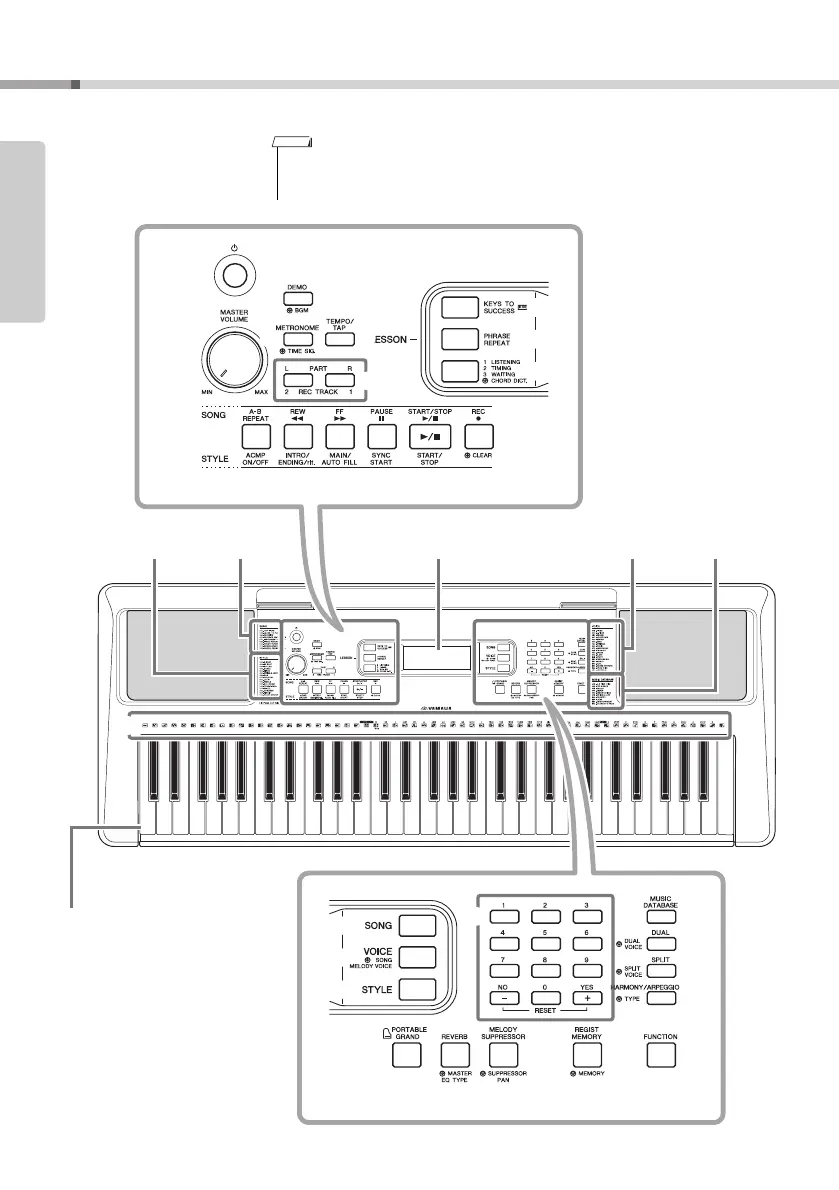
Panel Controls and Terminals
Front Panel
Setting Up
q
w
e
r
u
i
o
t
y
!1 !2 !3 !4 !5!0
!6
!7
!8
@1 @2 @3
!9
@5
@6
@7
@8
@9
C1 C2 C3 C4 C5 C6
@4@0
Song List
(page 70)
Style List
(page 71)
Display
(page 15)
Voice List
(page 62)
Music
Database List
(page 72)
As illustrated, each note of the keyboard
has a specific note number and name (e.g.,
036/C1), which is used in making various
settings, such as Split Point (page 22).
PSR-E363, YPT-360: 036 (C1) – 096 (C6)
PSR-EW300: 028 (E0) – 103 (G6)
• The illustrations and displays as shown in this manual are based on the PSR-E363.
• Please note that the PSR-EW300, PSR-E363 and YPT-360 have different numbers of keys:
the PSR-EW300 has 76 keys, and the PSR-E363 and YPT-360 have 61 keys.
NOTE



 To Next Page