EasyManua.ls Logo

Yamaha PSR-EE433 - User Manual

Yamaha PSR-EE433
61 pages
Print Icon
To Next Page IconTo Next Page
Loading...
SERVICE MANUAL
HAMAMATSU, JAPAN
SERVICE MANUAL
PK
001874
Copyright (c) Yamaha Corporation. All rights reserved. PDF
&
’12.05
Products names are as follows.
商品以下にな
For Japanese market(国内向け):
For overseas market(海外向け):
DIGITAL KEYBOARD
SPECIFICATIONS(総合仕様) .............................3/4/5
PANEL LAYOUT(パネルレイアウト) ....................6/8
CIRCUIT BOARD LAYOUT & WIRING
(ユニットレイアウト&結線図) ................................10
DISASSEMBLY PROCEDURE(分解手順) .............12
LSI PIN DESCRIPTION(LSI 端子機能表) ...............21
CIRCUIT BOARDS(シート基板図) .........................24
TEST PROGRAM
テストプログラム
...............
30/
34
DATA BACKUP
データのバックアップ
...........
38/
39
INITIALIZATION(初期化) ........................................40
START-UP SEQUENCE(起動シーケンス) ........41/42
DMLCD CIRCUIT BOARD CHECK METHOD
(DMLCDCircuitBoardチェック方法) .................43/44
PARTS LIST
BLOCK DIAGRAM(ブロックダイアグラム)
OVERALL CIRCUIT DIAGRAM(総回路図)
CONTENTS (目次)
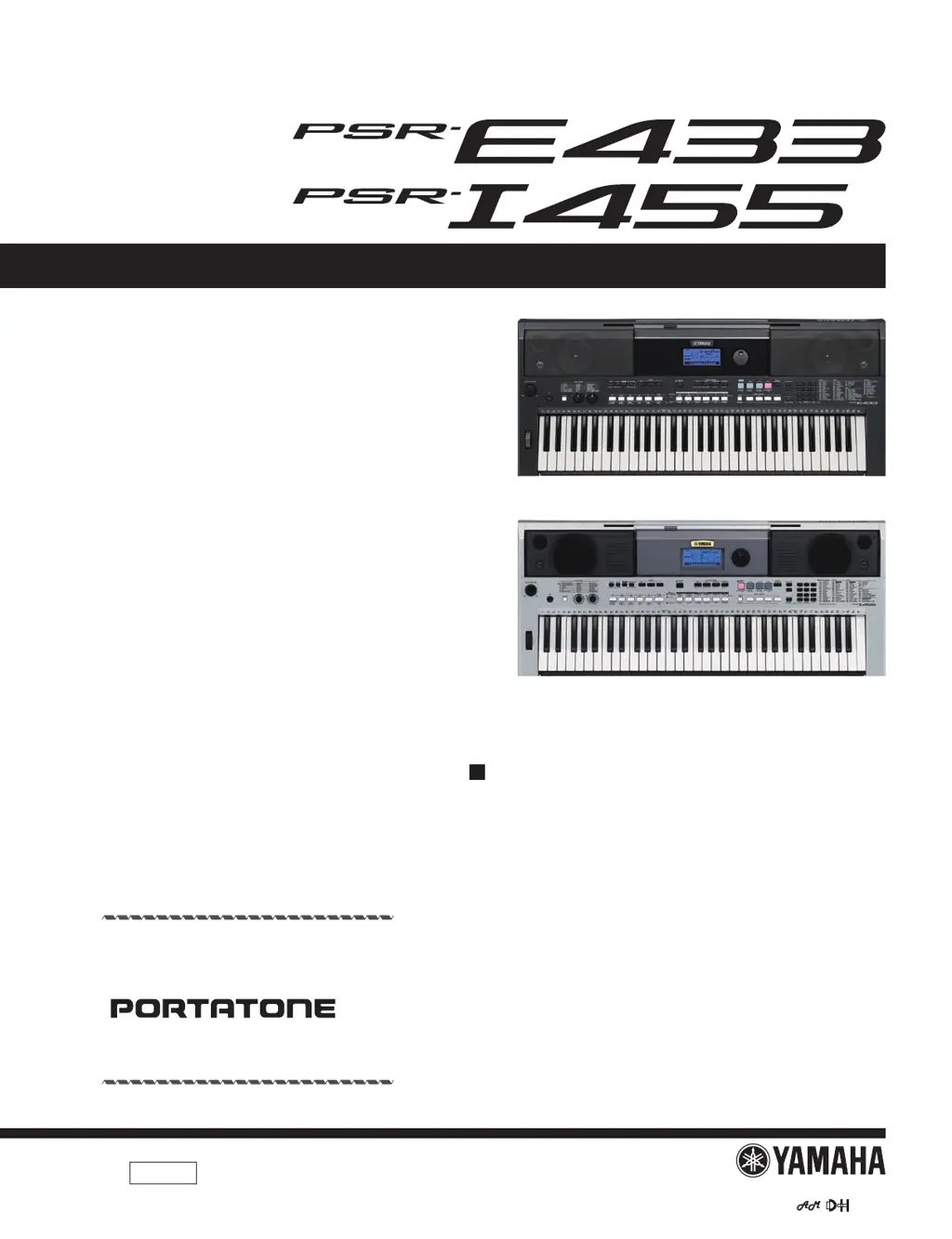
PSR-E433
PSR-I455
* PSR-I455 is an overseas export model.
(PSR-I455 は輸出専用モデルです。

Questions and Answers

  • H
    hugheslaurenAug 20, 2025
    What to do if the Yamaha PSR-EE433 Electronic Keyboard volume is too soft or the sound quality is poor?
    • M
      Matthew FrancisAug 20, 2025
      If the volume is too soft, the sound quality is poor, the Style/Tabla/Song/Arpeggio stops unexpectedly, the recorded data does not play correctly, or the LCD display goes dark with settings reset, the batteries may be low or dead. Replace all six batteries with completely new or completely recharged ones, or use the AC power adapter.
  • G
    Gail FranklinAug 22, 2025
    How to fix no sound on my Yamaha Electronic Keyboard?
    • A
      April LeeAug 22, 2025
      If no sound is produced when playing the Yamaha Electronic Keyboard, check if headphones or an audio cable are connected to the PHONES/OUTPUT jack; if so, no sound will come from the instrument's speaker. Also, check the Local Control status (page 49) and ensure it is set to ON.
  • N
    Natalie ThomasAug 25, 2025
    Why is the sustain pedal reversed on my Yamaha Electronic Keyboard?
    • S
      Stephanie ReedAug 25, 2025
      If the footswitch on your Yamaha Electronic Keyboard is producing the opposite effect (e.g., pressing cuts off sound), the polarity of the footswitch may be reversed. Ensure the footswitch plug is properly connected to the SUSTAIN jack before turning on the power.
  • C
    Cindy WilsonAug 26, 2025
    Why does the right hand side of my Yamaha Electronic Keyboard make no sound?
    • K
      Kimberly OdomAug 27, 2025
      If no sound is produced when playing keys in the right hand area, although chords played in the left hand area are recognized on your Yamaha Electronic Keyboard, check if the Dictionary function (page 45) is in use. If it is, this is normal.
  • K
    Kelly FryeAug 27, 2025
    Why is there no sound except rhythm on my Yamaha PSR-EE433 Electronic Keyboard?
    • W
      wardnicoleAug 28, 2025
      If only the Rhythm part of a Style produces sound on your Yamaha Electronic Keyboard, check the ACMP status (page 22) and ensure that ACMP is turned on.
  • A
    Amber HernandezAug 29, 2025
    Why does my Yamaha Electronic Keyboard make noise when I use my mobile phone?
    • C
      Cody WatsonAug 30, 2025
      If you are getting noise when using a mobile phone close to the Yamaha Electronic Keyboard, it may be due to interference. Turn off the mobile phone or move it further away from the instrument.
  • J
    James BlankenshipAug 31, 2025
    What to do if my Yamaha PSR-EE433 sounds wrong?
    • J
      Jason WestAug 31, 2025
      If your Yamaha Electronic Keyboard produces an unexpected sound that you can't restore, it may be due to the Knobs. Change the Voice, Style, Tabla/Tanpura, or Song, or press the [PORTABLE GRAND] button to reset the panel settings to their original state.
  • J
    jonathanrichardsonSep 2, 2025
    Why are some sounds missing on my Yamaha Electronic Keyboard?
    • J
      Jonathan PenaSep 2, 2025
      If some Voices don't sound or are cut off while playing your Yamaha Electronic Keyboard, it's likely that you've exceeded the maximum polyphony of 32 simultaneous notes. If the Main, Dual, and Split Voices are used along with Arpeggio, Style, Tabla/Tanpura, or Song playback, some notes/sounds may be omitted.
  • S
    Samantha GarciaSep 4, 2025
    Why won't my Yamaha Electronic Keyboard Style/Song start?
    • Y
      ykeySep 4, 2025
      If the Style, Tabla/Tanpura, or Song won't start when pressing [START/STOP] or the Arpeggio won't start when a note is pressed on your Yamaha Electronic Keyboard, check the External Clock status (page 50). Normally, this parameter should be set to OFF.
  • M
    Mark TaylorSep 6, 2025
    Why is there no rhythm sound in Styles 194-206 on my Yamaha PSR-EE433?
    • W
      Willie CameronSep 6, 2025
      If Styles 194–206 on your Yamaha Electronic Keyboard produce no rhythm drum sound, this is normal. These styles have no rhythm parts. Turn ACMP on and specify a chord in the left hand area to play other Style parts.

Yamaha PSR-EE433 Specifications

General IconGeneral
BrandYamaha
ModelPSR-EE433
CategoryElectronic Keyboard
LanguageEnglish

Related product manuals