16
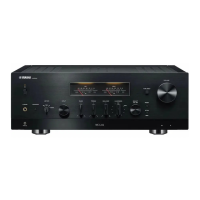
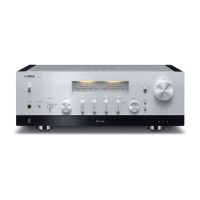
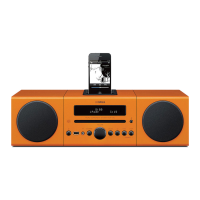
R-1330/NS-BP400
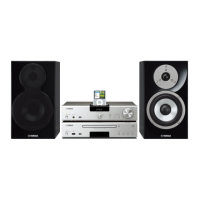
R-1330/NS-BP400
PinNo.2RxD PinNo.2RxD
PinNo.3TxD PinNo.3TxD
PinNo.5GND PinNo.5GND
PinNo.7RTS PinNo.7RTS
PinNo.8CTS PinNo.8CTS
Pin No.2 RxD Pin No.2 RxD
Pin No.3 TxD Pin No.3 TxD
Pin No.5 GND Pin No.5 GND
Pin No.7 RTS Pin No.7 RTS
Pin No.8 CTS Pin No.8 CTS
1.VER:068/G
1-1. Firmware version/Destination
2.SUM:D050
1-2. Checksum all
下記の部品を交換した場合、下記の手順により最新の
ファームウェアの書き込みを行ってください。
MAINP.C.B.
MAINP.C.B. のマイコン(IC50)
● 必要なツール
・ プログラム書き込み用プログラム....... FlashSta.exe
・ ファームウェア................................ R1330Vxxxx.mot
R1330Vxxxx.id
・ RS232C クロスケーブル “D-sub9pin メス”
(仕様)
After replacing the following parts update the latest firm-
ware according to the following procedure.
MAIN P.C.B.
Microprocessor (IC50) of MAIN P.C.B.
● Required tools
• Program downloader program ......... FlashSta.exe
• Firmware ................................ R_1330_Vxxxx.mot
R_1330_Vxxxx.id
• RS232C cross cable “D-sub 9 pin female”
(Specifications)
■ UPDATING FIRMWARE /
ファームウェアの書き込み
・ RS232C変換アダプター(部品番号:WR492800)
● 操作前の準備と注意
・ PC へ指定のダウンロード先からファームウェア
書き込み用プログラムおよび、ファームウェアを
同じフォルダにダウンロードしてください。
・ RS232C クロスケーブルは必ず上記仕様のものを
用意してください。
・ 書き込み時は、PC 上の他のアプリケーションソ
フトは閉じてください。
さらに、タスクトレイ上にあるソフトも閉じてお
くことを推奨します。
● ファームウェアのバージョンとチェックサムの確認
ファームウェアの書き込みの前後に、ファームウェ
アのバージョンとチェックサムをダイアグメニュー
で確認します。
ダイアグを起動し、“1.VER/DEST/SUM” メニューを選
択します。(「ダイアグ(自己診断機能)」参照)
サブメニューでファームウェアのバージョンと
チェックサムを表示し、それらを書きとめます。
• RS232C conversion adaptor (Part No.: WR492800)
● Preparation and precautions before starting
the operation
• Download firmware downloader program and
firmware from the specified source to the same
folder of the PC.
• Prepare the above specified RS232C cross cable.
• While writing, keep the other application software
on the PC closed.
It is also recommended to keep the software on
the task tray closed as well.
●
Confirmation of firmware version and checksum
Before and after writing firmware, check the firmware
version and checksum by using the self-diagnostic
function menu.
Start up the self-diagnostic function and select “1.
VER/DEST/SUM” menu. (See “SELF-DIAGNOSTIC
FUNCTION”)
Have the firmware version and checksum displayed
by using sub-menu, and note down them.


 To Next Page
 Loading...