EasyManua.ls Logo

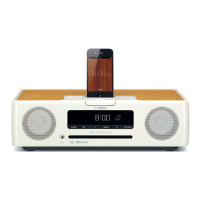
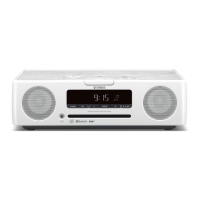
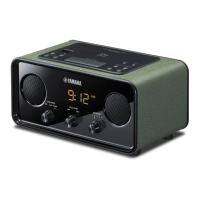
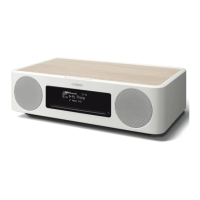
Yamaha TSX-B235 - User Manual

Yamaha TSX-B235
86 pages
Print Icon
To Next Page IconTo Next Page
Loading...
DESKTOP AUDIO SYSTEM
SYSTEME AUDIO DESKTOP
ULHV
Printed in Malaysia ZR50320
© 2015 Yamaha Corporation
OWNER’S MANUAL
MODE D’EMPLOI
MANUAL DE INSTRUCCIONES
English Français Español

Table of Contents

Questions and Answers

  • J
    Joshua TurnerSep 9, 2025
    Why is my Yamaha TSX-B235 Stereo System remote control not working?
    • R
      Robert WilliamsSep 10, 2025
      If your Yamaha Stereo System remote control isn't working properly, consider these potential causes: * The remote control may be out of range. * Direct sunlight or certain lighting may be interfering with the remote control signal receiver on the unit. * The batteries in the remote might be dead. Try replacing them with new ones. * Obstacles might be blocking the signal between the remote and the unit. Clear any obstructions.
  • M
    Michael JohnsonAug 25, 2025
    How to fix too much noise on Yamaha Stereo System?
    • J
      juliemurilloAug 25, 2025
      Excessive noise could be due to an improperly connected antenna. Ensure the antenna is connected correctly. Alternatively, the antenna might be too close to the unit or another electronic device; try positioning it further away.
  • J
    Jacob GomezAug 25, 2025
    Why is there too much noise during stereo broadcast on my Yamaha Stereo System?
    • M
      Maria TylerAug 26, 2025
      Excessive noise during stereo broadcasts may occur if the radio station is far away or the radio wave reception is weak. Try manual tuning to improve the signal quality.
  • A
    Anna ZunigaSep 23, 2025
    Why is radio wave reception still weak with an outdoor antenna on my Yamaha TSX-B235?
    • E
      Erika MorrisSep 23, 2025
      Even with an outdoor antenna, weak radio wave reception and distorted sound on your Yamaha Stereo System may be due to multipath reflection or other radio interferences. Try changing the height, direction, or placement of the antenna.
  • J
    Joshua DavisSep 12, 2025
    Why can't I pair my Yamaha TSX-B235 with another Bluetooth component?
    • R
      rnelsonSep 12, 2025
      If you're having trouble pairing your Yamaha Stereo System with another component, it could be due to several reasons. First, ensure that the other component supports A2DP. If it requires a password other than “0000,” it won't pair. Also, make sure the devices are close enough to each other and that there are no nearby devices emitting signals in the 2.4 GHz frequency band, such as microwave ovens or wireless LAN devices.
  • J
    Jessica DavisSep 15, 2025
    Why is the front panel display on my Yamaha Stereo System dim?
    • A
      Anne GillSep 15, 2025
      If the front panel display on your Yamaha Stereo System is dim, it might be because the brightness setting is set to AUTO. Change the brightness setting to something other than AUTO. Also, make sure that the illumination sensor is not covered.
  • M
    Matthew FreemanSep 4, 2025
    What to do if my Yamaha Stereo System disc cannot be inserted?
    • T
      Thomas HowardSep 4, 2025
      If a disc cannot be inserted, another disc may already be inside. Unload the existing disc using the EJECT function. Alternatively, the disc you're trying to insert might not be supported by the unit.
  • A
    angelawrightSep 5, 2025
    What to do if my Yamaha Stereo System clock setting has been cleared?
    • R
      Robert PerezSep 5, 2025
      If the clock setting has been cleared, it's likely because the unit remained unpowered for about one week. Reset the clock.
  • R
    Robin LaneSep 23, 2025
    Why can't I tune into any DAB stations on my Yamaha Stereo System?
    • V
      Victor ButlerSep 23, 2025
      If you cannot tune into any DAB stations on your Yamaha Stereo System, it may be because the initial scan operations were not performed. The antenna may also be connected improperly. If those are not the problem, the DAB signals may be too weak, so change the height, direction, or placement of the antenna.
  • M
    maryandersenAug 30, 2025
    What to do if my Yamaha Stereo System displays 'CD No Disc' or 'CD Unknown'?
    • J
      Julia CurtisAug 30, 2025
      This message appears if the loaded disc isn't compatible. Try using a supported disc. The disc might also be dirty or have a foreign object on it; clean the disc or remove any debris. Also, ensure the disc contains playable files and is inserted correctly, with the label facing upward.

Summary

Important Safety Instructions

Electric Shock Hazard Warning

Warning against removing the unit cover to avoid electric shock.

Operating Precautions

Installation and Handling Guidelines

Guidance on unit installation, handling, and maintenance for safety and proper operation.

Names of Parts and Functions

Basic Operations

Turning the Unit On and Standby States

Instructions for powering the unit on/off and understanding standby modes.

Adjusting the Clock

Step-by-step guide to setting the unit's clock and date.

Listening to Audio Sources - CD

Listening to Audio Sources - USB

Bluetooth Audio Playback

Playing Back from Your Bluetooth Component

Steps to pair and play music wirelessly from a Bluetooth-enabled device.

Bluetooth Connectivity

FM;AM Radio Reception

FM;AM Radio Presets

Using the Alarm Function (IntelliAlarm)

Alarm Types and Audio Sources

Overview of alarm types, playback methods, and supported audio sources.

Setting the Alarm

Setting Alarm Time and Type

Steps to configure alarm time, type, source, and volume.

Managing the Alarm

Troubleshooting - General Issues

General Problem Solving

Solutions for common problems like no sound, unexpected shutdowns, and display issues.

Troubleshooting - Media and Connectivity

CD Playback Issues

Solutions for problems inserting or playing CDs.

USB Device Playback Issues

Solutions for problems with USB device recognition and playback.

Bluetooth Connectivity Problems

Troubleshooting steps for pairing and connection issues.

Troubleshooting - Reception and Remote

Safety and Usage Warnings

TV Interference and Pacemaker Precautions

Warnings about potential interference with TVs and medical devices.

Yamaha TSX-B235 Specifications

General IconGeneral
TypeHome audio mini system
Cassette deckNo
Product colorWhite
Disc loading typeFront
Optical disc playerYes
Number of optical discs1 discs
Impedance6 Ω
Bass reflex-
Speaker type1-way
RMS rated power30 W
Number of speakers2
Total Harmonic Distortion (THD)10 %
Supported radio bandsAM, FM
Preset stations quantity30
Headphone connectivity3.5 mm
USB 2.0 ports quantityUSB 2.0 ports have a data transmission speed of 480 Mbps, and are backwards compatible with USB 1.1 ports. You can connect all kinds of peripheral devices to them.
Display typeLCD
Bluetooth profilesA2DP
Audio formats supportedAAC, MP3, WMA
Bluetooth version2.1+EDR
Power sourceAC
Weight and Dimensions IconWeight and Dimensions
Depth234 mm
Width370 mm
Height110 mm
Weight3900 g

Related product manuals