EasyManua.ls Logo

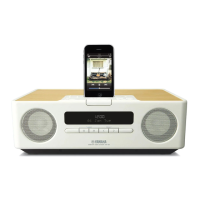
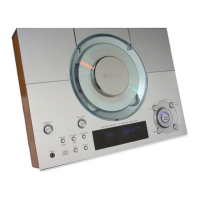
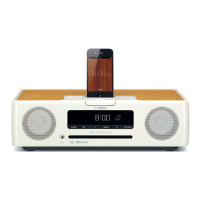
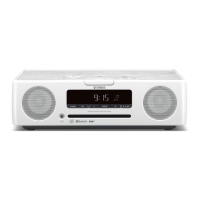
Yamaha TSX-132 - User Manual

Yamaha TSX-132
24 pages
Print Icon
To Next Page IconTo Next Page
Loading...
OWNER’S MANUAL
MODE D’EMPLOI
BEDIENUNGSANLEITUNG
BRUKSANVISNING
MANUALE DI ISTRUZIONI
MANUAL DE INSTRUCCIONES
GEBRUIKSAANWIJZING
ИНСТРУКЦИЯ ПО ЭКСПЛУАТАЦИИ
16
May
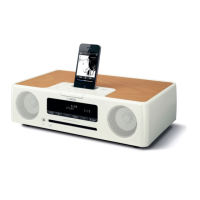
DESKTOP AUDIO SYSTEM
SYSTEME AUDIO DESKTOP
TSX-132
G

Questions and Answers

  • J
    Jose BarkerSep 23, 2025
    Why clock flashes and the unit cannot be operated on Yamaha TSX-132?
    • M
      Marcus VegaSep 23, 2025
      If the clock is flashing and the unit cannot be operated on your Yamaha Stereo System, the CLOCK switch is likely in the SET position, and the clock settings are in progress. Set the CLOCK switch to the ON or OFF position.
  • S
    Steven CaseyAug 23, 2025
    Why does my Yamaha Stereo System turn off unexpectedly?
    • G
      Gary JimenezAug 25, 2025
      If your Yamaha Stereo System suddenly turns off, it might be due to the automatic system-off function. This unit will turn the system off when 60 minutes have elapsed without any operation being performed after stopping playback of the USB device or the CD, or if the system has been on for 12 hours or more without any operation being performed.
  • H
    hillkimberlyAug 25, 2025
    What to do if Yamaha Stereo System sound is cracked or distorted?
    • J
      John HernandezAug 26, 2025
      If the sound from your Yamaha Stereo System is cracked, distorted, or has abnormal noise, the input source volume or the unit's volume (especially Bass) might be too high. Try adjusting the volume or Bass levels. If you're using an external device, lower its volume.
  • A
    Abigail WallerAug 26, 2025
    Why Yamaha TSX-132 remote control does not work properly?
    • J
      Jessica ValdezAug 27, 2025
      If your Yamaha Stereo System's remote control isn't working correctly, consider these possible causes: * You may be operating the remote control outside its operation range. * The remote control signal receiver on the unit may be exposed to direct sunlight or lighting. * The battery may be worn out. * There may be obstacles between the remote control signal receiver on the unit and the remote control. Try to operate the remote control within the specified range, change the lighting or orientation of the unit, replace the battery, and remove any obstacles.
  • K
    kwhiteAug 27, 2025
    What to do if Yamaha TSX-132 Stereo System does not operate properly?
    • A
      Amanda James PhDAug 27, 2025
      If your Yamaha Stereo System isn't operating properly, it may have experienced a strong electrical shock or a drop in power supply. Turn the system off, disconnect the power cable, wait about 30 seconds, reconnect the power cable, and turn it back on.
  • T
    Tyler WestSep 16, 2025
    Why the front panel display indicates “no operation” on Yamaha Stereo System?
    • H
      huntscottSep 16, 2025
      If the front panel display of your Yamaha Stereo System indicates “no operation”, and a disc cannot be inserted or unloaded, the clock/alarm/tone settings might be in progress, or the alarm is playing. Complete the clock/alarm/tone settings, or stop the alarm.
  • C
    Courtney RogersSep 13, 2025
    Why digital equipment produces noises on Yamaha TSX-132?
    • K
      Karen BarnesSep 13, 2025
      If a digital or high-frequency equipment produces noises in your Yamaha Stereo System, the unit might be placed too close to that equipment. Place the unit farther away from the equipment.
  • R
    Roger MannSep 15, 2025
    Why the iPod does not play back at the alarm time on Yamaha TSX-132?
    • A
      Amanda CobbSep 15, 2025
      If the iPod does not play back at the alarm time on your Yamaha Stereo System, even if the alarm source is set to iPod, the iPod might not be set in the iPod dock. Set the iPod in the iPod dock.
  • J
    Jimmy RoseSep 5, 2025
    Why the clock setting has been cleared on my Yamaha Stereo System?
    • O
      orodgersSep 5, 2025
      If your Yamaha Stereo System clock setting has been cleared, it's likely because the unit remained unpowered for more than one week. If this happens, you'll need to reset the clock.
  • T
    tracy99Sep 3, 2025
    Why CD cannot be inserted into Yamaha TSX-132 Stereo System?
    • N
      Natalie DiazSep 3, 2025
      If you can't insert a CD into your Yamaha Stereo System, another disc may already be inserted, or you might be trying to insert a disc that the unit doesn't support. Eject the existing disc or use a supported disc.

Summary

Important Safety Precautions

Names of Parts and Their Functions

Turning the System On

Listening to Your iPod

Playing Music from Your iPod

How to connect and play music from an iPod device.

Listening to CD and USB Devices

Listening to a CD

Instructions for playing audio CDs and data CDs.

Listening to a USB Device

Instructions for playing music files from a USB storage device.

Listening to FM Stations

Selecting and Tuning FM Stations

How to find and listen to FM radio stations.

Listening to External Sources

Connecting External Devices via AUX

How to connect and play audio from external devices using the AUX input.

Using the Alarm Function

Alarm Types and Audio Sources

Explains the three alarm types and available audio sources.

Setting the Alarm Time and Type

Step-by-step guide to configuring alarm time, type, and source.

Alarm On;Off and Operation

How to switch the alarm on/off and manage it during playback.

Using the Sleep Timer

Troubleshooting

General Troubleshooting Issues

Solutions for common problems with the unit's general operation.

iPod Specific Troubleshooting

Problems and solutions related to iPod connectivity and playback.

Specifications

Yamaha TSX-132 Specifications

General IconGeneral
BrandYamaha
ModelTSX-132
CategoryStereo System
LanguageEnglish

Related product manuals