EasyManua.ls Logo

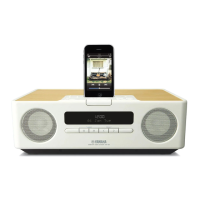
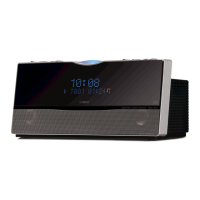
Yamaha TSX-100 - Service Manual

Yamaha TSX-100
40 pages
Print Icon
To Next Page IconTo Next Page
Loading...
CONTENTS
TO SERVICE PERSONNEL ...................................... 2–4
PREVENTION OF ELECTROSTATIC DISCHARGE .... 5
FRONT PANELS ........................................................ 6–7
REAR PANELS ........................................................ 8–10
REMOTE CONTROL PANELS .................................... 11
SPECIFICATIONS /
参考仕様........................................ 11
INTERNAL VIEW ......................................................... 12
DISASSEMBLY PROCEDURES / 分解手順 ........... 12–15
TEST MODE ................................................................. 16
テストモード ................................................................... 17
BLOCK DIAGRAM ....................................................... 18
WIRING DIAGRAM ...................................................... 19
PRINTED CIRCUIT BOARDS................................ 20–26
SCHEMATIC DIAGRAMS ...................................... 27–31
REPLACEMENT PARTS LIST .............................. 32–36
REMOTE CONTROL.............................................. 37–39
101079
SERVICE MANUAL
DESKTOP AUDIO SYSTEM
2008 All rights reserved.
This manual is copyrighted by YAMAHA and may not be copied or
redistributed either in print or electronically without permission.
P.O.Box 1, Hamamatsu, Japan
'08.03
IMPORTANT NOTICE
This manual has been provided for the use of authorized YAMAHA Retailers and their service personnel.
It has been assumed that basic service procedures inherent to the industry, and more specifically YAMAHA Products, are already
known and understood by the users, and have therefore not been restated.
WARNING: Failure to follow appropriate service and safety procedures when servicing this product may result in personal
injury, destruction of expensive components, and failure of the product to perform as specified. For these reasons,
we advise all YAMAHA product owners that any service required should be performed by an authorized
YAMAHA Retailer or the appointed service representative.
IMPORTANT: The presentation or sale of this manual to any individual or firm does not constitute authorization, certification or
recognition of any applicable technical capabilities, or establish a principle-agent relationship of any form.
The data provided is believed to be accurate and applicable to the unit(s) indicated on the cover. The research, engineering, and
service departments of YAMAHA are continually striving to improve YAMAHA products. Modifications are, therefore, inevitable
and specifications are subject to change without notice or obligation to retrofit. Should any discrepancy appear to exist, please
contact the distributor's Service Division.
WARNING: Static discharges can destroy expensive components. Discharge any static electricity your body may have
accumulated by grounding yourself to the ground buss in the unit (heavy gauge black wires connect to this buss).
IMPORTANT: Turn the unit OFF during disassembly and part replacement. Recheck all work before you apply power to the unit.
TSX-100
TSX-100

Other manuals for Yamaha TSX-100

Questions and Answers

  • J
    Jeffrey McconnellSep 23, 2025
    What to do if radio wave reception is weak even with an outdoor antenna on Yamaha TSX-100 Stereo System?
    • J
      Jeffrey WuSep 23, 2025
      If you're experiencing weak radio wave reception even with an outdoor antenna on your Yamaha Stereo System, multipath reflection or other radio interferences may be occurring. Try changing the height, direction, or placement of the antenna.
  • D
    drobertsAug 25, 2025
    How to fix too much noise during stereo broadcast on Yamaha TSX-100?
    • K
      Keith ColeAug 25, 2025
      If you're experiencing excessive noise during stereo broadcasts on your Yamaha Stereo System, first check that the FM antenna is properly connected. If the issue persists, the radio station might be too far away, or the radio wave reception might be weak in your area. Try manually tuning to improve the signal or using a multi-channel outdoor antenna.
  • R
    Roger McknightAug 25, 2025
    Why is there no sound coming from my Yamaha TSX-100 speakers?
    • J
      Jeremy ManningAug 26, 2025
      If you're not hearing any sound from your Yamaha Stereo System speakers, there are a few potential reasons. First, check that the volume isn't set too low or that the mute function is not activated. Also, ensure you've selected the correct input source. Lastly, confirm that the disc you're using is compatible with the unit.
  • M
    Michael KingAug 26, 2025
    What to do if my Yamaha TSX-100 Stereo System turns on and immediately off?
    • F
      fryechristopherAug 27, 2025
      If your Yamaha Stereo System turns on but immediately shuts off, it could be due to a couple of reasons. First, ensure the power cable is firmly plugged into the outlet. If that's not the issue, the unit may have experienced a strong electrical shock. To resolve this, set the unit to standby mode, disconnect the power cable, wait about 30 seconds, reconnect it, and then turn the unit back on.
  • B
    Benjamin BassAug 27, 2025
    What to do if my Yamaha Stereo System makes noise because of digital equipment?
    • T
      Tonya ShawAug 27, 2025
      If your Yamaha Stereo System is producing noise due to nearby digital or high-frequency equipment, the unit may be placed too close to the equipment. Try placing the Yamaha unit away from the equipment.
  • E
    Evan HuntSep 14, 2025
    Why won't my Yamaha TSX-100 Stereo System play MP3/WMA files from USB?
    • N
      nhamiltonSep 14, 2025
      If your Yamaha Stereo System isn't playing MP3/WMA files from a USB device, the USB device might not be recognized. Try setting the unit to standby mode and then turning it back on. If that doesn't work, the USB device may not be playable with this unit; try using a different USB device.
  • J
    Jo PhillipsSep 12, 2025
    What to do if my Yamaha TSX-100 makes no sound?
    • R
      Robert KingSep 12, 2025
      If your Yamaha Stereo System isn't producing sound, there are several possible reasons. First, check if the volume is set to the minimum level and adjust it accordingly. Also, ensure that the mute function is off. Verify that you've selected the correct input source. Finally, confirm that the disc you're using is compatible with the unit.
  • J
    Jason HansonSep 13, 2025
    Why does my Yamaha TSX-100 Stereo System power on then immediately shut off?
    • J
      Joshua CunninghamSep 13, 2025
      Your Yamaha Stereo System might be shutting off immediately after powering on due to a couple of reasons. Ensure the power cable is properly and firmly connected to the outlet. Alternatively, the unit may have experienced a strong electrical shock. To resolve this, set the unit to standby mode, disconnect the power cable, wait about 30 seconds, reconnect the power cable, and then turn the unit back on.
  • H
    Heather Nichols DVMSep 5, 2025
    Why has the clock setting been cleared on my Yamaha TSX-100 Stereo System?
    • S
      Shannon BrownSep 5, 2025
      If your Yamaha Stereo System clock setting has been cleared, the unit may have lost power for more than a week. Ensure the power cable is firmly plugged into the outlet and then set the clock again.
  • R
    Rebecca BerrySep 2, 2025
    Why is there too much noise during broadcast on my Yamaha Stereo System?
    • C
      Christina ThomasSep 2, 2025
      If your Yamaha Stereo System is experiencing excessive noise during broadcast, it may be caused by atmospheric electricity, lightning, fluorescent lights, motors, or thermostat electric devices. To mitigate this, connect an outdoor antenna and establish a better grounding. However, be aware that completely eliminating these types of noise can be difficult. Also, if the unit is near a TV, the noise may be generated, especially in the evening, so try placing the unit away from the TV.

Summary

To Service Personnel

Critical Components Information

Details on essential components requiring specific replacement parts.

Leakage Current Measurement

Procedure for verifying electrical insulation and measuring leakage current.

Safety Warnings and Precautions

Lithium Battery Handling

Guidelines for safe handling and replacement of lithium batteries.

Laser Safety Precautions

Measures to prevent eye and skin damage from laser radiation.

Power Supply Safety

Warnings regarding live mains voltage and precautions for servicing.

Electrostatic Discharge Prevention

Grounding Procedures

Methods for grounding the human body and work table to prevent ESD.

Front Panel Overview

Top View

Illustrations of the top panel for different model variants.

Front View

Illustrations of the front panel for different model variants.

Rear Panel Overview

Rear View

Diagrams of the rear panel connections for various models.

Bottom View

Illustrations of the bottom panel for different model variants.

Remote Control Panels

Panel Layouts (Color Variations)

Display of remote control button layouts across different models and colors.

Specifications

Technical Specifications and Dimensions

Detailed technical data, including dimensions, power, and tuning ranges.

Internal View

Disassembly Procedures

Safety Measures During Disassembly

Essential safety precautions to follow before and during disassembly.

Manual Disc Ejection

Step-by-step guide for manually ejecting a disc from the unit.

Test Mode Operations

Service Mode Activation

Instructions for entering and navigating the service mode.

Factory Reset

Procedure to restore all settings to their initial factory defaults.

Block Diagram

Wiring Diagram

Printed Circuit Boards

Main Board Views (Pages 20-26)

Top and bottom views of various main printed circuit boards.

Schematic Diagrams

IPOD, XM, and DAB Schematics

Circuit diagrams for iPod, XM, and DAB modules.

Main Board Schematics (Pages 28-30)

Detailed circuit diagrams for the main boards.

SMPS Schematic

Circuit diagram for the Switched-Mode Power Supply unit.

Replacement Parts List

Electrical Components

List of individual electrical components available for replacement.

PCB Parts List

List of replacement printed circuit board assemblies.

Overall Assembly Diagram

Accessories

Remote Control

Schematic Diagram

Circuit diagram for the remote control unit.

Panel Layouts

Visual layout of buttons on the remote control for various models.

Key Layout

Diagram illustrating the physical arrangement of buttons on the remote.

Key Code Mapping

Table mapping button functions to their corresponding key codes.

Yamaha TSX-100 Specifications

General IconGeneral
BrandYamaha
ModelTSX-100
CategoryStereo System
LanguageEnglish

Related product manuals