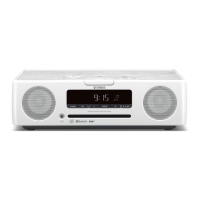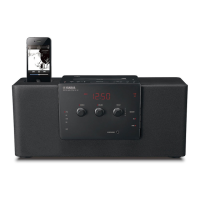
EasyManua.ls Logo

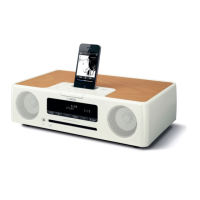
Yamaha TSX-140 - User Manual

Yamaha TSX-140
92 pages
Print Icon
To Next Page IconTo Next Page
Loading...
© 2010 Yamaha Corporation
Printed in China
WY55180
AB
DESKTOP AUDIO SYSTEM
SYSTEME AUDIO DESKTOP
TSX-140
OWNER’S MANUAL
MODE D’EMPLOI
BEDIENUNGSANLEITUNG
MANUALE DI ISTRUZIONI

Table of Contents

Questions and Answers

  • D
    Dr. Robert SheltonSep 12, 2025
    What to do if Yamaha Stereo System does not operate properly?
    • B
      Brittany WilliamsSep 12, 2025
      If your Yamaha Stereo System isn't operating properly, it might have received a strong electrical shock or experienced a power supply drop. Try turning the system off, disconnecting the power cable, waiting about 30 seconds, reconnecting the power cable, and then turning the system back on.
  • D
    David MeyerAug 25, 2025
    Why is the sound cracked or distorted on my Yamaha Stereo System?
    • C
      Chase HullAug 25, 2025
      Cracked, distorted sound, or abnormal noise from your Yamaha Stereo System can occur if the input source volume or the unit's volume (especially Bass) is too high. Adjust the volume using the VOLUME control, or adjust the Bass using the EQ.
  • T
    Tracy Moore MDAug 25, 2025
    Why do Yamaha TSX-140 speakers make no sound?
    • P
      patriciawrightAug 26, 2025
      There are several reasons why your Yamaha Stereo System speakers might not be producing sound: * The volume could be set to the minimum level. If so, adjust the volume. * The source selected might be incorrect. Make sure you've selected the correct source. * Headphones might be connected. If they are, remove them.
  • W
    william43Sep 23, 2025
    What does flashing USB indicator mean on Yamaha TSX-140 Stereo System?
    • M
      Melissa WalshSep 23, 2025
      If the USB indicator flashes twice and repeats 3 times after connecting a USB device to your Yamaha Stereo System: * An incompatible USB device is connected. Try turning off the system and reconnecting the USB device. If it doesn't work, the USB device is not playable on the unit. * The USB device might not contain playable files. Ensure the USB device contains playable files.
  • G
    gutierrezmakaylaSep 12, 2025
    What to do if MP3/WMA file in the USB device does not play on Yamaha Stereo System?
    • S
      Sarah GonzalezSep 12, 2025
      If your Yamaha Stereo System isn't playing MP3/WMA files from your USB device: * The USB device may not be recognized. Try turning off the system and reconnecting the USB device. * If the device came with an AC adapter, connect it. * If these steps don't work, the USB device might not be playable on the system.
  • A
    Allison VasquezSep 17, 2025
    Why does Yamaha TSX-140 Stereo System digital equipment produce noises?
    • R
      Richard SullivanSep 17, 2025
      If your Yamaha Stereo System is producing noises due to nearby digital or high-frequency equipment, it might be placed too close to the equipment. Try placing the unit farther away.
  • J
    Jeremy GriffithSep 5, 2025
    What does “Err” mean on my Yamaha TSX-140 Stereo System display?
    • D
      Douglas BaileySep 5, 2025
      If “Err” is displayed on the front panel of your Yamaha Stereo System after loading a disc, it indicates an error in the unit. Unload the disc.
  • P
    patrickbrownSep 6, 2025
    Why won't my Yamaha TSX-140 play MP3/WMA files?
    • K
      Kimberly PittsSep 6, 2025
      If MP3/WMA files on your USB device won't play on your Yamaha Stereo System, the USB device may not be recognized. Turn off the system and reconnect the USB device. If the device came with an AC adapter, connect it. If these steps don't work, the USB device may not be playable on the unit.
  • K
    Kevin JensenSep 18, 2025
    Why Yamaha TSX-140 disc cannot be inserted?
    • I
      Isabella RobertsSep 18, 2025
      If you cannot insert a disc into your Yamaha Stereo System, the system might be in power save mode. Press the power button to cancel the power save mode.
  • S
    sheltonericaAug 30, 2025
    Why is there no sound from my iPod on Yamaha TSX-140 Stereo System?
    • K
      Kirk WhiteAug 30, 2025
      If there's no sound from your iPod on your Yamaha Stereo System, make sure the iPod is firmly set in the iPod dock. Also, check if earphones are connected and remove them. Finally, ensure that your iPod software is updated to the latest version via iTunes.

Summary

Safety and Precautions

General Safety Warnings

Essential safety guidelines and laser radiation warnings for unit operation.

Unit Operation Guidelines

Before Operating Your Unit

Critical cautions and guidelines for safe and proper unit operation.

System Overview and Setup

Adjusting the Clock

Step-by-step guide to setting the unit's clock.

Component Identification

Top Panel Controls and Indicators

Identification and function of controls on the top panel.

Advanced Functions

IntelliAlarm Function Setup and Usage

Setting up and using the alarm function with various sources.

Troubleshooting Common Problems

General Unit and iPod Troubleshooting

Solutions for common unit issues and iPod playback problems.

Disc, USB, and FM Reception Issues

Troubleshooting disc playback, USB device, and FM radio reception.

Yamaha TSX-140 Specifications

General IconGeneral
CD playerYes
Dimensions (WxDxH)400 x 136 x 181 mm
USB connector typeMini-USB B
BluetoothNo
Headphone connectivity3.5 mm
USB 2.0 ports quantity1
Product colorRed
Volume controlRotary
Frequency range- Hz
RMS rated power30 W
Audio output channels2.0 channels
Supported radio bandsAM, FM
Preset stations quantity5
Equalizer-
Apple docking compatibilityiPhone, iPod
Weight and Dimensions IconWeight and Dimensions
Weight3200 g

Related product manuals