EasyManua.ls Logo

Yamaha TSX-B235D - User Manual

Yamaha TSX-B235D
32 pages
Print Icon
To Next Page IconTo Next Page
Loading...
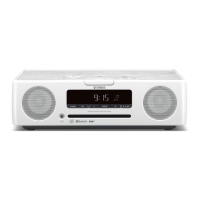
DESKTOP AUDIO SYSTEM
AB
OWNER’S MANUAL
TSX-B235_AB_En.book Page 1 Wednesday, May 13, 2015 5:27 PM

Questions and Answers

  • M
    Megan EvansSep 13, 2025
    Why is the front panel display on my Yamaha TSX-B235D dim?
    • H
      hyoungSep 14, 2025
      If the front panel display on your Yamaha Stereo System is dim, it might be because the brightness setting is set to AUTO. Change the brightness setting to something other than AUTO. Also, make sure that the illumination sensor is not covered.
  • M
    Michelle JohnsonAug 25, 2025
    What to do if my Yamaha TSX-B235D does not operate properly?
    • T
      Tyrone KellyAug 25, 2025
      If your Yamaha Stereo System isn't operating correctly, it might have experienced a strong electrical shock or a drop in power supply. Turn the system off, disconnect the power cable, wait about 30 seconds, reconnect the cable, and then turn it back on.
  • W
    walkerbobbyAug 26, 2025
    What to do if no sound is produced during Yamaha TSX-B235D playback?
    • M
      Madison RodriguezAug 26, 2025
      If you experience no sound or interrupted sound during playback on your Yamaha Stereo System, first ensure that the Bluetooth connection with the other component is active by performing Bluetooth connection operations again. Also, verify that the devices aren't too far apart, and move them closer if needed. Ensure that there are no devices emitting radio-frequency signals nearby. Check that the other component’s Bluetooth function is on and set to send audio signals to your Yamaha unit, and that the pairing setting is correctly set to this unit. Finally, verify that the volume on the other component isn't set to the minimum.
  • D
    Donna ReyesNov 24, 2025
    What to do if there is no sound or the sound is interrupted during Bluetooth playback on my Yamaha Stereo System?
    • K
      Kimberly HartNov 24, 2025
      If you experience no sound or interrupted sound during Bluetooth playback on your Yamaha Stereo System, it could be due to several reasons: * The Bluetooth connection between the unit and the other component may be disconnected. In this case, perform Bluetooth connection operations again. * The unit and the other component may be too far apart. Move the other component closer to the unit. * Interference from other devices (microwave oven, wireless LAN, etc.) emitting radio-frequency signals. Move the unit away from these devices. * The other component’s Bluetooth function is off. Turn on the Bluetooth function of the other component. * The other component is not set to send Bluetooth audio signals to this unit. Check that the Bluetooth function of the other component is set...
  • J
    Jeremiah SpencerSep 14, 2025
    What does 'USB OverCurrent' mean on my Yamaha Stereo System?
    • D
      Dr. Brian HernandezSep 14, 2025
      If your Yamaha Stereo System displays “USB OverCurrent” and the front panel goes blank when you connect a USB device, it indicates that an incompatible USB device was connected or the USB device is not firmly connected. Turn the unit off and reconnect the USB device to the unit.
  • S
    sscottSep 23, 2025
    Why is radio wave reception still weak with an outdoor antenna on my Yamaha Stereo System?
    • J
      James PerezSep 23, 2025
      Even with an outdoor antenna, weak radio wave reception and distorted sound on your Yamaha Stereo System may be due to multipath reflection or other radio interferences. Try changing the height, direction, or placement of the antenna.
  • S
    Spencer JacksonSep 7, 2025
    Why is there too much noise on my Yamaha TSX-B235D?
    • P
      pdavidSep 7, 2025
      If you are experiencing too much noise on your Yamaha Stereo System, the antenna may be connected improperly. Make sure the antenna is connected properly or use a commercially available outdoor antenna. Additionally, the antenna may be too close to the unit or to an electronic device. Position the antenna as far away as possible from the unit or the electronic device.
  • T
    tammy61Sep 8, 2025
    Why is there no sound coming from my Yamaha TSX-B235D Stereo System speakers?
    • S
      Shawn TerrySep 8, 2025
      If there's no sound from your Yamaha Stereo System speakers, make sure the volume isn't set too low or muted. Check that you've selected the correct source. Also, disconnect any headphones that might be plugged in. If you're using an external device, ensure its volume is turned up.
  • C
    Christopher JacksonSep 23, 2025
    What to do if initial scan not successful on Yamaha Stereo System?
    • J
      jeanette05Sep 23, 2025
      If the initial scan operations are not successful and 'Not Found' appears on the front panel display on your Yamaha Stereo System, the antenna may be connected improperly. Make sure the antenna is connected properly. Alternatively, there may be no DAB coverage in your area.
  • E
    Erin HunterAug 31, 2025
    Why does my Yamaha Stereo System sound suddenly turn off?
    • B
      Brenda OwensSep 1, 2025
      The sound on your Yamaha Stereo System might suddenly turn off because the sleep timer is set. Turn the unit on and play the source again.

Summary

Names of Parts and Their Functions

Turning the Unit On and Standby Modes

Adjusting the Units Clock

Charging Devices via Charging Port

Listening to CD and USB Devices

Listening to an Audio CD

Procedure for playing audio and data CDs on the unit.

Listening to a USB Device

Procedure for playing music files from a connected USB device.

Listening to External Sources via AUX

Listening to Music from Your Bluetooth Component

Initial Pairing and Playback

Steps for initial pairing and playback of music from a Bluetooth-enabled device.

Reconnecting Paired Bluetooth Devices

Reconnecting previously paired Bluetooth devices from the unit or other component.

Listening to DAB Stations

Preparing for DAB Reception

Initial setup required for DAB radio, including antenna connection and scan.

Listening to FM Stations

Using the Alarm Function (IntelliAlarm)

IntelliAlarm Types

Description of the three alarm types: SOURCE+BEEP, SOURCE, and BEEP.

Setting the Alarm Time and Type

Step-by-step guide to setting alarm time, type, source, and volume.

Switching the Alarm On or Off

How to enable or disable the alarm function using the ALARM button.

Using the DTA Controller App

Using the Sleep Timer

Setting Auto Power Standby Function (main unit only)

Troubleshooting Common Issues

General Problems and Solutions

Common issues like no sound, sudden shutoff, or display dimming and their fixes.

CD Playback Problems and Solutions

Solutions for issues related to inserting, playing, or reading CDs.

USB Device Playback Problems and Solutions

Troubleshooting for MP3/WMA playback and USB device recognition.

Bluetooth Connectivity Problems and Solutions

Resolving issues with pairing, connection, and sound interruption for Bluetooth.

DAB Reception Problems and Solutions

Solutions for issues with tuning into DAB stations or poor reception.

FM Reception Problems and Solutions

Troubleshooting common noise or distortion issues with FM reception.

Remote Control Problems and Solutions

Solutions for when the remote control is not working properly.

Notes on Discs and USB Devices

Product Specifications

Yamaha TSX-B235D Specifications

General IconGeneral
BrandYamaha
ModelTSX-B235D
CategoryStereo System
LanguageEnglish

Related product manuals