EasyManua.ls Logo

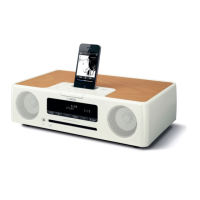
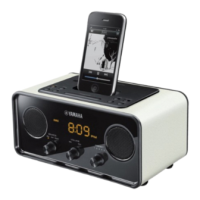
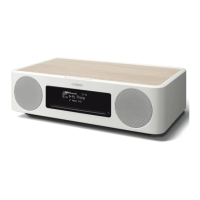
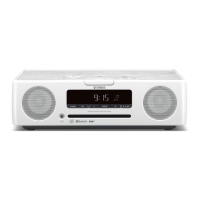
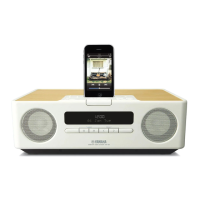
Yamaha TSX-120 - User Manual

Yamaha TSX-120
164 pages
Print Icon
To Next Page IconTo Next Page
Loading...
DESKTOP AUDIO SYSTEM
SYSTEME AUDIO DESKTOP
TSX-120
OWNER’S MANUAL
MODE D’EMPLOI
BEDIENUNGSANLEITUNG
BRUKSANVISNING
MANUALE DI ISTRUZIONI
MANUAL DE INSTRUCCIONES
GEBRUIKSAANWIJZING
ИНСТРУКЦИЯ ПО ЭКСПЛУАТАЦИИ
G

Table of Contents

Other manuals for Yamaha TSX-120

Questions and Answers

  • E
    Elizabeth GomezSep 10, 2025
    Why has the clock setting been cleared on my Yamaha Stereo System?
    • G
      Gregory HunterSep 12, 2025
      If your Yamaha Stereo System's clock setting has been cleared, it may be because the unit was left unplugged for more than one week. Plug the power cable into the wall outlet firmly, and set the clock again.
  • D
    Diane JohnsonAug 25, 2025
    What does 'No Disc' mean on my Yamaha TSX-120 Stereo System?
    • E
      Erica CostaAug 25, 2025
      If your Yamaha Stereo System displays “No Disc” even with a disc in the tray, the disc might be incompatible. Ensure you are using a supported disc. The disc could also be dirty, so try cleaning it. Lastly, check that the disc is loaded correctly with the labeled side facing up.
  • R
    Ronnie GutierrezAug 25, 2025
    Why does my Yamaha TSX-120 Stereo System turn on and then off?
    • A
      Amber BrandtAug 26, 2025
      If your Yamaha Stereo System turns on but immediately shuts off, it might be due to a loose power cable. Ensure the power cable is firmly plugged into the wall outlet. Alternatively, the unit may have experienced a strong electrical shock. In this case, turn off the system, disconnect the power cable, wait about 30 seconds, then reconnect the power cable and turn the system back on.
  • J
    Joseph JohnsonSep 23, 2025
    What does “Unknown iPod” mean on my Yamaha TSX-120 Stereo System display?
    • U
      uthomasSep 23, 2025
      If your Yamaha Stereo System displays “Unknown iPod” after you set the iPod, it means that the iPod you are using is not supported by the unit. Only iPod touch, iPod (Click Wheel, including iPod classic), iPod nano, and iPod mini models are supported.
  • J
    Jonathan LeonSep 12, 2025
    Why isn’t my iPod charging on my Yamaha TSX-120?
    • H
      Haley FieldsSep 12, 2025
      If your iPod does not charge up when connected to your Yamaha Stereo System, the iPod may be set in the iPod dock improperly. Remove the iPod from the unit, then set it in the iPod dock again.
  • A
    amy48Sep 15, 2025
    Why does my Yamaha TSX-120 produce noises with digital equipment?
    • A
      Andrea Solis DDSSep 16, 2025
      If your Yamaha Stereo System is producing noises when digital or high-frequency equipment is used, the unit may be placed too close to that equipment. Try placing the unit farther away from the digital or high-frequency equipment.
  • R
    reidchristopherSep 4, 2025
    Why does my Yamaha Stereo System turn on and then immediately shut off?
    • C
      craigjohnSep 4, 2025
      If your Yamaha Stereo System turns on but immediately shuts off, it might be due to a loose power cable. Ensure the power cable is firmly plugged into the wall outlet. Alternatively, the unit may have experienced a strong electrical shock. In this case, turn the system off, disconnect the power cable, wait about 30 seconds, reconnect it, and then turn the system back on.
  • C
    chad42Sep 5, 2025
    What to do if the Yamaha TSX-120 remote control does not work?
    • R
      ryanhendricksSep 5, 2025
      If your Yamaha Stereo System's remote control isn't working, it could be due to several reasons. First, make sure you are within the remote control's operational range. Second, check if the remote control sensor on the unit is exposed to direct sunlight or inverted fluorescent lamps, and if so, change the lighting or the unit's orientation. Third, the battery may be worn out, so try replacing it with a new one. Lastly, ensure there are no obstacles between the remote control and the unit's sensor; if there are, remove them.
  • T
    Terri JensenSep 23, 2025
    What causes weak radio wave reception with outdoor antenna on Yamaha TSX-120 Stereo System?
    • T
      Troy RamirezSep 23, 2025
      If you're experiencing weak radio wave reception and distorted sound on your Yamaha Stereo System even with an outdoor antenna, multipath reflection or other radio interferences may be occurring. Try changing the height, direction, or placement of the antenna.
  • R
    Reginald LewisAug 30, 2025
    What does 'USB Over Current' mean on Yamaha TSX-120?
    • M
      Maria LyonsAug 30, 2025
      If your Yamaha Stereo System displays “USB Over Current,” an incompatible USB device is likely connected. Turn off the system and reconnect the USB device. If the message reappears, the USB device is not compatible with the unit.

Yamaha TSX-120 Specifications

General IconGeneral
TypeStereo System
BrandYamaha
ModelTSX-120
BluetoothYes
CD PlayerYes
FM TunerYes
AlarmYes
Supported Audio FormatsMP3, WMA
USB PortYes
Speaker TypeFull Range
Playable MediaCD, USB

Related product manuals