LISTENING TO DAB STATIONS
14 En
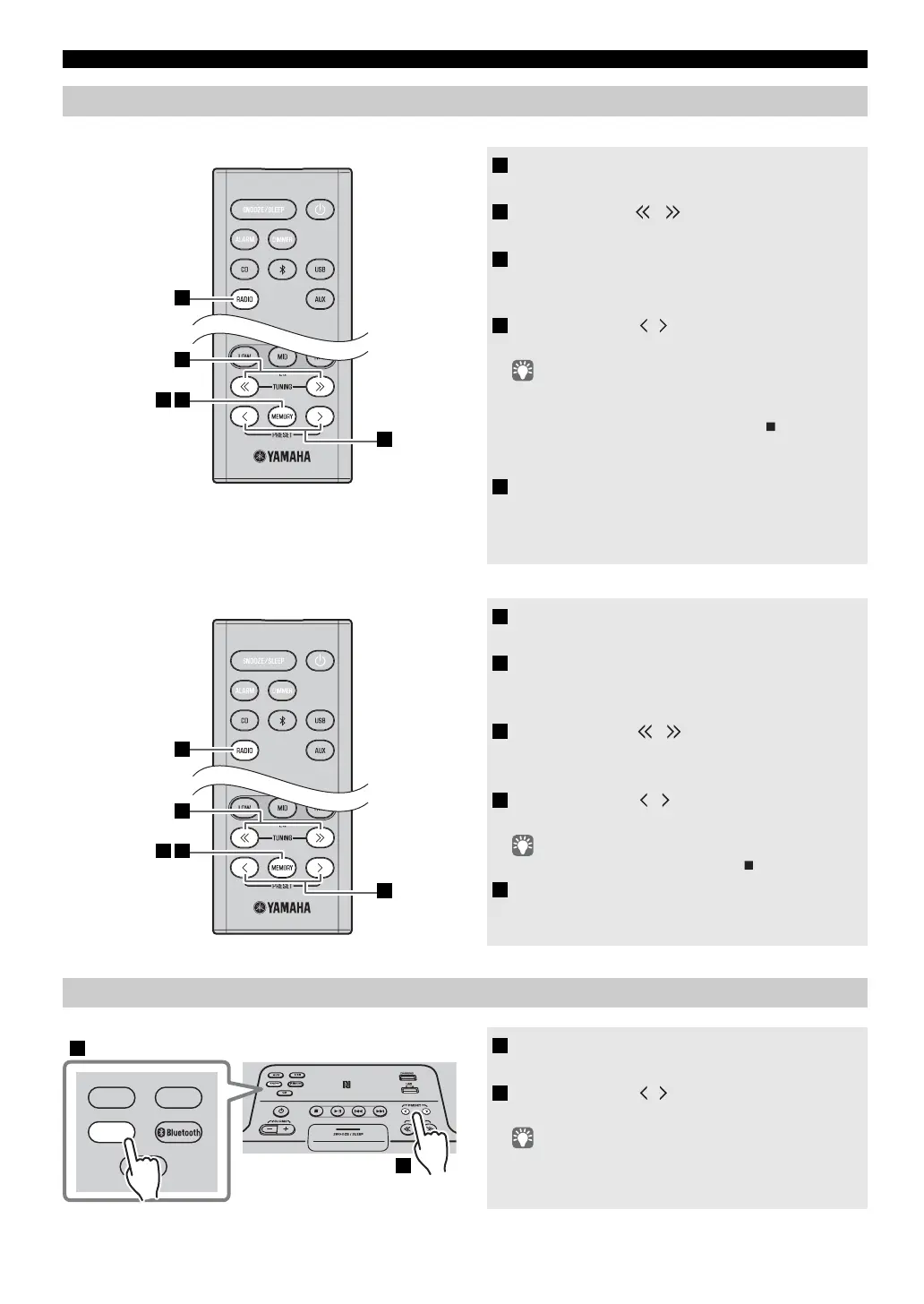
Use the preset function to store your favorite 30 stations.
Deleting a stored preset
Presetting DAB stations (remote control only)
1 Press the RADIO source button to switch
the audio source to DAB.
2 Press TUNING / to select a station that
you want to preset.
3 Press MEMORY.
The display will indicate “PRESET MEMORY,” and
the preset number will blink.
4 Press PRESET / to select the preset
number that you want to store.
• The lowest preset number that has not been stored will be
selected first.
• If you want to cancel the presetting, press .
• If you select a preset number in which a station has already
been stored, it will be overwritten by the new station.
5 Press MEMORY.
This stores the DAB station.
When presetting has finished, the display will indicate
“Completed!”.
1 Press the RADIO source button to switch
the audio source to DAB.
2 Press MEMORY on the remote control.
The display will indicate “PRESET MEMORY,” and
the preset number will blink.
3 Press TUNING
/
to select the preset
delete operation.
The display will indicate “PRESET DELETE”.
4 Press PRESET / to select the preset
number that you want to delete.
If you want to cancel the deleting, press .
5 Press MEMORY to complete the operation.
The preset will be deleted, and the display will
indicate “Deleted!”.
Selecting preset DAB stations
1 Press the RADIO source button to switch
the audio source to DAB.
2 Press PRESET / to select the DAB
station that you want to hear.
You can only select presets that have been stored.
4
2
53
1
4
3
52
1
AUX
USB
CD
RADIO
1
2


 To Next Page
 Loading...