EasyManua.ls Logo

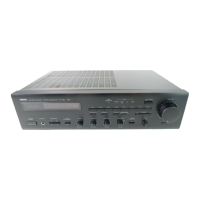
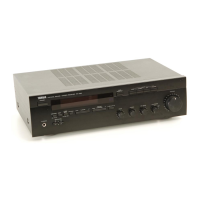
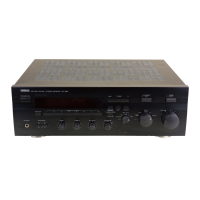
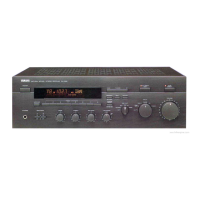
Yamaha RX-496 - User Manual

Yamaha RX-496
136 pages
Print Icon
To Next Page IconTo Next Page
Loading...
OWNER’S MANUAL
MODE D’EMPLOI
BEDIENUNGSANLEITUNG
BRUKSANVISNING
MANUALE DI ISTRUZIONI
MANUAL DE INSTRUCCIONES
GEBRUIKSAANWIJZING
Natural Sound Stereo Receiver
Récepteur stéréo
Natural Sound Stereoreceiver
Ricevitore stereo a suono naturale
Receptor estéreo de Sonido Natural
Natural Sound Stereo Ontvanger
RX-496RDS/496
RX-396RDS/396
G B R

Table of Contents

Questions and Answers

  • S
    stephanie82Aug 19, 2025
    What to do if my Yamaha RX-496 has no sound?
    • S
      sharon58Aug 19, 2025
      If your Yamaha Stereo Receiver isn't producing any sound, verify that the output cords are correctly connected and are not defective. Ensure you've selected the appropriate input source using the input selector buttons. Check that the SPEAKERS switches are properly set to the ON position for the speakers you're using, and confirm that all speaker connections are secure.
  • C
    catherinecurtisAug 21, 2025
    What to do if the sound suddenly goes off on my Yamaha Stereo Receiver?
    • K
      keith27Aug 21, 2025
      If the sound on your Yamaha Stereo Receiver suddenly cuts off, it could be due to the protection circuit being activated. Try turning the unit to standby mode and then back on to reset the protection circuit. Alternatively, the SLEEP timer may have activated; cancel the SLEEP timer function to restore the sound.
  • C
    christine72Aug 25, 2025
    Why won't my Yamaha RX-496 Stereo Receiver turn on?
    • S
      Steven DonovanAug 25, 2025
      If your Yamaha Stereo Receiver fails to turn on or suddenly goes into standby mode, make sure the power cord is firmly plugged into the outlet. Check the IMPEDANCE SELECTOR switch on the rear panel and ensure it is set to either end while the unit is in standby mode. If strong external noise or a misoperation occurred, put the unit in standby mode, disconnect the AC power cord for about 30 seconds, then reconnect and try again.
  • C
    Christopher SampsonAug 26, 2025
    How to fix noisy FM stereo reception on my Yamaha RX-496?
    • S
      Sabrina BauerAug 26, 2025
      Noisy FM stereo reception on your Yamaha Stereo Receiver can occur if the transmitter is too far away or the antenna input is poor. Check the antenna connections and consider using a high-quality directional FM antenna. Also, try setting the TUNING MODE button to the manual tuning mode.
  • A
    Ashley CruzAug 27, 2025
    Why is sound only coming from one speaker on my Yamaha Stereo Receiver?
    • K
      Kathleen ArmstrongAug 27, 2025
      If sound is only coming from one speaker on your Yamaha Stereo Receiver, the BALANCE control may be incorrectly set. Adjust it to the appropriate position. Also, check the cord connections to ensure they are properly connected and not defective.
  • E
    Elizabeth FordAug 29, 2025
    Why is the sound level low on my Yamaha Stereo Receiver?
    • J
      Joseph WashingtonAug 30, 2025
      If the sound level is low on your Yamaha Stereo Receiver, check if the LOUDNESS control is engaged; set it to the FLAT position. If playing a record, and the volume is low, ensure the turntable with an MC cartridge is connected through the MC head amplifier. Also, verify that any component connected to the REC terminals is turned on.
  • S
    Samuel MeyerAug 31, 2025
    Why is there a lack of bass and no ambience on my Yamaha RX-496 Stereo Receiver?
    • K
      Katherine CaseyAug 31, 2025
      If you notice a lack of bass and ambience with your Yamaha Stereo Receiver, ensure the + and – wires are correctly connected to both the unit and the speakers. Incorrect phase connections can cause this issue.
  • E
    Emily SharpSep 2, 2025
    Why is the remote control not working for my Yamaha Stereo Receiver?
    • H
      htaylorSep 2, 2025
      If the remote control for your Yamaha Stereo Receiver isn't working, check if direct sunlight or strong lighting is affecting the remote control sensor on the main unit; try changing the unit's position. Also, replace the batteries in the remote with new ones.
  • T
    Tina MartinezSep 4, 2025
    What causes distortion on Yamaha RX-496 Stereo Receiver even with a good FM antenna?
    • T
      Tammy BrockSep 4, 2025
      If you're experiencing distortion and poor reception on your Yamaha Stereo Receiver, even with a good FM antenna, it may be due to multipath interference. Try adjusting the antenna placement to minimize this interference.
  • K
    Kelly ThompsonSep 6, 2025
    How to tune in a weak station on Yamaha Stereo Receiver?
    • C
      Carolyn McdonaldSep 6, 2025
      If you cannot tune in a desired station using the automatic tuning method on your Yamaha Stereo Receiver, it may be because the station's signal is too weak. Try using the manual tuning method and consider using a high-quality directional FM antenna.

Summary

OPERATING CAUTIONS AND SAFETY

General Safety Guidelines

Essential precautions for unit installation, operation, and general usage for safety.

Important Notes and Warnings

Key information, warnings, and specific instructions for UK models and frequency settings.

COMPONENT CONNECTIONS

Connecting Other Components

Guidance for connecting various audio components to the receiver unit.

Speaker Connections

Instructions for connecting speaker systems, including wire preparation and polarity.

IMPEDANCE SELECTOR AND REMOTE CONTROL

Impedance Selector Switch Operation

Guidelines for setting the impedance selector based on speaker requirements and associated warnings.

ANTENNA CONNECTIONS

FM and AM Antenna Setup

Instructions for connecting indoor and outdoor FM/AM antennas, including necessary adapters.

FRONT PANEL CONTROL FUNCTIONS

Power, Input, and Volume Controls

Explanation of standby, input selection, volume, and headphone jack functions.

Tuning, Tone, and RDS Controls

Details on tuner controls, bass/treble, balance, loudness, and RDS mode functions.

REMOTE CONTROL OPERATION

Controlling the Receiver Unit

How to use the remote for basic receiver functions: tuning, volume, and input selection.

BASIC OPERATIONS: PLAYING A SOURCE

Power On and Source Selection

Steps for turning the unit on and selecting the desired audio input source.

Speaker Selection and Volume Adjustment

Guidance on choosing speaker systems and adjusting the listening volume.

TUNING OPERATIONS

PRESET TUNING AND MEMORY

Storing and Recalling Stations

Instructions for manually storing desired stations and recalling them using preset numbers.

AUTOMATIC PRESET TUNING

RDS STATION FEATURES

CHANGING RDS DISPLAY MODES

PTY SEEK FUNCTION

EON FUNCTION FOR AUTOMATIC PROGRAM SELECTION

TROUBLESHOOTING GUIDE

Amplifier and Sound Issues

Common problems related to power, sound output, speaker balance, and hum.

FM;AM Reception and Remote Control Issues

Troubleshooting steps for FM/AM reception problems and non-functional remote controls.

Yamaha RX-496 Specifications

General IconGeneral
Frequency Response10 Hz-100 kHz (+0, -3 dB)
Weight9.5 kg
Channel Separation50 dB (1 kHz)
Total Harmonic Distortion0.04%
Signal-to-Noise Ratio100 dB (CD)
Tuning RangeFM: 87.5 - 108 MHz, AM: 522 - 1611 kHz
Input Sensitivity (MM)2.5 mV
Speaker Load Impedance8 ohms
FM Sensitivity1.0 µV (11.2 dBf)

Related product manuals