EasyManua.ls Logo

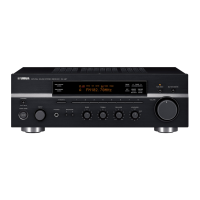
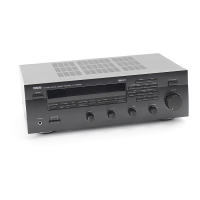
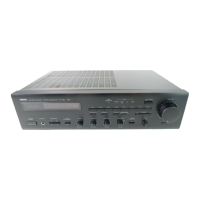
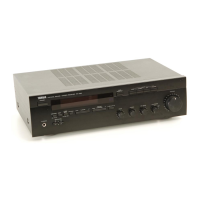
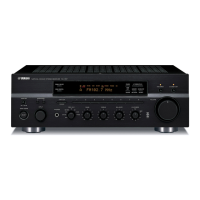
Yamaha RX-496RDS - User Manual

Yamaha RX-496RDS
29 pages
Print Icon
To Next Page IconTo Next Page
Loading...
OWNER’S MANUAL
MODE D’EMPLOI
BEDIENUNGSANLEITUNG
BRUKSANVISNING
MANUALE DI ISTRUZIONI
MANUAL DE INSTRUCCIONES
GEBRUIKSAANWIJZING
Natural Sound Stereo Receiver
Récepteur stéréo
Natural Sound Stereoreceiver
Ricevitore stereo a suono naturale
Receptor estéreo de Sonido Natural
Natural Sound Stereo Ontvanger
RX-496RDS/496
RX-396RDS/396
G B R

Questions and Answers

  • R
    rachel98Sep 23, 2025
    Why is my Yamaha RX-496RDS making crackling and hissing noises?
    • A
      Anna WelchSep 23, 2025
      If you are experiencing continuous crackling and hissing noises from your Yamaha Stereo Receiver, these noises can result from lightning, fluorescent lamps, motors, thermostats, and other electrical equipment. Using an outdoor antenna and a ground wire may help somewhat, but it is difficult to eliminate all the noises.
  • M
    Michelle WangAug 25, 2025
    What to do if the sound suddenly goes off on my Yamaha RX-496RDS?
    • T
      Thomas TaylorAug 25, 2025
      If the sound on your Yamaha Stereo Receiver suddenly cuts off, it could be due to the protection circuit being activated. Try turning the unit to standby mode and then back on to reset the protection circuit. Alternatively, the SLEEP timer may have activated; cancel the SLEEP timer function to restore the sound.
  • L
    laurabrownAug 25, 2025
    Why is there no sound coming from my Yamaha RX-496RDS Stereo Receiver?
    • K
      Kristi RamirezAug 26, 2025
      If you're experiencing no sound from your Yamaha Stereo Receiver, first, ensure all output cords are correctly connected; if the issue persists, the cords may be defective. Next, select the appropriate input source using the input selector buttons. Verify that the SPEAKERS switch corresponding to the speakers you're using is set to the ON position, and confirm that all speaker connections are secure.
  • S
    Sharon MartinAug 27, 2025
    Why won't my Yamaha RX-496RDS Stereo Receiver turn on?
    • J
      John JosephAug 27, 2025
      If your Yamaha Stereo Receiver fails to turn on or suddenly goes into standby mode, make sure the power cord is firmly plugged into the outlet. Check the IMPEDANCE SELECTOR switch on the rear panel and ensure it is set to either end while the unit is in standby mode. If strong external noise or a misoperation occurred, put the unit in standby mode, disconnect the AC power cord for about 30 seconds, then reconnect and try again.
  • D
    Dwayne NorrisSep 23, 2025
    Why is my Yamaha Stereo Receiver making buzzing noises?
    • M
      mitchellalishaSep 23, 2025
      If you hear buzzing and whining noises, especially in the evening, from your Yamaha Stereo Receiver, it may be due to a nearby television set. Try relocating the unit away from the TV.
  • J
    Jerry BrownSep 13, 2025
    Why does my Yamaha RX-496RDS sound hum?
    • T
      Tiffany Lyons DDSSep 13, 2025
      If your Yamaha Stereo Receiver sound “hums”, firmly connect the audio plugs. If the problem continues, the cords may be defective. Also, ensure there is a GND connection between the turntable and the unit if you are using one.
  • J
    Joyce SandersSep 12, 2025
    Why is FM stereo reception noisy on my Yamaha Stereo Receiver?
    • C
      Cory AustinSep 12, 2025
      If the FM stereo reception on your Yamaha Stereo Receiver is noisy, check the antenna connections. Since FM stereo broadcasts can be limited by distance or poor antenna input, try using a high-quality directional FM antenna and set the TUNING MODE button to the manual tuning mode.
  • K
    Kevin CarrollSep 12, 2025
    What causes distortion on my Yamaha Stereo Receiver even with a good FM antenna?
    • J
      james09Sep 12, 2025
      If you experience distortion and cannot get clear reception even with a good FM antenna on your Yamaha Stereo Receiver, you likely have multipath interference. Adjust the antenna placement to eliminate this interference.
  • S
    Sierra WilliamsSep 4, 2025
    Why can't I tune into a station automatically on my Yamaha Stereo Receiver?
    • M
      Matthew CohenSep 4, 2025
      If you're unable to tune into a desired station automatically on your Yamaha Stereo Receiver, check the AM loop antenna connections and tighten them, then rotate the antenna for the best possible reception. If that doesn't work, try using the manual tuning method.
  • T
    Timothy ArnoldSep 1, 2025
    What causes distortion on Yamaha RX-496RDS even with a good FM antenna?
    • J
      Jonathan SmithSep 2, 2025
      If you're experiencing distortion and poor reception on your Yamaha Stereo Receiver, even with a good FM antenna, it may be due to multipath interference. Try adjusting the antenna placement to minimize this interference.

Summary

Features Overview

Audio Output Power

Specifies RMS output power ratings for different receiver models.

Tuning and Station Presets

Covers automatic tuning, preset storage, and RDS features.

Caution: Before Operating

Safety Warnings and Precautions

Essential safety guidelines and operating precautions for the unit.

UK Specific Operating Information

Instructions for UK models regarding plugs and wiring.

Connections

Connecting Other Components

Guide for connecting external audio devices to the receiver.

Connecting Speakers

Instructions for properly connecting speakers to the receiver's terminals.

Impedance Selector Switch

Speaker Impedance Settings

How to set the impedance selector for compatible speaker connections.

Controls and Their Functions

Front Panel Control Explanations

Detailed functions of the front panel controls and indicators.

Remote Control Transmitter

Basic Operations

Tuning Operations

Automatic Tuning

How to automatically search and tune radio stations.

Manual Tuning

How to manually tune radio stations for optimal reception.

Preset Tuning

Storing Preset Stations

How to save favorite radio stations to memory presets.

Recalling Preset Stations

How to access stored radio stations using preset numbers.

Automatic Preset Tuning

Storing Stations Automatically

How the unit automatically tunes and stores FM stations.

Troubleshooting

Common Operational Issues

Solutions for common problems like no sound or unit failure.

Radio Reception Problems

Troubleshooting noisy FM reception or tuning issues.

Specifications

Yamaha RX-496RDS Specifications

General IconGeneral
BrandYamaha
ModelRX-496RDS
CategoryStereo Receiver
LanguageEnglish

Related product manuals