17
English
PREPARATION
Connecting the power supply
cords
■ Connecting the AC power cord
Plug in this unit to a wall outlet.
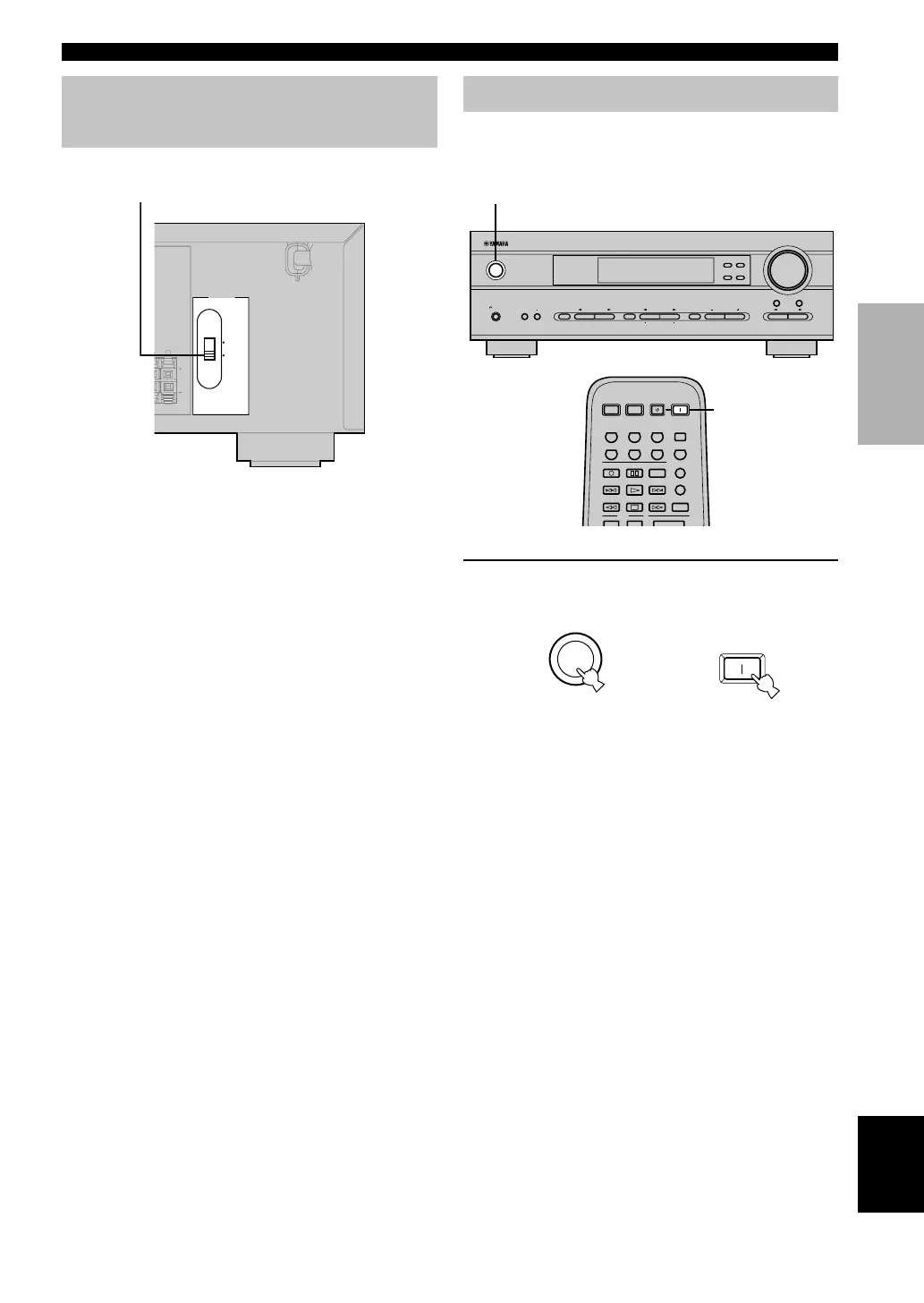
■ VOLTAGE SELECTOR
(General model only)
The VOLTAGE SELECTOR on the rear panel of this unit
must be set for your local main voltage BEFORE
plugging into the AC main supply. Voltages are 110V-
120V/220V-240V AC, 50/60 Hz.
VOLTAGE SELECTOR
Turning on the power
When all connections are complete, turn on the power of
this unit.
1 Press STANDBY/ON (SYSTEM POWER on
the remote control) to turn on the power of
this unit.
The level of the main volume, and then the current
DSP program name appear on the front panel
display.
or
Remote control
Front panel
(General model)
CONNECTIONS
L
REAR
RROUND
)
110V-120V
220V-240V
./SPEAKER
./SPEAKER
VOLTAGE
SELECTOR
VOLUME
STANDBY
/ON
AUTO/MAN`L MONO MAN`L/AUTO FM
TUNING MODE MEMORY
EDIT
PRESET/TUNING FM/AM
SILENT
PHONES
SPEAKERS
AON
BOFF
EFFECT
PRESET/TUNING
SET MENU
A/B/C/D/E
NEXT
PROGRAM
STEREO
BASS/TREBLE
CONTROL
INPUT
6CH INPUTINPUT MODE
1
SYSTEM
POWER
STANDBY
POWER
AV
POWER
TV
POWER
TV
V-AUXVCRD-TV/CBLDVD
SLEEPTUNERMD/CD-RCD
TV
AMP
CODE SET
REC
6CH INPUT
AUDIO
DISC SKIP
1
STANDBY
/ON
POWER
SYSTEM
04V340R_09-18_EN(3.2.25).p65 03.2.25, 7:57 PM17


 To Next Page