47
English
ADDITIONAL
INFORMATION
SOUND FIELD PROGRAM PARAMETER EDITING
Changing parameter settings
The initial sound field program settings will provide you
with an excellent listening experience as they are. It is not
necessary to alter these settings, but you can create an
original listening environment by doing so.
Note
• The editable parameters vary depending on the sound field
program you select. Refer to the explanation for the parameter.
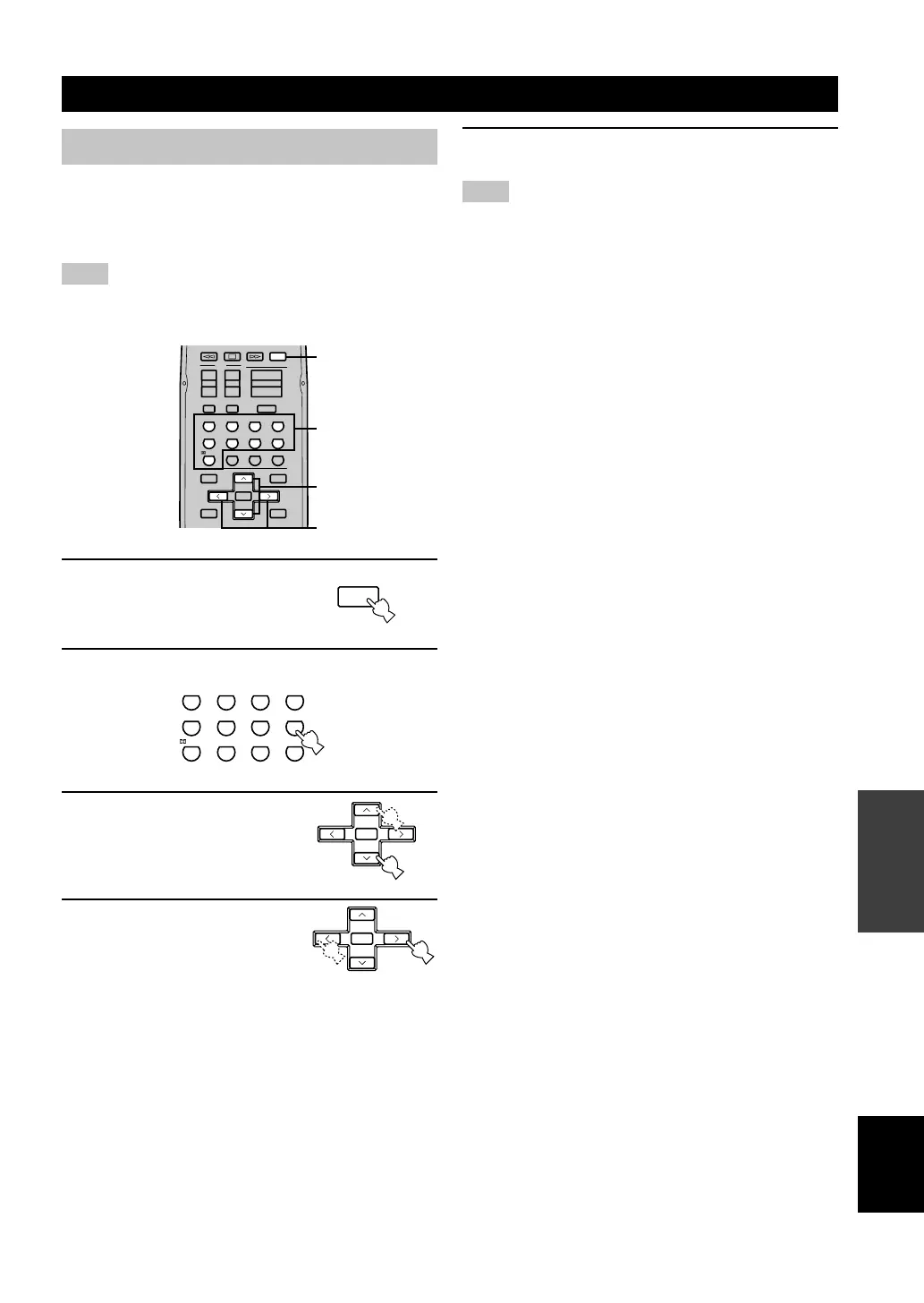
1 Press AMP.
2 Select a sound field program.
3 Press u / d to select the
parameter you want to
change.
4 Press j / i to change the
parameter setting.
ENTER
+10
09
STEREO
6.1/5.1
NIGHT
/DTS
8765
MOVIE2MOVIE1TV THTRMUSIC
432
1
ENTERTAINMENT
ROCKJAZZHALL
TV
AMP
MUTE
INPUTMUTE
VOLUME
+
–
+
–
+
–
CHVOL
SET MENU
SELECT
PRESET/CH
A/B/C/D/E
LEVEL
MENU
TEST
RETURN
DISPLAY
TITLE
+
–
2
3
4
1
AMP
ENTER
+10
09
STEREO
6.1/5.1
NIGHT
/DTS
8765
MOVIE2MOVIE1TV THTRMUSIC
432
1
ENTERTAINMENT
ROCKJAZZHALL
SELECT
+
–
PRESET/CH
SELECT
+
–
PRESET/CH
5 Repeat steps 2 – 4 if you wish to alter other
parameters.
Note
• You cannot alter these parameters if the “OPTION 2 MEM.
GUARD” parameter in the set menu is set to ON. Change this
setting to OFF if you wish to alter any other parameters.
11V340R_50-58_EN(3.2.25).p65 03.2.25, 8:00 PM47


 To Next Page