English
19
PREPARATION
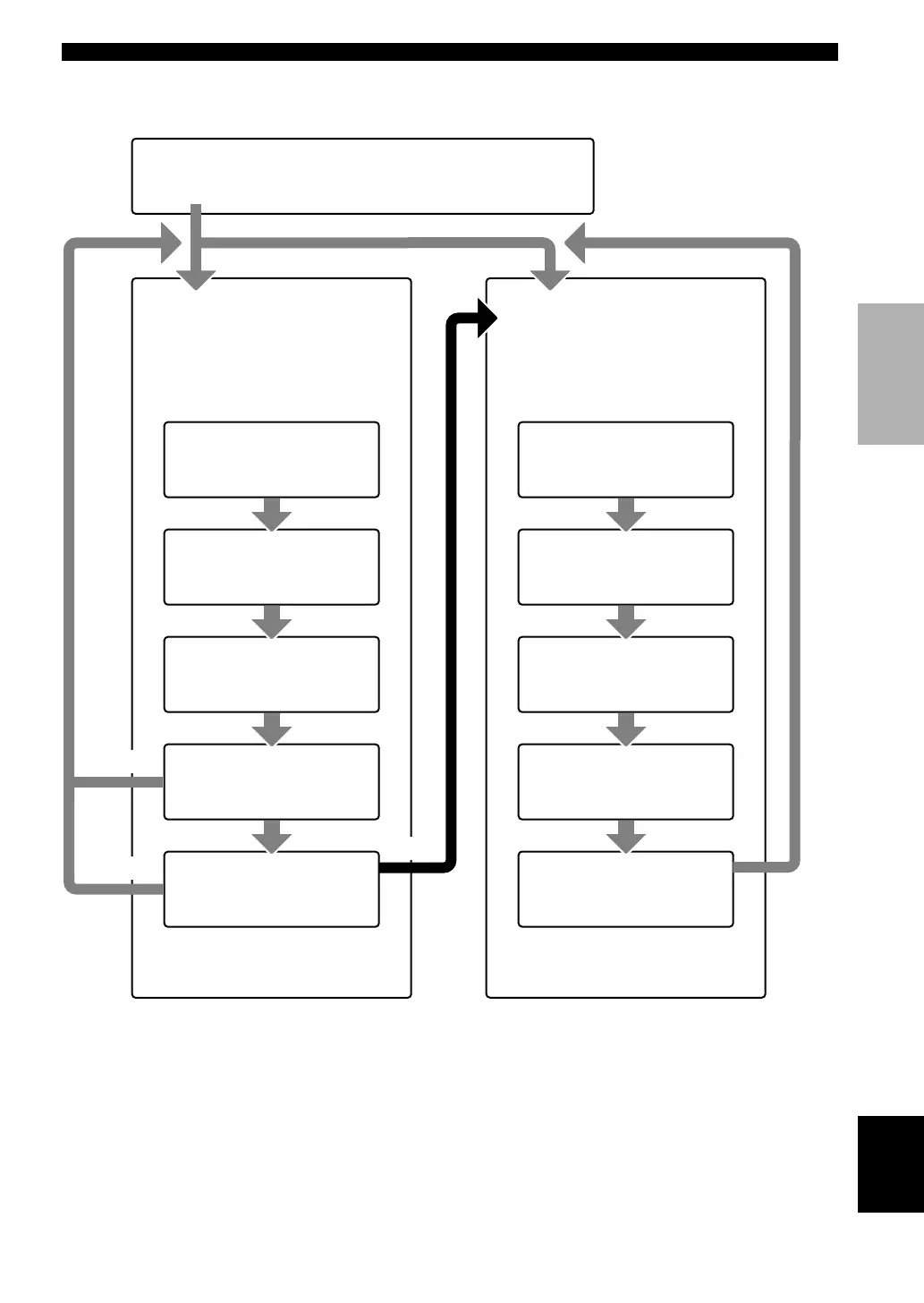
SET MENU
BASIC SOUND INPUT OPTION
1 SETUP
Press j / i to alter the settings for each
parameter. Use d to move to the next
setting.
2 SP LEVEL
Press j / i to adjust the balance
between each speaker and the left main
speaker. Use d to move to the next
setting.
1 ROOM
Choose from S/M/L.
2 SUBWOOFER
Choose either of YES/NONE.
3 SPEAKERS
Choose from 2/3/4/5 spk.
4 SET/CANCEL
Choose either of SET/CANCEL.
5 CHECK OK:
Choose either of YES/NO.
1 L-R
Adjust the balance between the main
left and right speakers.
2 C
Adjust the balance between the main
left and center speakers.
3 RL
Adjust the balance between the main
left and rear left speakers.
4 RR
Adjust the balance between the rear
left and rear right speakers.
SET
BASIC SYSTEM SETTINGS
NO
YES
CANCEL
• After altering the “1 SETUP” parameters, readjust the output levels of the speakers at “2 SP LEVEL”.
• See pages 37 – 42 for a detailed explanation of the “SOUND”, “INPUT” and “OPTION” menus.
5 SWFR
Adjust the balance between the main
left speaker and the subwoofer.
05V340R_19-21_EN(3.2.25)a.p65 03.2.25, 7:57 PM19


 To Next Page