EasyManua.ls Logo

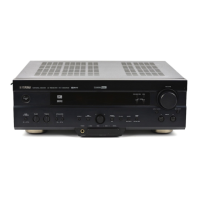
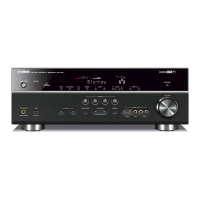
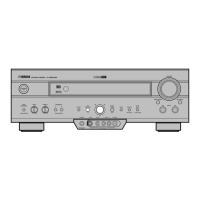
Yamaha RX-V620 - Service Manual

Yamaha RX-V620
84 pages
Print Icon
To Next Page IconTo Next Page
Loading...
AV RECEIVER
100760
CONTENTS
TO SERVICE PERSONNEL ........................................... 1
FRONT PANELS ............................................................. 2
REAR PANELS ......................................................... 3 – 4
SPECIFICATIONS ..................................................... 5 – 7
INTERNAL VIEW ............................................................ 7
DISASSEMBLY PROCEDURES ............................ 8 – 10
SELF DIAGNOSIS FUNCTION............................. 11 – 29
AMP CHECK ................................................................. 30
IC DATA ................................................................31 – 38
DISPLAY DATA ....................................................39 – 40
PIN CONNECTION DIAGRAM ..................................... 41
BLOCK DIAGRAM ................................................ 42 – 45
PRINTED CIRCUIT BOARD ................................. 46 – 69
SCHEMATIC DIAGRAM .......................................70 – 75
PARTS LIST .......................................................... 76 – 94
REMOTE CONTROL TRANSMITTER.................. 95 – 97
This manual has been provided for the use of authorized YAMAHA Retailers and their service personnel.
It has been assumed that basic service procedures inherent to the industry, and more specifically YAMAHA Products, are already
known and understood by the users, and have therefore not been restated.
WARNING: Failure to follow appropriate service and safety procedures when servicing this product may result in personal
injury, destruction of expensive components, and failure of the product to perform as specified. For these
reasons, we advise all YAMAHA product owners that any service required should be performed by an
authorized YAMAHA Retailer or the appointed service representative.
IMPORTANT: The presentation or sale of this manual to any individual or firm does not constitute authorization, certification
or recognition of any applicable technical capabilities, or establish a principle-agent relationship of any
form.
The data provided is believed to be accurate and applicable to the unit(s) indicated on the cover. The research, engineering, and
service departments of YAMAHA are continually striving to improve YAMAHA products. Modifications are, therefore,
inevitable and specifications are subject to change without notice or obligation to retrofit. Should any discrepancy appear to exist,
please contact the distributor's Service Division.
WARNING: Static discharges can destroy expensive components. Discharge any static electricity your body may have
accumulated by grounding yourself to the ground buss in the unit (heavy gauge black wires connect to this
buss).
IMPORTANT: Turn the unit OFF during disassembly and part replacement. Recheck all work before you apply power to the
unit.
IMPORTANT NOTICE
RX-V620/HTR-5460
RX-V620RDS
SERVICE MANUAL
RX-V620/HTR-5460
RX-V620RDS

Other manuals for Yamaha RX-V620

Questions and Answers

  • S
    Samantha WadeSep 10, 2025
    How to eliminate humming sound from Yamaha RX-V620?
    • R
      Rebecca DavisSep 10, 2025
      To eliminate a humming sound from your Yamaha Receiver, firmly connect the audio plugs; if the problem persists, the cables may be defective. Also, ensure there is a connection from the turntable to the GND terminal by connecting the grounding cord of your turntable to the GND terminal of this unit.
  • J
    James ReedAug 22, 2025
    What to do if Yamaha RX-V620 Receiver fails to turn on?
    • D
      Daniel JacksonAug 23, 2025
      If your Yamaha Receiver doesn't turn on, here are a few things to check: * Ensure the power cord is firmly connected to the unit. * Verify the IMPEDANCE SELECTOR switch on the rear panel is fully set to either the left or right position while the unit is in standby mode. * Confirm that all speaker wire connections are secure and that no wires are touching anything other than their respective connections, as the protection circuitry may have been activated.
  • J
    joanne01Aug 25, 2025
    How to enable sound from the subwoofer on Yamaha Receiver?
    • M
      Mrs. Katherine BrownAug 25, 2025
      If you're not getting sound from the subwoofer on your Yamaha Receiver, and “1D LFE/BASS OUT” on the SET MENU is set to MAIN while playing a Dolby Digital or DTS signal, select SWFR or BOTH. If “1D LFE/BASS OUT” is set to SWFR or MAIN when playing a 2-channel source, select BOTH.
  • T
    Theresa PhillipsAug 26, 2025
    What to do if only one speaker is working on my Yamaha RX-V620 Receiver?
    • K
      katherine49Aug 27, 2025
      If you only hear sound from one speaker connected to your Yamaha Receiver, the cable connections may be incorrect. Connect the cables properly. If the problem persists, the cables may be defective.
  • A
    Ashley HamiltonAug 27, 2025
    How to troubleshoot no sound from the center speaker on Yamaha RX-V620 Receiver?
    • J
      Jonathan BrowningAug 28, 2025
      If there is no sound from the center speaker of your Yamaha Receiver, raise the level of the center speaker. Also, if “1A CENTER SP” on the SET MENU is set to NONE, select the appropriate mode for your center speaker. If one of the Hi-Fi DSP programs (1 to 4) has been selected, choose another DSP program.
  • H
    howellmichaelAug 29, 2025
    Why is there no sound from the rear speakers on my Yamaha Receiver?
    • B
      Brett JohnsonAug 29, 2025
      If you're not getting any sound from the rear speakers on your Yamaha Receiver, raise the output level of the rear speakers. If a monaural source is being played with the program 9, select another DSP program.
  • A
    Alvin HarrisSep 18, 2025
    How to reduce noise interference on my Yamaha Receiver?
    • C
      currysarahSep 18, 2025
      To reduce noise interference on your Yamaha Receiver, the unit may be too close to digital or high-frequency equipment. Move the unit further away from such equipment.
  • A
    Amy DudleySep 12, 2025
    How do I get sound from the effect speakers on my Yamaha RX-V620?
    • L
      littleangelaSep 12, 2025
      To get sound from the effect speakers on your Yamaha Receiver, press EFFECT to turn it on. Also, if a Dolby Surround, Dolby Digital, or DTS decoding DSP program is being used with material not encoded with Dolby Surround, Dolby Digital, or DTS, select another DSP program.
  • E
    Emily HooperSep 8, 2025
    What should I do if the picture does not appear on my Yamaha RX-V620?
    • C
      Christopher ChavezSep 8, 2025
      If the picture does not appear on your Yamaha Receiver, ensure that the output and input for the picture are connected to the same types of video jacks (between composites, S-VIDEOs, or components) for both the input and output.
  • J
    Jose WoodsSep 5, 2025
    Why is the bass reproduction poor on my Yamaha Receiver?
    • E
      Evan MaxwellSep 5, 2025
      If you're experiencing poor bass reproduction with your Yamaha Receiver, and “1D LFE/BASS OUT” on the SET MENU is set to SWFR or BOTH but your system does not include a subwoofer, select MAIN. Also, ensure the output mode for each speaker (main, center, or rear) on the SET MENU matches your speaker configuration and select the appropriate output mode for each speaker based on the size of the speakers in your configuration.

Summary

To Service Personnel

Specifications

Audio Section Specifications

Detailed technical specifications for the audio output and processing stages.

Disassembly Procedures

Self Diagnosis Function

DSP Through Diagnosis

Diagnosis menu for DSP signal path and bypass settings.

Front Channel Diagnosis

Diagnosis menu for front channel signal output and mix settings.

RAM Through Diagnosis

Diagnosis menu for RAM signal output through external DRAM.

Pro Logic Diagnosis

Diagnosis menu for Pro Logic decoding operation.

Margin Check Diagnosis

Diagnosis menu for head margin settings on main channels.

Main Mix Diagnosis

Diagnosis menu for center and SW signal output through main channel.

Manual Test Diagnosis

Diagnosis menu for outputting test noise from specified channels.

Factory Preset Diagnosis

Diagnosis menu for initializing or inhibiting backup RAM parameters.

AD Data Check Diagnosis

Diagnosis menu to display CPU A/D conversion values for keys and protection.

IF Status Diagnosis

Diagnosis menu to display signal status in hexadecimal notation.

DSP RAM Check Diagnosis

Diagnosis menu to self-diagnose YSS928 and external RAM connection.

Version;Sum Diagnosis

Diagnosis menu to check program version and microprocessor checksum.

DIAG Menu Details

DSP Through - Analog Bypass

Diagnosis for analog bypass signal path, fixed to analog A/D system.

DSP Through - M, C, R, SW CH

Diagnosis for automatic signal identification and switching based on priority order.

DSP Through - Main HPF

Diagnosis for main HPF being turned on and output, with head margin settings.

DSP Through - Full Bit

Diagnosis where head margin is unused and digital data outputs in full bit.

DSP Through - Full Bit F

Diagnosis where front channel signal outputs in full bit to main channel.

DSP Through - Full Bit-6 dB

Diagnosis where head margin is included and digital data outputs in half bit.

DSP Through - Normal Front Channel

Diagnosis for normal front channel signal output to the main channel.

AMP CHECK

Confirmation of Idling Current

Procedure for confirming idling current of amplifier channels.

Block Diagram

Schematic Diagram (DSP)

Schematic Diagram (Input 1;2)

Schematic Diagram (Input 2;2 & Operation 1;2)

Schematic Diagram (Operation 2;2)

Schematic Diagram (Main 1;2)

Schematic Diagram (Main 2;2 & Power)

Parts List

Electrical Parts List

List of electrical components with part numbers, descriptions, and abbreviations.

P.C.B. INPUT Parts List

List of components for the INPUT Printed Circuit Board.

P.C.B. INPUT Parts List (Continued)

Continued list of components for the INPUT Printed Circuit Board.

P.C.B. OPERATION & DSP Parts List

List of components for OPERATION and DSP Printed Circuit Boards.

P.C.B. OPERATION Parts List (Continued)

Continued list of components for OPERATION Printed Circuit Boards.

P.C.B. OPERATION & DSP Parts List (Continued)

Further continued list of components for OPERATION and DSP Printed Circuit Boards.

P.C.B. DSP Parts List

List of components for the DSP Printed Circuit Board.

P.C.B. DSP Parts List (Continued)

Continued list of components for the DSP Printed Circuit Board.

P.C.B. MAIN Parts List

List of components for the MAIN Printed Circuit Board.

P.C.B. MAIN & POWER Parts List

List of components for the MAIN and POWER Printed Circuit Boards.

P.C.B. MAIN Parts List (Continued)

Continued list of components for the MAIN Printed Circuit Board.

P.C.B. MAIN & POWER Parts List (Continued)

Further continued list of components for MAIN and POWER Printed Circuit Boards.

P.C.B. POWER Components List

List of components for the POWER Printed Circuit Board.

Chip Resistor List

List of chip resistors with part numbers and values.

Remote Control Transmitter

Schematic Diagram

Parts List for Carbon Resistors

Yamaha RX-V620 Specifications

General IconGeneral
BrandYamaha
ModelRX-V620
CategoryReceiver
LanguageEnglish

Related product manuals