EasyManua.ls Logo

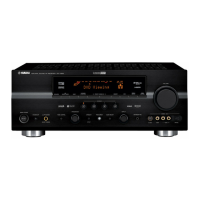
Yamaha RX-V630 - User Manual

Yamaha RX-V630
67 pages
Print Icon
To Next Page IconTo Next Page
Loading...
OWNER’S MANUAL
RX-V630
U
AV Receiver
0100V630(U)-cv1 12/27/01, 7:45 PM1

Table of Contents

Questions and Answers

  • P
    Phillip BrownSep 8, 2025
    What causes buzzing and whining noises in Yamaha RX-V630?
    • S
      Sean GreerSep 9, 2025
      Buzzing and whining noises, especially in the evening, with your Yamaha Receiver can be caused by a TV set being used nearby. Try moving the unit away from the TV.
  • A
    Allison GarciaAug 23, 2025
    What to do if Yamaha RX-V630 remote control does not work?
    • R
      robertmorganAug 23, 2025
      If the Yamaha Receiver remote control isn't working, check these possible solutions: * Ensure you are within a maximum range of 6 m (20 feet) and no more than 30 degrees off-axis from the front panel. * Reposition the unit if direct sunlight or lighting is striking the remote control sensor. * Replace all batteries with new ones. * Ensure the manufacture code has been correctly set.
  • J
    jacoblynnAug 25, 2025
    Why Yamaha RX-V630 sound suddenly goes off?
    • M
      Mary VangAug 25, 2025
      If the sound on your Yamaha Receiver suddenly cuts out, here are some things to investigate: * The protection circuit may have been activated due to a short circuit. Check that the IMPEDANCE SELECTOR switch is set to the appropriate position and then turn the unit back on. * Check the speaker wires are not touching each other and then turn this unit back on. * The sleep timer may have activated; turn the power on and play the source again. * The sound may be muted; press MUTE or any operation buttons to cancel mute and adjust the volume.
  • E
    Elizabeth MosleyAug 27, 2025
    Why does Yamaha RX-V630 Receiver suddenly turn into standby mode?
    • K
      Kathleen MorenoAug 27, 2025
      If your Yamaha Receiver suddenly turns into standby mode, it may be because the internal temperature has become too high, activating the overheat protection circuitry. Wait until the unit cools down and then turn it back on.
  • B
    Bonnie BarkerAug 27, 2025
    How to fix poor bass reproduction on Yamaha RX-V630 Receiver?
    • W
      Wayne HudsonAug 27, 2025
      If you're experiencing poor bass reproduction with your Yamaha Receiver, consider the following: * If “1E BASS” on the SET MENU is set to SWFR or BOTH and your system does not include a subwoofer, select MAIN. * Ensure the speaker mode settings (main, center, rear, or rear center) on the SET MENU match your speaker configuration. Select the appropriate position for each speaker based on the size of the speakers in your configuration.
  • K
    Katrina WilsonSep 22, 2025
    How to change sound field parameters on Yamaha RX-V630?
    • S
      sampsonsamanthaSep 22, 2025
      If the sound field parameters and some other settings on your Yamaha Receiver cannot be changed, check if “10 MEM. GUARD” in the SET MENU is set to ON. If so, set “10 MEM. GUARD” in the SET MENU to OFF.
  • T
    Thomas ReyesSep 16, 2025
    What does 'CHECK SP WIRES' mean on Yamaha RX-V630?
    • S
      Sharon MorrisonSep 16, 2025
      If “CHECK SP WIRES” appears on the front panel display of your Yamaha Receiver, it indicates that the speaker cables are short circuited. Make sure all speaker cables are connected correctly.
  • K
    Kara HendersonSep 18, 2025
    What to do if Yamaha RX-V630 Receiver does not operate properly?
    • C
      Carolyn PrinceSep 18, 2025
      If your Yamaha Receiver is not operating properly, disconnect the AC power cord from the outlet and then plug it in again after about 30 seconds. This can resolve issues caused by an external electric shock or a power supply with low voltage that may have frozen the internal microcomputer.
  • S
    sheliamooreSep 7, 2025
    What to do if Yamaha Receiver volume level cannot be increased or sound is distorted?
    • D
      Darrell AnthonySep 7, 2025
      If the volume level on your Yamaha Receiver cannot be increased or the sound is distorted, check if the component connected to the OUT (REC) jacks of this unit is turned off. If so, turn on the power to the component.
  • A
    Allen StewartSep 4, 2025
    How to fix Yamaha RX-V630 when FM stereo reception is noisy?
    • A
      Ana FergusonSep 4, 2025
      If you're experiencing noisy FM stereo reception on your Yamaha Receiver: * Check the antenna connections and consider using a high-quality directional FM antenna, as the characteristics of FM stereo broadcasts may cause this problem when the transmitter is too far away or the antenna input is poor. * Use the manual tuning method.

Summary

SAFETY INSTRUCTIONS

Graphical Symbols and Warnings

Explains graphical symbols and initial safety warnings to reduce shock risk.

General Safety Precautions

Provides comprehensive safety guidelines for operating the unit, cleaning, and handling accessories.

SAFETY INSTRUCTIONS

Installation, Servicing, and Environment

Details precautions for replacement parts, servicing, mounting, heat, and CATV grounding.

Outdoor Antenna and Grounding

Provides guidelines for grounding outdoor antennas to protect against surges and static charges.

FCC INFORMATION (for US customers only)

Compliance and Interference Measures

Explains FCC compliance, modification warnings, and measures to resolve interference issues.

PRE-OPERATION CAUTIONS

Essential Safety and Usage Guidelines

Important safety and operational guidelines to follow before using the unit for the first time.

FEATURES

Power Amplifier and Sound Processing

Details the unit's power output, Dolby, DTS, and CINEMA DSP capabilities.

Tuner and Additional Features

Lists tuner capabilities and additional features like D/A converter and test tone generator.

Manual Conventions

Provides information on manual conventions, button naming, and printing.

GETTING STARTED

Checking Package Contents

Lists all items included in the product package for verification.

Installing Remote Control Batteries

Step-by-step guide for installing batteries in the remote and important notes on battery usage.

CONTROLS AND FUNCTIONS

Front Panel Controls

Identifies and explains the function of each button and display on the unit's front panel.

CONTROLS AND FUNCTIONS

Front Panel Functions

Explains additional front panel controls for audio settings, tuning, and video input.

REMOTE CONTROL FEATURES

Control Area and Code Setup

Explains the infrared window, code setting, and input selector buttons.

Remote Control Operations

Details buttons for volume, mute, power, sleep timer, and DSP control.

REMOTE CONTROL FEATURES

Stereo;Effect and Set Menu Modes

Explains how to switch between stereo and DSP effects and enter the SET MENU mode.

Remote Control Handling

Provides guidance on proper remote control operation, range, and handling precautions.

FRONT PANEL DISPLAY

Indicators for Processing and Inputs

Explains indicators for processor status and input source selection.

Indicators for Audio and Status

Details indicators for mute, volume, PCM, silent, headphones, and DSP programs.

Indicators for Information and Tuning

Explains multi-information display and indicators for tuning, memory, auto mode, sleep, and input channels.

SPEAKER SETUP

Speaker Placement Guidelines

Provides diagrams and instructions for optimal placement of all speaker types.

Subwoofer Integration

Explains how a subwoofer expands the sound field and its benefits for bass frequencies.

CONNECTING THE SPEAKERS

Speaker Cable and Terminal Connections

Details how to prepare and connect speaker cables to the unit's terminals.

Speaker Terminal Types

Identifies the different speaker terminals available for connection (Main, Rear, Center).

SPEAKER SETUP

Speaker Wiring Diagram and Subwoofer Jack

Illustrates speaker wiring and explains the function of the subwoofer input jack.

SPEAKER SETUP

Impedance Selector Switch

Details how to set the impedance selector switch based on speaker impedance for safe operation.

CONNECTIONS

Component Connection Overview

Introduces the connection process and lists various input/output jack categories.

Digital and Audio Connections

Explains how to connect digital audio sources and general audio components.

CONNECTIONS

Video Component Connections

Details the process of connecting various video sources like composite, S-Video, and component.

CONNECTIONS

Video Connection Diagram

Illustrates typical video connections between components and the unit.

CONNECTIONS

CD Player and Recorder;MD Connections

Details how to connect CD players and CD recorders/MD recorders via digital or analog jacks.

CONNECTIONS

Antenna Connections

Provides instructions for connecting AM loop and FM indoor antennas for signal reception.

CONNECTIONS

External Amplifier Connection

Explains how to connect an external amplifier to the unit's output jacks for increased power.

External Decoder Connection

Details how to connect external decoders or processors using the 6CH INPUT jacks.

CONNECTING THE POWER SUPPLY CORDS

AC Power Cord and Outlet Details

Instructions for connecting the unit's AC power cord and details on switched AC outlets.

Voltage Selector and Initial Power On

Explains the voltage selector switch and the procedure for the first power-on.

TURNING ON THE POWER

Initial Power-Up Procedure

Steps to turn on the unit and video monitor after all connections are complete.

SPEAKER MODE SETTINGS

Summary of SPEAKER SET Items

Summarizes the available SPEAKER SET items (1A-1F) and their default configurations.

ADJUSTING SPEAKER OUTPUT LEVELS

Using the Test Tone Generator

Explains how to use the test tone to balance speaker output levels at the listening position.

ADJUSTING SPEAKER OUTPUT LEVELS

Adjusting Individual Speaker Levels

Details how to adjust output levels for center, rear, and subwoofer using volume controls.

BASIC PLAYBACK

Selecting Input Source and Speakers

Guides on selecting the input source and activating the main speaker sets for playback.

Selecting 6 CH INPUT

Explains how to select the 6CH INPUT for audio sources, noting limitations.

BASIC PLAYBACK

Adjusting Volume and DSP Programs

Covers adjusting volume, using BASS/TREBLE, and selecting DSP programs for enhanced sound.

BGV Function and Muting

Details the BGV function for enjoying video with audio and how to mute/unmute the sound.

Finishing Playback

Instructions on how to put the unit into standby mode when playback is finished.

INPUT MODES AND INDICATIONS

Selecting Input Modes

Explains how to select input modes (AUTO, DTS, ANALOG) and their behavior with digital signals.

Notes on Digital Signals

Provides notes on 96-kHz sampling digital signals and playing DTS-CD/LDs.

SELECTING A SOUND FIELD PROGRAM

DSP Program Selection

Guides on selecting DSP programs and sub-programs for enhanced listening experiences.

DSP Program Notes

Includes notes on DSP program availability, usage with 6CH INPUT, and source-dependent selection.

SELECTING PRO LOGIC II

Pro Logic II Setup and Modes

Details how to select PRO LOGIC II for 2-channel sources and choose between Movie and Music modes.

DOLBY DIGITAL SURROUND EX OR DTS ES SOFTWARE

EX;ES Decoder and Matrix Modes

Explains how to activate the Dolby Digital EX/DTS-ES decoder and its matrix modes.

VIRTUAL CINEMA DSP

Virtual Surround Effect

Describes how to achieve virtual surround effects without rear speakers using DSP.

SILENT CINEMA DSP

Headphone Surround Sound

Explains how to enjoy DSP sound fields with headphones using SILENT CINEMA DSP.

NORMAL STEREO REPRODUCTION

Disabling Sound Effects

Guides on turning off sound effects for normal stereo listening and its implications.

DIGITAL SOUND FIELD PROCESSING (DSP)

Understanding Sound Fields

Defines sound fields and explains how YAMAHA DSP recreates acoustic environments.

Hi-Fi DSP Programs Description

Lists and describes Hi-Fi DSP programs like CONCERT HALL, JAZZ CLUB, and ROCK CONCERT.

CINEMA-DSP

Sound Design of CINEMA-DSP

Details how CINEMA-DSP enhances movie soundtracks by integrating Dolby and DTS technologies.

CINEMA-DSP

Movie Theater Sound Programs

Explains MOVIE THEATER programs that recreate cinema-quality sound and localization.

Dolby Pro Logic II for Audio-Video

Details Dolby Pro Logic II's 5-channel playback for movie and music sources.

CINEMA-DSP PROGRAMS

Program Names for Input Formats

Lists CINEMA-DSP program names categorized by input format (Stereo, Dolby Digital, DTS).

CINEMA-DSP PROGRAMS

Program Descriptions (Movie and AV)

Provides descriptions for MOVIE THEATER programs and audio-video programs like GAME and SPORTS.

TUNING

Automatic and Manual Tuning Methods

Explains automatic and manual tuning procedures for finding radio stations.

PRESETTING STATIONS

Automatic Preset Tuning (FM)

Guides on automatically storing FM stations with strong signals into memory.

Manual Preset Tuning Options

Details options for selecting preset numbers and tuning direction for manual storage.

Memory Back-up

Explains how the unit retains stored station data even after power loss.

TUNING

Manually Presetting Stations

Details the process for manually storing up to 40 radio stations.

TUNING

Tuning to Preset Stations

Guides on selecting stored stations using preset numbers and groups.

Exchanging Preset Stations

Explains how to swap the assignments of two stored radio stations.

SLEEP TIMER

Setting the Sleep Timer

Step-by-step instructions for setting the sleep timer to automatically turn off the unit.

Canceling the Sleep Timer

Explains how to cancel the sleep timer function by pressing the SLEEP OFF option.

RECORDING

Recording Operations and Software Notes

Covers general recording steps and special considerations for DTS software.

Timer Playback;Recording and Memory Back-up

Explains timer operations and the unit's memory back-up feature.

SET MENU

Navigating and Adjusting SET MENU Items

Guides on navigating and adjusting various settings within the SET MENU using the remote control.

SET MENU

SPEAKER SET Configuration

Explains how to select speaker modes (CENTER, MAIN, REAR) for optimal sound configuration.

SET MENU

Rear Speaker and Bass Settings

Details settings for rear speakers, rear center, and LFE/bass output modes.

SET MENU

Main Level, LFE Level, and Speaker Delay

Explains settings for main speaker level, LFE level, and speaker delay time adjustment.

SET MENU

Dynamic Range, Balance, and Tone Controls

Details settings for dynamic range, left/right balance, and headphone tone control.

SET MENU

I;O Assignment, Input Mode, Display, and Memory Guard

Covers input/output assignments, input modes, display settings, and memory guard.

ADJUSTING THE LEVEL OF THE EFFECT SPEAKERS

Adjusting Speaker Output Levels

Details how to adjust output levels for effect speakers using the remote control.

ADJUSTING THE DELAY TIME

Adjusting Speaker Delay Time

Explains how to adjust the delay time for center and rear center speakers for better sound localization.

ADJUSTING THE PARAMETER SETTINGS FOR PRO LOGIC II MUSIC

Changing PRO LOGIC II Music Parameters

Guides on adjusting PRO LOGIC II Music parameters like Panorama and Dimension.

TROUBLESHOOTING

General Operation and Sound Issues

Addresses unit startup, no sound, picture issues, and sound muting.

TROUBLESHOOTING

Sound Playback Issues

Solves problems with sound cutting off, one-sided audio, and effect speaker sound.

TROUBLESHOOTING

Tuner Issues

Addresses FM stereo noise, distortion, tuning problems, and preset station issues.

TROUBLESHOOTING

Remote Control Issues

Solves problems related to remote control functionality, distance, and battery issues.

GLOSSARY

Audio Technology Definitions

Defines audio terms like Dolby Surround, Dolby Digital, DTS, and LFE.

GLOSSARY

DSP and Signal Format Definitions

Defines Virtual CINEMA DSP, PCM, S-video, and Component video signals.

SPECIFICATIONS

Audio and FM;AM Specifications

Lists detailed technical specifications for audio output, FM, and AM tuner performance.

SPECIFICATIONS

General, Video, and Accessory Specifications

Details general specifications, video signal types, dimensions, weight, and included accessories.

Yamaha RX-V630 Specifications

General IconGeneral
TypeAV Receiver
Channels6.1
THD0.06%
Input Sensitivity200 mV
Signal to Noise Ratio100 dB
Digital Sound Processor (DSP)Yes
Input Impedance47 kOhms
Output Level1 V
Input TypeRCA, Optical, Coaxial
Surround SoundDolby Digital, DTS
Preset Stations40
Tuning RangeFM/AM
Output TypeSpeaker
Audio Outputs2
Digital Audio Inputs1 Optical, 1 Coaxial
Video InputsComposite: x4, S-Video: x4, Component: x2

Related product manuals