EasyManua.ls Logo

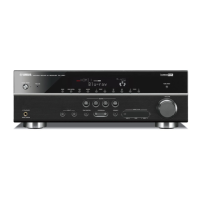
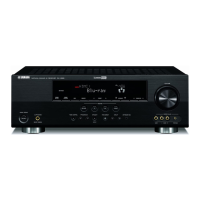
Yamaha RX-V663 - User Manual

Yamaha RX-V663
142 pages
Print Icon
To Next Page IconTo Next Page
Loading...
YAMAHA ELECTRONICS CORPORATION, USA
6660 ORANGETHORPE AVE., BUENA PARK, CALIF. 90620, U.S.A.
YAMAHA CANADA MUSIC LTD.
135 MILNER AVE., SCARBOROUGH, ONTARIO M1S 3R1, CANADA
YAMAHA ELECTRONIK EUROPA G.m.b.H.
SIEMENSSTR. 22-34, 25462 RELLINGEN BEI HAMBURG, GERMANY
YAMAHA ELECTRONIQUE FRANCE S.A.
RUE AMBROISE CROIZAT BP70 CROISSY-BEAUBOURG 77312 MARNE-LA-VALLEE CEDEX02, FRANCE
YAMAHA ELECTRONICS (UK) LTD.
YAMAHA HOUSE, 200 RICKMANSWORTH ROAD WATFORD, HERTS WD18 7GQ, ENGLAND
YAMAHA SCANDINAVIA A.B.
J A WETTERGRENS GATA 1, BOX 30053, 400 43 VÄSTRA FRÖLUNDA, SWEDEN
YAMAHA MUSIC AUSTRALIA PTY. LTD.
LEVEL 1, 99 QUEENSBRIDGE STREET, SOUTHBANK, VIC 3006, AUSTRALIA
©
2008 All rights reserved.
RX-V663
Printed in Malaysia WN24960
RX-V663
AV Receiver
Ampli-tuner audio-vidéo
OWNER’S MANUAL
MODE D’EMPLOI
BEDIENUNGSANLEITUNG
BRUKSANVISNING
GEBRUIKSAANWIJZING
ИНСТРУКЦИЯ ПО ЭКСПЛУАТАЦИИ
G
RX-V663_G-cv.mif Page 1 Monday, January 28, 2008 2:56 PM
Black process 45.0° 240.0 LPI

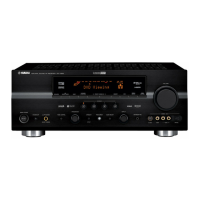
Table of Contents

Other manuals for Yamaha RX-V663

Questions and Answers

  • S
    Samantha KempSep 10, 2025
    Why does my Yamaha RX-V663 suddenly go into standby mode?
    • R
      Robert HaydenSep 10, 2025
      If your Yamaha Receiver suddenly enters standby mode, wait about 1 hour for the unit to cool down and then turn it back on. This may be due to the internal temperature being too high.
  • J
    Jerry StewartAug 22, 2025
    What to do if my Yamaha Receiver fails to turn on?
    • D
      Derrick HendersonAug 22, 2025
      This issue may occur if the protection circuitry has been activated. Ensure all speaker wire connections on both the unit and speakers are secure, and that wires don't touch anything except their respective connections. Also, verify the power cable is firmly connected. If the speaker impedance setting is incorrect, set it to match your speakers. If the unit experienced a strong electric shock, set it to standby, disconnect the power cable, wait 30 seconds, reconnect, and then use normally.
  • M
    Marissa MercerAug 25, 2025
    Why is my Yamaha Receiver remote not working?
    • C
      Catherine WalkerAug 25, 2025
      If the Yamaha Receiver's remote control isn't working, ensure you're within 6 meters (20 ft) and no more than 30 degrees off-axis from the front panel. Reposition the unit if direct sunlight or lighting is affecting the remote sensor. Replace weak batteries. Set the operation mode selector correctly. Also, ensure the remote control code and the unit's ID match.
  • A
    amyfrazierAug 26, 2025
    Why is there no sound from surround speakers on my Yamaha RX-V663 Receiver?
    • G
      gonzalezmiguelAug 26, 2025
      If you're not getting sound from the surround speakers on your Yamaha Receiver: * Set 'EXTRA SP ASSIGN' to 'PRESENCE'. * Set 'SUR. L/R SP' in 'SET MENU' to 'SML' or 'LRG'. * If in 'STRAIGHT' mode and playing a monaural source, press OSTRAIGHT to exit 'STRAIGHT' mode.
  • V
    victoria15Aug 27, 2025
    How to fix no sound on Yamaha Receiver?
    • E
      erichortonAug 27, 2025
      If there is no sound from your Yamaha Receiver, first ensure that all input and output cables are properly connected and not defective. Disconnect the optimizer microphone if it's connected. Set the 'Audio input jack select' to 'AUTO'. If set to 'ANALOG' while playing Dolby Digital or DTS, select an appropriate input source using the INPUT selector. Select the correct front speakers by pressing ASPEAKERS on the front panel. Also, make sure the volume isn't turned down or muted. Finally, ensure the source signals can be reproduced by the unit.
  • J
    Jeremiah NashAug 29, 2025
    What to do if Yamaha Receiver sound suddenly goes off?
    • K
      Kelsey DoyleAug 29, 2025
      If the sound from your Yamaha Receiver suddenly goes off, it could be due to the protection circuitry being activated. Check that the speaker impedance setting is correct and that the speaker wires are not touching each other. Then, turn the unit back on.
  • C
    Casey BoothSep 18, 2025
    What to do if iPod was removed from Yamaha RX-V663 Receiver dock?
    • A
      Amy BryantSep 18, 2025
      Station your iPod back in a Yamaha iPod universal dock connected to the DOCK terminal of this unit.
  • S
    Sean PatelSep 12, 2025
    How to stop humming sound from Yamaha Receiver?
    • D
      Darrell AguilarSep 12, 2025
      If you're hearing a humming sound from your Yamaha Receiver, ensure the audio cables are firmly connected. If the problem persists, the cables may be defective.
  • F
    fmaysSep 8, 2025
    How to stop crackling noises from Yamaha RX-V663 Receiver?
    • M
      Michael LinSep 8, 2025
      If there are continuous crackling and hissing noises, use an outdoor antenna and a ground wire.
  • K
    Kristen AllenSep 5, 2025
    Why no sound from other speakers when FRONT B speakers are on Yamaha RX-V663?
    • C
      cwoodSep 5, 2025
      If there is no sound from the center, surround, or surround back speakers when FRONT B speakers are activated, set 'EXTRA SP ASSIGN' to 'FRONT B' or 'PRESENCE'.

Summary

CAUTION: READ THIS BEFORE OPERATING YOUR UNIT.

General Safety Precautions

Essential safety guidelines for operating the audio receiver to prevent damage or injury.

FEATURES

Key Features and Specifications

Details on the unit's power output, sound field programs, decoders, HDMI, and dock terminal functionalities.

Supplied Accessories

List of included items essential for unit setup and operation.

GETTING STARTED

Initial Setup Procedures

Steps for installing remote batteries and setting the voltage selector for correct operation.

Quick Start Guide

Preparation and Core Setup Steps

Overview of necessary items, speaker setup, component connection, and initiating playback via SCENE.

Speaker Placement Guide

Recommended Speaker Layouts and Subwoofer Setup

Guidance on optimal placement for various speakers and subwoofers for immersive audio.

Speaker Connection Details

Connecting Speakers and Terminals

Detailed instructions for connecting speaker cables to the unit's terminals, including EXTRA SP terminals.

Connection Ports Overview

Audio and Video Jack Explanations

Explanation of various audio and video jacks and their corresponding cable types.

HDMI Interface Information

HDMI Signal Compatibility and Connections

Specifications for HDMI signals and guidance on connecting HDMI cables and ports.

Connecting Display Devices

Connecting TV or Projector

Instructions for connecting the unit to display devices via various video output options.

Connecting Other Components

Connecting DVD Players and Other Sources

Instructions for connecting various audio and video components like DVD players.

Connecting Audio Components

Front Panel Controls and Settings

Setting Speaker Impedance

Procedure to adjust the unit's speaker impedance setting to match connected speakers.

Unit Power Management

Front Panel Display Indicators

Using the Remote Control

Remote Control Indicators and Displays

Explanation of indicators on the remote control and its display window.

Optimizing Speaker Settings with YPAO

AUTO SETUP Procedure

Step-by-step guide for performing the automatic speaker setup using the optimizer microphone.

AUTO SETUP Troubleshooting

Selecting SCENE Templates

SCENE Template Selection Guide

SCENE Template Descriptions

Creating Custom SCENE Templates

Remote Control for SCENE Feature

Basic Playback Operations

Input and Speaker Selection

Audio and Status Display

Audio Output Control

Input Source Information Display

Sleep Timer Function

Sound Field Programs Overview

Sound Field Program Descriptions

Detailed explanations of various sound field programs for different audio sources.

Advanced Sound Field Usage

Audio Features and Adjustments

FM;AM Tuning Operations

Radio Tuning Methods

Radio Station Preset Management

Radio Data System (RDS) Tuning

RDS Enhanced Other Networks (EON) Service

Displaying Radio Data System Information

Using iPod

Bluetooth Component Pairing and Playback

Pairing Bluetooth devices and playing audio wirelessly.

Controlling iPod via Menu Browse Mode

IPod Playback Features

Using Bluetooth Components

Recording Operations

Advanced Sound Configuration

Changing Sound Field Parameter Settings

Step-by-step guide for modifying sound field parameters like DSP LEVEL.

Basic Sound Field Configuration

Advanced Sound Field Parameters

Advanced Sound Field Parameters

Decoder Descriptions

Decoder Descriptions

Decoder Descriptions

Customizing with Manual Setup

Auto Setup (AUTO SETUP)

Instructions for using the automatic setup feature for speaker and system parameters.

Manual Setup (MANUAL SETUP)

Guide to manually adjusting speaker and system parameters.

Volume Menu (VOLUME MENU)

Sound Menu (SOUND MENU)

Input Menu (INPUT MENU)

Option Menu (OPTION MENU)

Customizing Unit Initialization

Signal Information (SIGNAL INFO)

Feature to check audio and video signal information for diagnostic purposes.

Using the SET MENU

Manual Setup - Speaker Settings

Extra Speaker Assignment

Configuring functions of speakers connected to EXTRA SP terminals.

LFE;Bass Output

Selecting which speakers output LFE and low-frequency signals.

Manual Setup - Speaker Distance

Test Tone Function

Enabling test tones for speaker level and distance adjustments.

Manual Setup - Crossover and Phase

Speaker Level Adjustment

Manually balancing speaker levels for consistent sound output across all speakers.

Manual Setup - Equalizer

Test Tone for Equalizer Adjustment

Using test tones to aid in graphic equalizer adjustments.

Manual Setup - LFE and Dynamic Range

Manual Setup - Lip Sync and Extended Surround

Manual Setup - Input;Output Assignment

Manual Setup - Input Source Renaming and Decoder Mode

Manual Setup - Multi-channel Input Configuration

Manual Setup - Display Settings

Manual Setup - Video Settings and Memory Guard

Manual Setup - Initialization and HDMI Settings

Manual Setup - Zone 2 Settings

Remote Control Features

Setting Remote Control Codes

Instructions for setting up remote control codes to operate other audio/video components.

Remote Control for Other Components

Remote Control Operation Modes

Setting Remote Control Codes

Detailed steps for assigning remote control codes to components.

Remote Control Learning Feature

Remote Control Learning Procedures

Remote Control Macro Programming

Remote Control Configuration Management

Clearing Remote Control Functions

Clearing Remote Control Macros

Multi-Zone Configuration

Connecting Zone 2 Equipment

Requirements and methods for connecting zone 2 audio equipment.

Internal Amplifier Usage for Zone 2

Controlling Zone 2

Controlling Zone 2 with the Front Panel

Methods for controlling Zone 2 audio playback using front panel or remote control buttons.

Multi-Zone Operation Control

Advanced Setup Menu

Speaker Impedance Settings

Adjusting speaker impedance settings to match connected speakers.

Advanced Setup - Remote Control ID

Setting Remote Control AMP ID Codes

Procedure for assigning AMP ID codes to the remote control.

Advanced Setup - Tuner ID

Setting Remote Control TUNER ID Codes

Procedure for assigning TUNER ID codes to the remote control.

Advanced Setup - Feature Settings

Troubleshooting Guide

General Issues

Solutions for common problems like unit not turning on or no sound.

Troubleshooting - HDMI Issues

Troubleshooting - Tuner and Remote Control Issues

Troubleshooting - Remote Control Problems

Troubleshooting - iPod and Bluetooth Issues

AUTO SETUP Troubleshooting Guide

Post AUTO SETUP Warnings

Resetting the System to Factory Settings

Glossary of Terms

Audio and Video Synchronization (Lip Sync)

Explanation of lip sync technology and its role in audio/video synchronization.

Bi-amplification Connection

Description of bi-amplification connections for speakers and their benefits.

Video Signal Types

Expl anations of component, composite, and Deep Color video signal systems.

Dolby Digital Technologies

Definitions of Dolby Digital, Dolby Digital EX, and Dolby Digital Plus audio technologies.

Glossary of Terms

DTS Audio Technologies

Definitions of DTS Express, DTS-HD High Resolution Audio, and DTS-HD Master Audio.

HDMI Interface

Explanation of the HDMI interface, its capabilities, and compatibility.

Glossary of Terms

Sound Field Program Information

Product Specifications

General Specifications

Limited Guarantee Information

Front Panel Layout

Remote Control Layout

Remote Control Code List - CABLE to DVD PLAYER

Remote Control Code List - DVD PLAYER to HD DVD PLAYER

Remote Control Code List - LD PLAYER to VCR

Remote Control Code List - VCR to ZENITH

Remote Control Code List - HUGHES NETWORK SYSTEMS to ZENITH

Yamaha RX-V663 Specifications

General IconGeneral
Amplifier Channels7.1
HDMI Inputs3
HDMI Outputs1
YPAOYes
Zone 2 OutputYes
Component Video Inputs3
Component Video Outputs1
Analog Audio Inputs5
Response Bandwidth10 Hz - 100 kHz
Signal-To-Noise Ratio100 dB
Input Impedance47 kOhms
Input Sensitivity200 mV
Audio D/A Converter192 kHz / 24-bit
Digital Sound Processor (DSP)Yes
DSP Preset Qty17
Tuner BandsAM/FM
Tuning RangeAM: 530 - 1710 kHz, FM: 87.5 - 107.9 MHz
Preset Station Qty40
Phono InputYes
Ethernet PortNo
USB PortNo
BluetoothNo
Wi-FiNo
Power Output95W per channel (8 ohms, 20Hz-20kHz, 0.09% THD)
Audio DecodingDolby Digital, DTS
Digital Audio Inputs2 Coaxial
Additional FeaturesCompressed Music Enhancer

Related product manuals