EasyManua.ls Logo

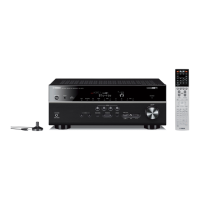
Yamaha RX-V657 - User Manual

Yamaha RX-V657
106 pages
Print Icon
To Next Page IconTo Next Page
Loading...
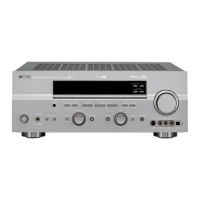
RX-V657
AV Receiver
OWNER’S MANUAL
U

Table of Contents

Questions and Answers

  • J
    James RodriguezSep 13, 2025
    How to enable the on-screen display on my Yamaha RX-V657?
    • D
      Douglas WilliamsSep 13, 2025
      If the on-screen display isn't appearing on your Yamaha receiver, here’s what to check: * If the setting for the on-screen display is set to “DISPLAY OFF”, select the full display or short display mode. * If “GRAY BACK” in SET MENU is set to OFF and no video signal is being received, set “GRAY BACK” to AUTO.
  • R
    Robert SimmonsAug 25, 2025
    What to do if the sound suddenly goes off on my Yamaha RX-V657?
    • T
      tiffany29Aug 26, 2025
      If the sound suddenly goes off on your Yamaha Receiver, it may be due to the activation of the protection circuitry caused by a short circuit. Check that the impedance selector setting is correct. Also, verify that the sleep timer hasn't turned the unit off; if so, turn the power back on and play the source again. Finally, ensure that the unit is not muted by pressing the MUTE button to cancel the mute function.
  • T
    Tyler GarciaAug 26, 2025
    Why won't my Yamaha RX-V657 Receiver turn on?
    • M
      Monica ParkerAug 26, 2025
      If your Yamaha receiver fails to turn on or enters standby mode shortly after being powered on, consider these potential causes: * Ensure the power cord is securely connected. * Verify the impedance setting matches your speakers. * Check speaker wire connections for any shorts that may have activated the protection circuitry; ensure wires only touch their respective connections. * If the unit experienced a strong electrical shock, put it in standby mode, unplug it for 30 seconds, then plug it back in.
  • C
    Crystal WilliamsNov 22, 2025
    Why is there no sound coming from my Yamaha RX-V657 Receiver?
    • N
      Nicole SmithNov 22, 2025
      If there is no sound from your Yamaha Receiver, first, ensure that all input and output cables are correctly connected; a loose or defective cable can cause this issue. Next, verify that the optimizer microphone is disconnected. Check the input mode setting; it should be set to AUTO rather than DTS or ANALOG. Also, make sure you've selected the appropriate input source using the INPUT, MULTI CH INPUT, or the input selector buttons. Confirm that speaker connections are secure and the correct front speakers (A and/or B) are selected. Finally, ensure the volume isn't muted and is turned up to an audible level. If the input mode is set to ANALOG while playing a source encoded with a DTS signal, set the input mode to AUTO or DTS. If your source component sends signals that the unit cannot repro...
  • I
    Ian GonzalezSep 14, 2025
    What to do if only one speaker is working on my Yamaha Receiver?
    • N
      Nicole FitzpatrickSep 14, 2025
      If you're only hearing sound from one speaker connected to your Yamaha receiver, here’s what to check: * Ensure the cables are correctly connected; if the problem continues, the cables may be defective. * Adjust the SPEAKER LEVEL settings if the balance is set incorrectly in SET MENU.
  • V
    Vincent FrenchSep 23, 2025
    Why is there noise when the OSD is displayed on my Yamaha RX-V657?
    • A
      Ashley MunozSep 23, 2025
      If you notice noise when the OSD is displayed on your Yamaha receiver, especially through component video connections, select OFF in CMPNT OSD.
  • N
    Nichole WilliamsSep 7, 2025
    How to fix noisy FM stereo reception on Yamaha Receiver?
    • T
      Tami HawkinsSep 7, 2025
      If FM stereo reception is noisy on your Yamaha Receiver, check the antenna connections. Try using a high-quality directional FM antenna, because the characteristics of FM stereo broadcasts may cause this problem when the transmitter is too far away or the antenna input is poor.
  • K
    Kim LewisSep 8, 2025
    What does “CHECK SP WIRES” mean on my Yamaha Receiver?
    • B
      Brian JamesSep 8, 2025
      If “CHECK SP WIRES” appears on the front panel display of your Yamaha Receiver, make sure all speaker cables are connected correctly, because speaker cables are short circuited.
  • C
    Connor HarringtonSep 23, 2025
    How to eliminate crackling and hissing noises on my Yamaha RX-V657?
    • P
      Patricia VazquezSep 23, 2025
      If you are experiencing continuous crackling and hissing noises with your Yamaha Receiver, use an outdoor antenna and a ground wire. Noises result from lightning, fluorescent lamps, motors, thermostats and other electrical equipment. This will help somewhat, but it is difficult to eliminate all noise.
  • K
    Kayla AllenAug 31, 2025
    Why is there no sound from the subwoofer on my Yamaha Receiver?
    • S
      Summer KnightAug 31, 2025
      If you're not getting any sound from the subwoofer connected to your Yamaha receiver, check the following: * In the SET MENU, if “LFE/BASS OUT” is set to FRNT while playing a Dolby Digital or DTS signal, change it to SWFR or BOTH. * If “LFE/BASS OUT” is set to SWFR or FRNT when playing a 2-channel source, select BOTH. * The source might not contain low bass signals.

Summary

IMPORTANT SAFETY INSTRUCTIONS

Safety Symbols and General Instructions

Explains the meaning of graphical symbols used in the manual for safety alerts and provides numbered safety instructions.

FEATURES

Unit Features Overview

Details the unit's amplifier specifications, sound field technologies, tuner capabilities, XM Radio, and other features.

GETTING STARTED

Initial Setup and Accessories

Lists supplied accessories and provides instructions for installing batteries in the remote control.

CONTROLS AND FUNCTIONS

Front Panel Controls

Identifies and describes the buttons and indicators located on the front panel of the unit.

Remote Control Functions

Describes the functions of each button on the remote control for operating the unit.

Rear Panel Connections

Identifies and describes the various input and output jacks on the rear panel of the unit.

SPEAKER SETUP

Speaker Placement Guidelines

Provides recommended placement for front, center, surround, and presence speakers for optimal sound.

Speaker Connections

Details how to connect speaker cables to the unit's terminals, including wire preparation and banana plug use.

CONNECTIONS

Before Connecting Components

General advice before connecting components, including cable indications.

Connecting Video Components

Instructions for connecting video sources like DVD players and monitors.

Connecting Audio Components

Instructions for connecting audio sources like CD players and MD decks.

Connecting FM and AM Antennas

Details how to connect the included indoor FM and AM loop antennas.

AUTO SETUP

YPAO Introduction and Setup

Introduces Yamaha Parametric Room Acoustic Optimizer (YPAO) and the setup procedure.

Optimizer Microphone Setup

Explains how to connect and position the optimizer microphone for the auto setup.

Starting the Auto Setup Procedure

Details the steps to initiate and run the YPAO auto setup process.

Auto Setup Results and Troubleshooting

Interprets auto setup results and provides troubleshooting for common errors or warnings.

PLAYBACK

Basic Playback Operations

Covers core playback steps like powering on, selecting speakers, input source, and volume.

Sound Field Programs and Headphone Listening

Explains how to use sound field programs and Silent Cinema for headphone listening.

Selecting Input Sources and Modes

Guides on choosing input sources and modes (AUTO, DTS, ANALOG) for digital inputs.

FM;AM TUNING

Automatic and Manual Tuning Methods

Explains automatic and manual tuning procedures for receiving FM/AM stations.

Presetting FM Stations

Details how to automatically and manually store FM stations using the preset tuning feature.

XM SATELLITE RADIO TUNING

XM Satellite Radio Setup and Operation

Covers service introduction, antenna connection, basic operations, and display switching.

XM Satellite Radio Search Modes

Explains the three search modes (All Channel, Category, Preset) for finding XM channels.

Setting XM Satellite Radio Presets

Details the procedure to store desired XM channels as presets using the memory function.

RECORDING

Recording Procedure and Notes

Outlines the basic steps for recording audio and video from connected components.

SOUND FIELD PROGRAM DESCRIPTIONS

Sound Field Programs for Media Sources

Describes sound field programs optimized for movie/video and music sources.

ADVANCED OPERATIONS

OSD Mode and Sleep Timer

Explains how to change OSD modes and set the sleep timer.

Manually Adjusting Speaker Levels

Guides on how to manually balance the output level of individual speakers.

SET MENU

Set Menu Overview and Navigation

Introduces the SET MENU for adjusting system settings and guides on its interface.

Sound, Input, and Option Menu Parameters

Lists detailed parameters within the Sound, Input, and Option menus.

Speaker Settings and Adjustments

Covers manual speaker configuration, distance, phase, and level adjustments.

Input;Output Assignment and Mode Settings

Explains reassigning jacks, input modes, renaming inputs, and volume trim.

ADVANCED SETUP MENU

Accessing and Using Advanced Setup Menu

Guides on how to enter the Advanced Setup menu for initial parameter configuration.

Advanced Setup Menu Items Overview

Lists parameters configurable in the Advanced Setup Menu, including speaker impedance.

REMOTE CONTROL FEATURES

Controlling the Main Unit with Remote

Explains how to use the remote control to operate the main unit.

Controlling Other Components and Setting Codes

Describes setting up the remote control to operate other A/V components.

Switching and Clearing Remote Control Codes

Manages remote control library codes and clearing previously set codes.

ZONE 2 OPERATION (U.S.A., CANADA, AUSTRALIA, U.K. AND EUROPE MODELS ONLY)

Zone 2 Connections and Requirements

Outlines necessary equipment and connections for setting up a multi-room audio system.

Remote Control for Zone 2 Operations

Explains how to enable and use the remote control to operate Zone 2 functions.

EDITING SOUND FIELD PARAMETERS

Understanding Sound Fields and Parameter Settings

Explains the elements of a sound field and how to change parameter settings.

Resetting Parameters to Factory Presets

Details the steps to reset sound field parameters to their original factory settings.

SOUND FIELD PARAMETER DESCRIPTIONS

DSP Level, Initial Delay, and Room Size

Details how to adjust DSP effect levels, initial delay, and room size parameters.

Liveness and Surround Field Size Adjustments

Describes adjustments for sound reflectivity (liveness) and surround field size.

Reverberation Time, Delay, and Level

Explains how to adjust reverberation time, delay, and level to shape the acoustic environment.

TROUBLESHOOTING

General Troubleshooting Guide

Provides solutions for common problems like no power, no sound, and no picture.

Troubleshooting Sound Output Problems

Addresses issues related to sudden sound loss, side-only audio, or missing speaker output.

Troubleshooting Signal and Tuner Issues

Covers problems with input signals, tuner reception, and remote control functionality.

RESETTING FACTORY PRESETS

Procedure for Factory Resetting Unit

Details the steps to reset all unit parameters to their original factory defaults.

GLOSSARY

Audio Formats Explained

Defines various audio technologies like Dolby Digital, DTS, and Pro Logic.

Sound Field Programs and Audio Information Definitions

Explains sound field programs and technical audio terms.

Video Signal Information Explained

Defines component video, composite video, and S-video signal systems.

SPECIFICATIONS

Audio and Video Specifications

Lists technical specifications for the audio output power, frequency response, and video sections.

Tuner and General Specifications

Provides technical details for tuner sections, power supply, dimensions, and weight.

APPENDIX: REMOTE CONTROL CODES

TV Remote Control Codes

Lists default remote control codes for various TV brands.

VCR, Cable TV, LD Player Codes

Provides default remote control codes for VCR, Cable TV, and LD player brands.

CD Player, MD;CD-R, Tuner Codes

Lists default remote control codes for CD players, MD/CD-R recorders, and tuners.

DVD Player and Recorder Codes

Lists default remote control codes for DVD players and DVD recorders.

Yamaha RX-V657 Specifications

General IconGeneral
Audio Channels7.1
Total Harmonic Distortion (THD)0.06%
Input Sensitivity200 mV
Signal-to-Noise Ratio100 dB
Component Video Inputs3
Composite Video Inputs4
Digital Audio Inputs (Coaxial)2
Response Bandwidth10 Hz - 100 kHz
Surround Sound EffectsYes
Sound EffectsYes
DSP Presets17
Tuner Presets40
Video Outputs (Composite)1
Video Outputs (S-Video)1
Video Outputs (Component)1
Audio Inputs (Analog)6
Audio Outputs (Analog)1
Audio Outputs (Digital Optical)1
RadioAM/FM
Power Output (per channel)90 W
Frequency Response10 Hz - 100 kHz
Input Impedance47k ohms
Audio D/A Converter192kHz/24-bit
Built-in DecodersDolby Digital, DTS, Dolby Pro Logic II

Related product manuals